RFDS and Telstra services
10-4 Outback HF Radiophone
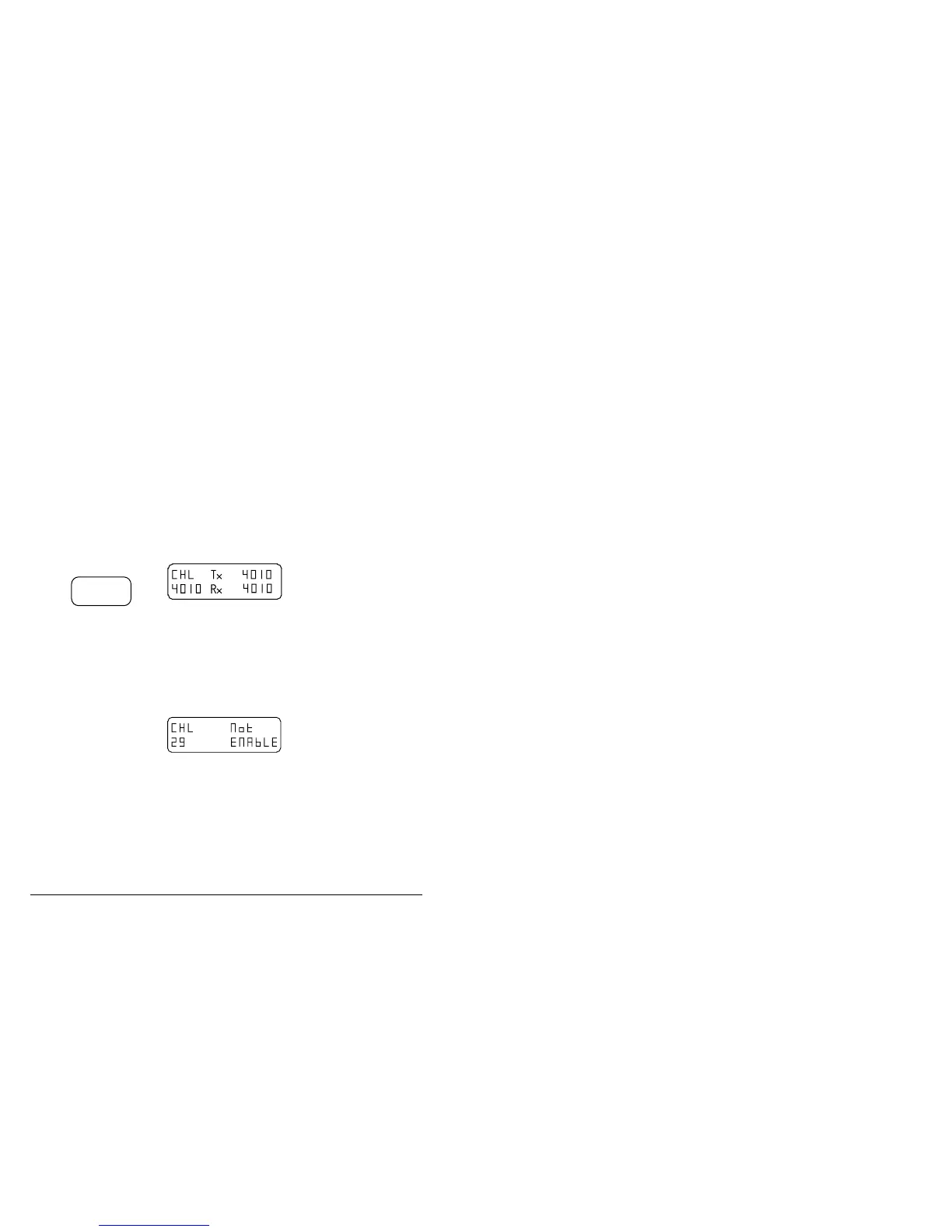
Making an RFDS emergency call
The RFDS Emgcy button is used to call the Royal Flying Doctor Service. This button
will only function if the selected channel is enabled for emergency calls.
Step Action… Display shows… Remarks…
1.
Select the correct
RFDS channel for
the base station
required. You can
use the channel or
recall buttons,
then tune the
antenna.
Refer to section 4,
Tuning the antenna.
2.
Press
Emgcy
RFDS
Keep pressing
until you hear a
single ’pip’
(approx. two
seconds), then
release the button.
When you press the
RFDS Emgcy button you
will hear a tone.
After the ’pip’, the tone
continues for 20 seconds.
During this period the Tx
indicator will be lit.
3.
If you hear a
single low pitched
tone and the
display shows
’No t E N AbLE’,
the channel is not
an RFDS
frequency and
cannot be used for
an emergency
call.
Try again and select a
correct RFDS channel.
F



 To Next Page