Using the receiver in scan mode
6-18 Outback HF Radiophone
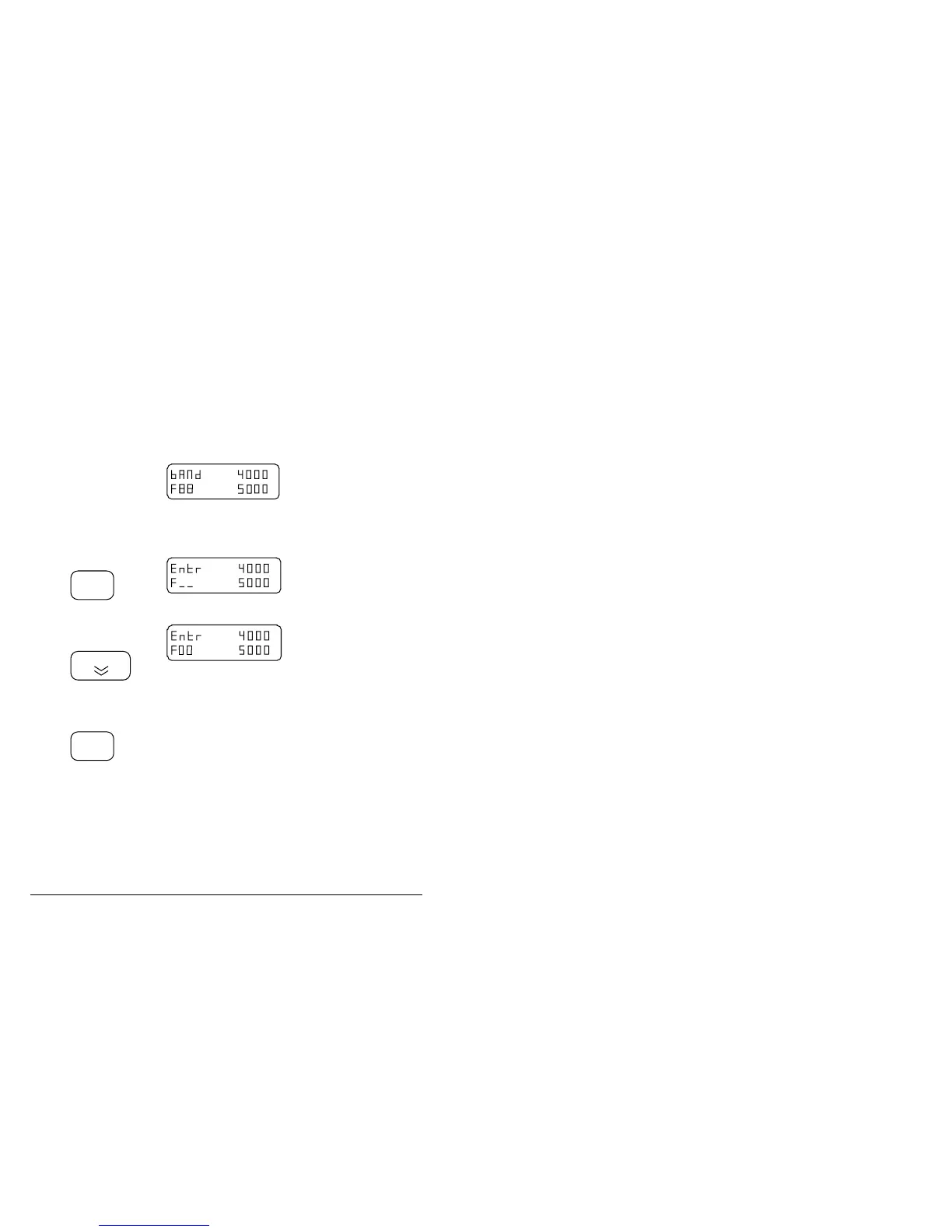
Deleting unwanted scan channels
Step Action… Display shows… Remarks…
1.
Ensure your
Radiophone is
switched on.
2.
Select the channel
you wish to
delete.
An example for channel
88.
Refer to section 4,
Selecting channels.
3.
Press
Enter
4.
Press this button
twice
O
P
T wo ’0 ’s e nter e d a s a
channel number deletes
the information in the
selected channel.
5.
Press
Enter
The display shows the
details of the next lowest
channel.
Note: The scan program can be locked to prevent changes being made. If
changes are attempted on a locked channel the display shows ’prog inhib’.
If you need to amend this facility, refer to page 6-3 Setting up the scan
mode.
q



 To Next Page