Horizon Imager User’s Manual 3-19
%DVLF,PDJHU2SHUDWLRQV
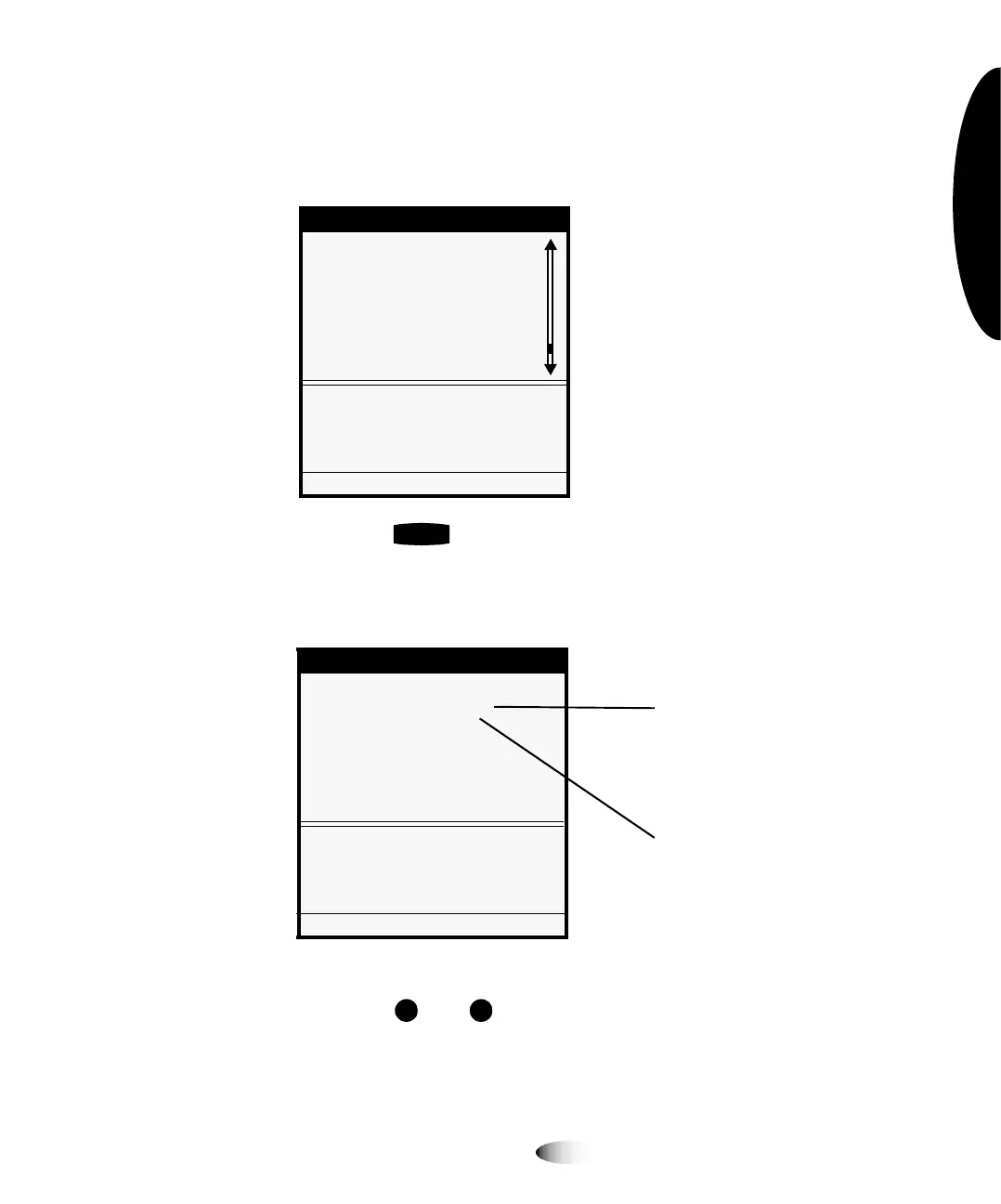
3. Point the selector arrow (
) to the menu option you want.
In this example, you would point the selector arrow to
1HWZRUN
6HWWLQJV
.
4. Press the key.
This selects the
1HWZRUN6HWWLQJV
menu option, and moves
down a level to the Network Settings submenu.
5. Press the and keys to select the menu option you want.
In this example, you would select
$GGUHVVHV
.
0HQX
/RDG5HPRYH5LEERQ
&XVWRP-RE6HWWLQJV
8WLOLWLHV
7HVW3ULQWV
3ULQW)URP86%'ULYH
)HDWXUH0DQDJHPHQW
1HWZRUN6HWWLQJV
&RQILJXUH7&3,3QHWZRUN
VHWWLQJV
3UHVV0(18WRH[LWPHQXV
(17(5
1HWZRUN6HWWLQJV
1HWZRUN6HWWLQJV
6SHHG>$XWR6HQVH@
$GGUHVVHV
5HVHW1HWZRUN6HWWLQJV
6HWQHWZRUNDGGUHVVHVRIWKLV
,PDJHU
3UHVV0(18WRH[LWPHQXV
6XEPHQXRSWLRQVDUH
LQGHQWHGXQGHU1HWZRUN
6HWWLQJVWRVKRZWKHPHQX
KLHUDUFK\SDWK
&XUUHQWYDOXHVDUH
GLVSOD\HGLQVTXDUH
EUDFNHWV



 To Next Page