27 | P a g e
3.3 Pattern Input
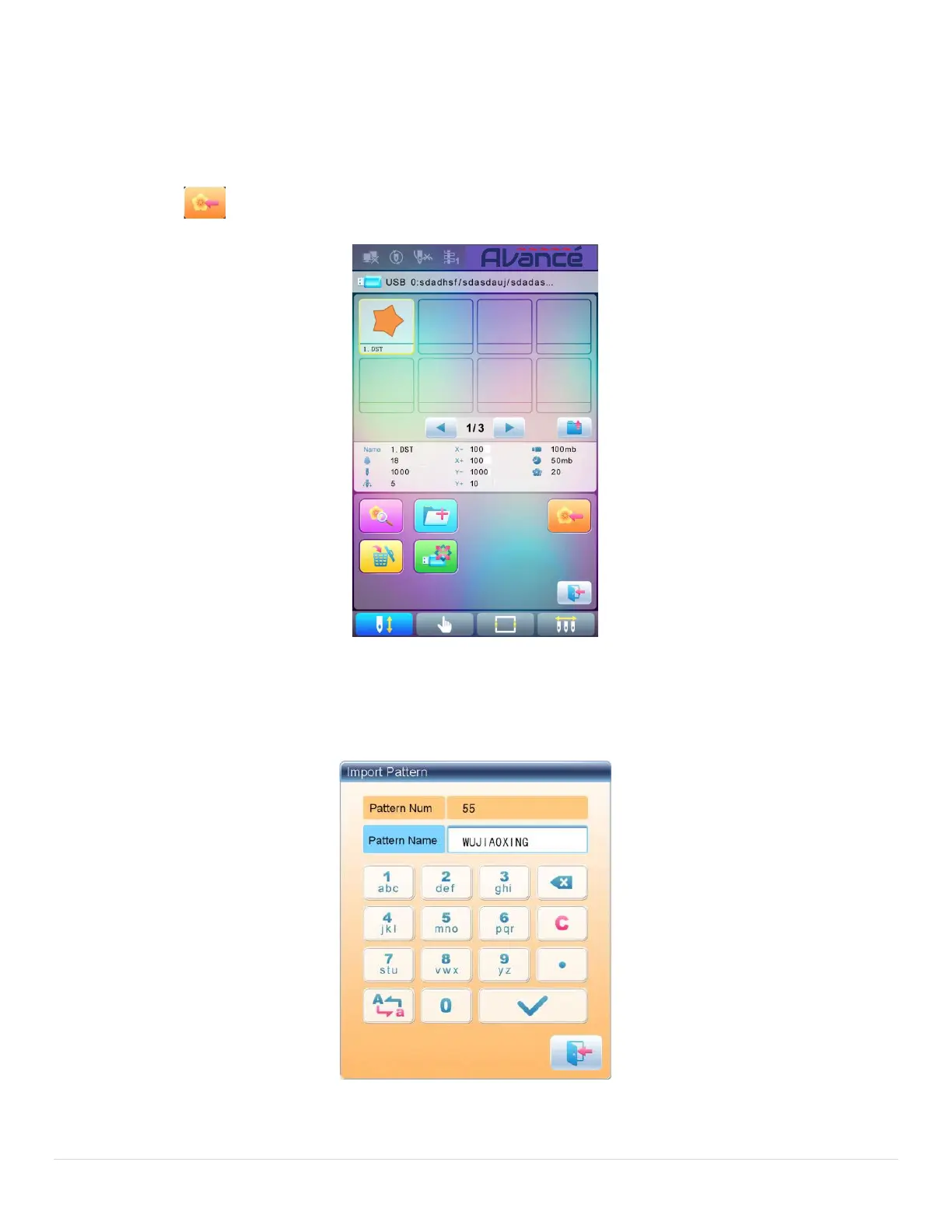
To input patterns within the U disk to the machine’s memory, user need select the pattern files to be
inputted, and then input the number and name for the patterns to be saved in memory.
1. Select pattern files of the U disk;
2. Press and the system will require input of pattern number and name;
3. Input the pattern number and name to be saved in memory;



 To Next Page