43 | P a g e
1. Press to enter memory pattern management interface.
2. Select a pattern in the memory pattern image display area.
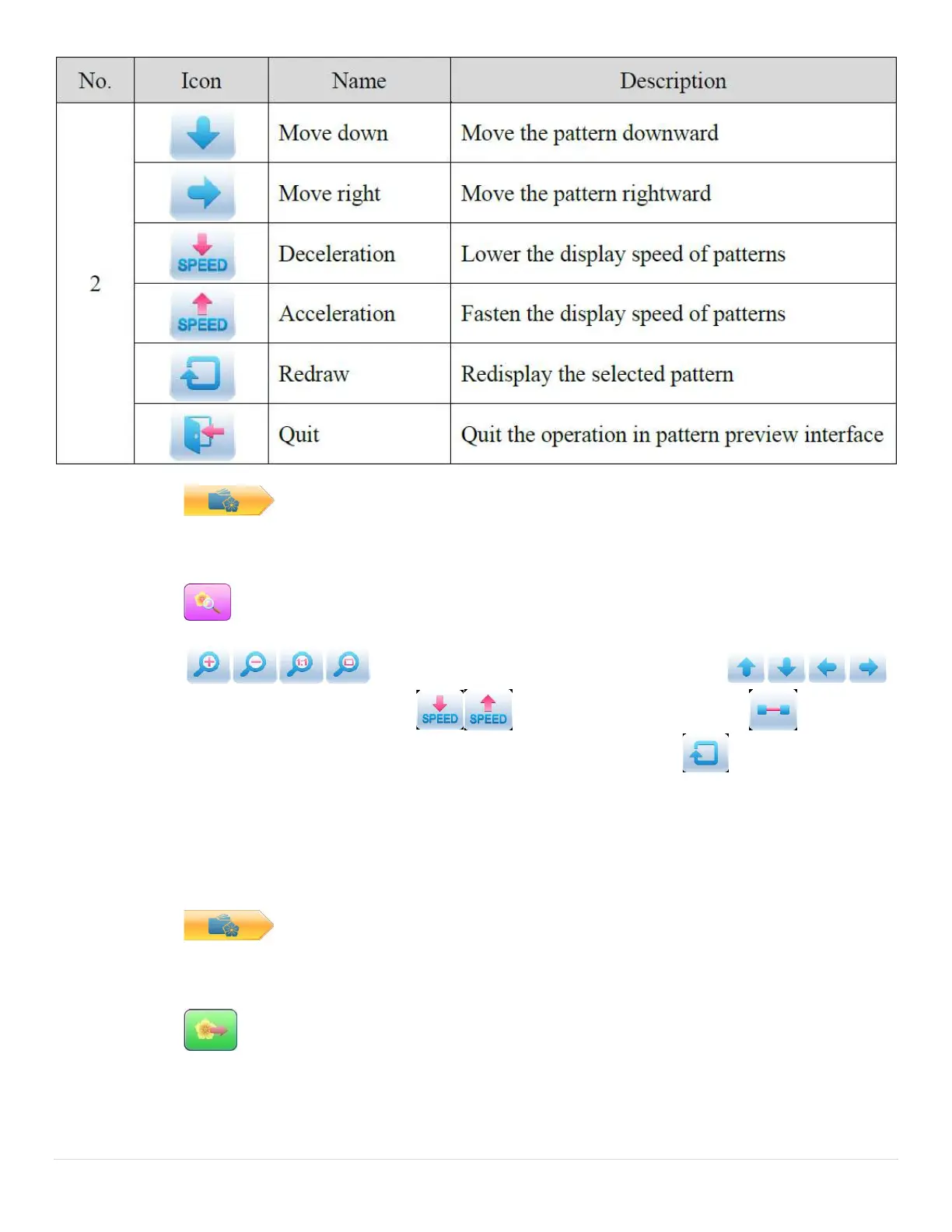
3. Press to open memory pattern preview interface.
4. Press to control the size of the pattern display. Press
to control the display position. Press to control display speed. Press to shift to
the pause status, where the single step of pattern can be displayed. Press to redisplay the
selected pattern.
5.4 Pattern Output
User can transfer the pattern data in memory to U disk.
1. Press to enter memory pattern management interface
2. Select the memory patterns to be outputted
3. Press



 To Next Page