9 | P a g e
Chapter 2 Embroidery Guide
2.1 Structure and Usage Instruction of Control Panel
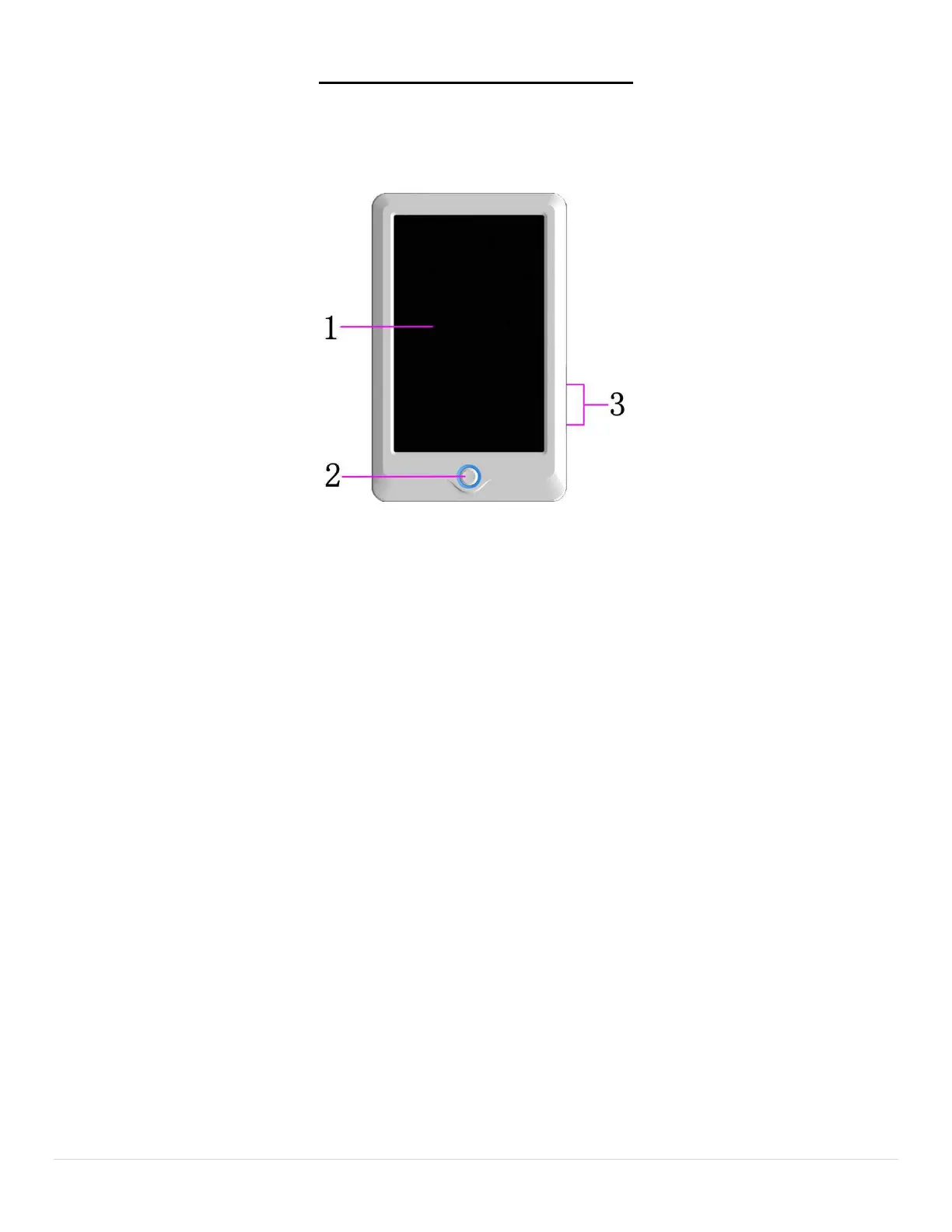
I. Structure of Control Panel
1. Touching Panel
• It adopts high-luminance LCD displayer and touching screen man-machine interaction interface.
2. Buttons
• Press the keys to start the embroidery, pause the embroidery.
3. Main USB Port
• USB disk can be plugged for data input/output.
II. Instructions on Touching Panel
• This machine uses the touching panel as its input device. In order to extend the service life of the
panel and to maintain its performance, please don’t apply too much pressure on the screen during
operation. Do not press with sharp or hard tools to click the screen.
III. Instructions on USB Disk
• Pay attention to the direction of the USB disk at plug-in. Don’t pull out the USB disk when system
loads data from or write data to it. If the USB disk is pulled out or the power is cut off during the
data input/output, the data could be lost. In that case, please check the integrity of data in the USB
disk and repair it before using.
• Attention: During the process of initialization, if the power is cut off or the USB disk is pulled out,
the USB disk may be damaged permanently.



 To Next Page