51 | P a g e
3. Press to enter memory operation selection interface.
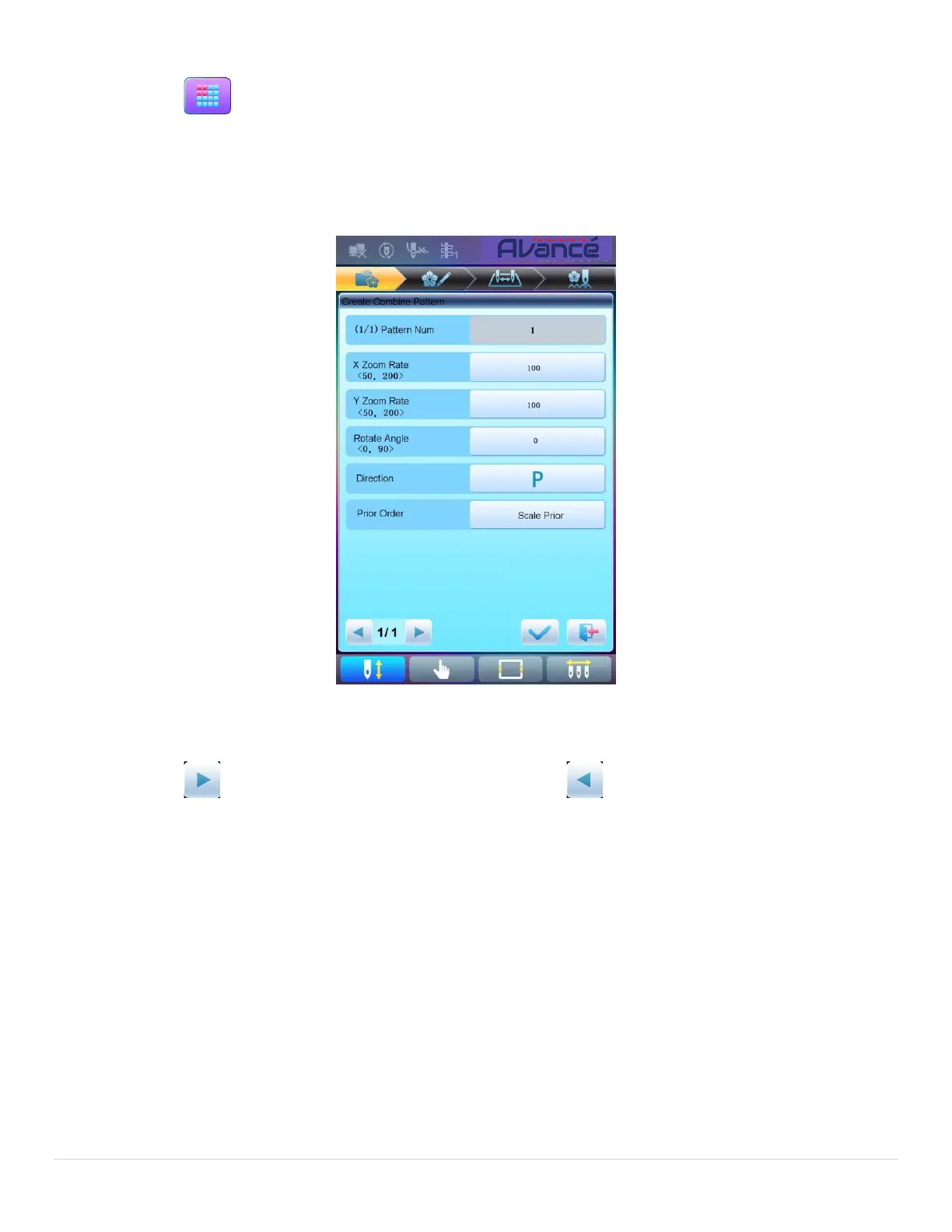
4. Press “Create Combined Pattern” to enter the operation interface.
The combined ID shows the current pattern number and how many patterns the combined pattern is
composed of. Display form is “pattern number (the total amount of patterns)”.
5. Set the parameters of the first pattern, including pattern number, scaling ratio, rotating angle, pattern
direction and priority mode. Please refer to Chapter 4 for details of the settings.
6. Press to set several patterns for packing. And press to go back to change the parameters
of combined patterns.
If the current pattern is not the first of the combined pattern, user need set the interval between it and the
first pattern. Please refer to Chapter 4 for details of inputting parameters.



 To Next Page