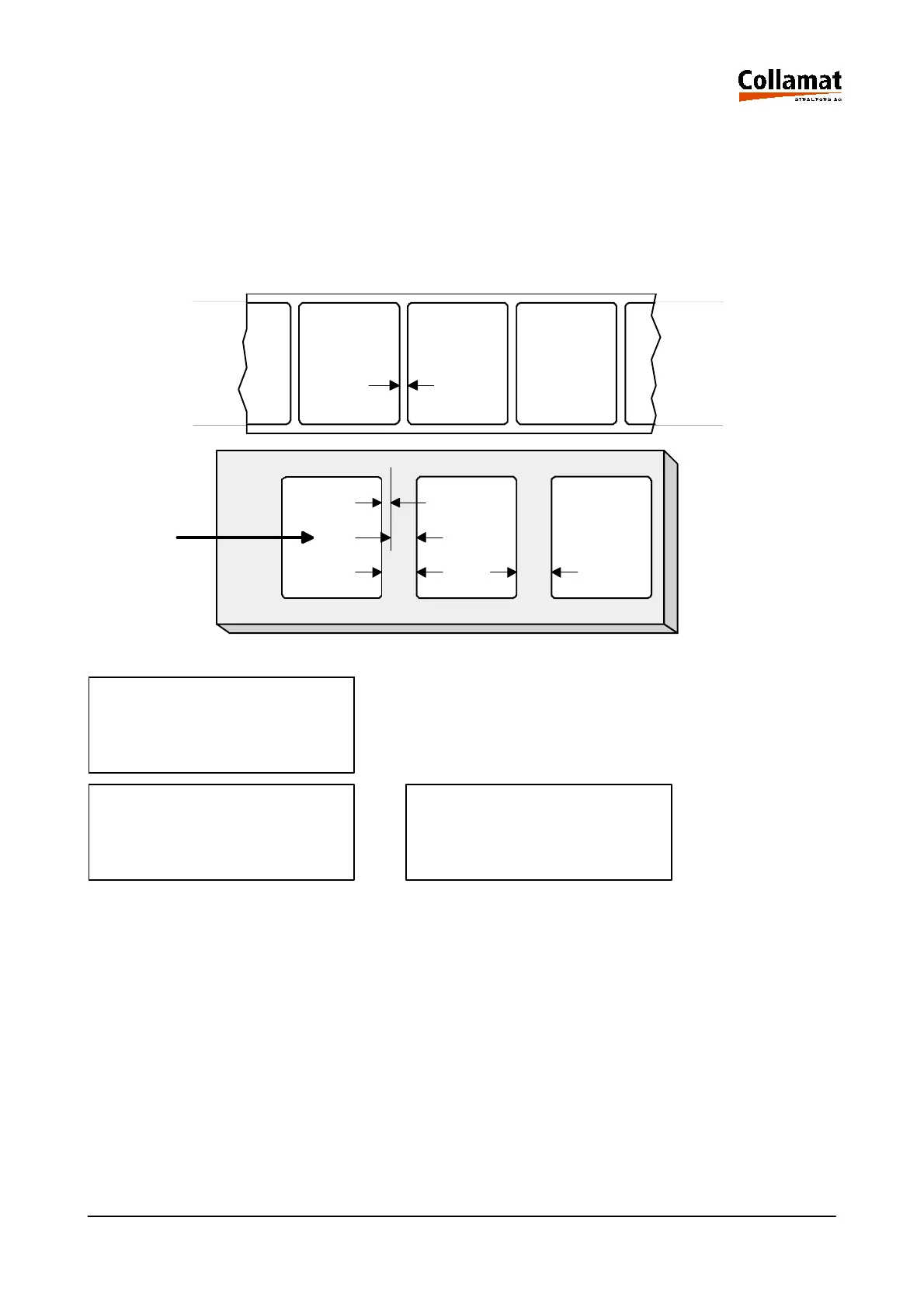
5.10.2 Multiple labelling mode
In the Multiple Labelling mode, several labels are sticked on the goods 4 in the same distance 3.
This mode is especially useful for labelling forms or multiple packages. After activating the multiple la-
belling mode, first the quantity and then the distance 2 between the labels has to be entered. On the
goods the distance 3 between the labels is composed from the entered value 2 plus the gap 1. The
shortest distance between leading and trailing edge of the labels on the goods is the gap distance.
Labelweb
Product
LABELLING MODE
Choice : Multiple
LABELLING MODE LABELLING MODE
MULTIPLE MULTIPLE
Count : 4 Pcs Distance: 10 mm
User level: programmer
Operating Mode: STOP
1
2
1
3
4
3
5999.530-01E 14.01.2004 CSWM 4 25



 To Next Page