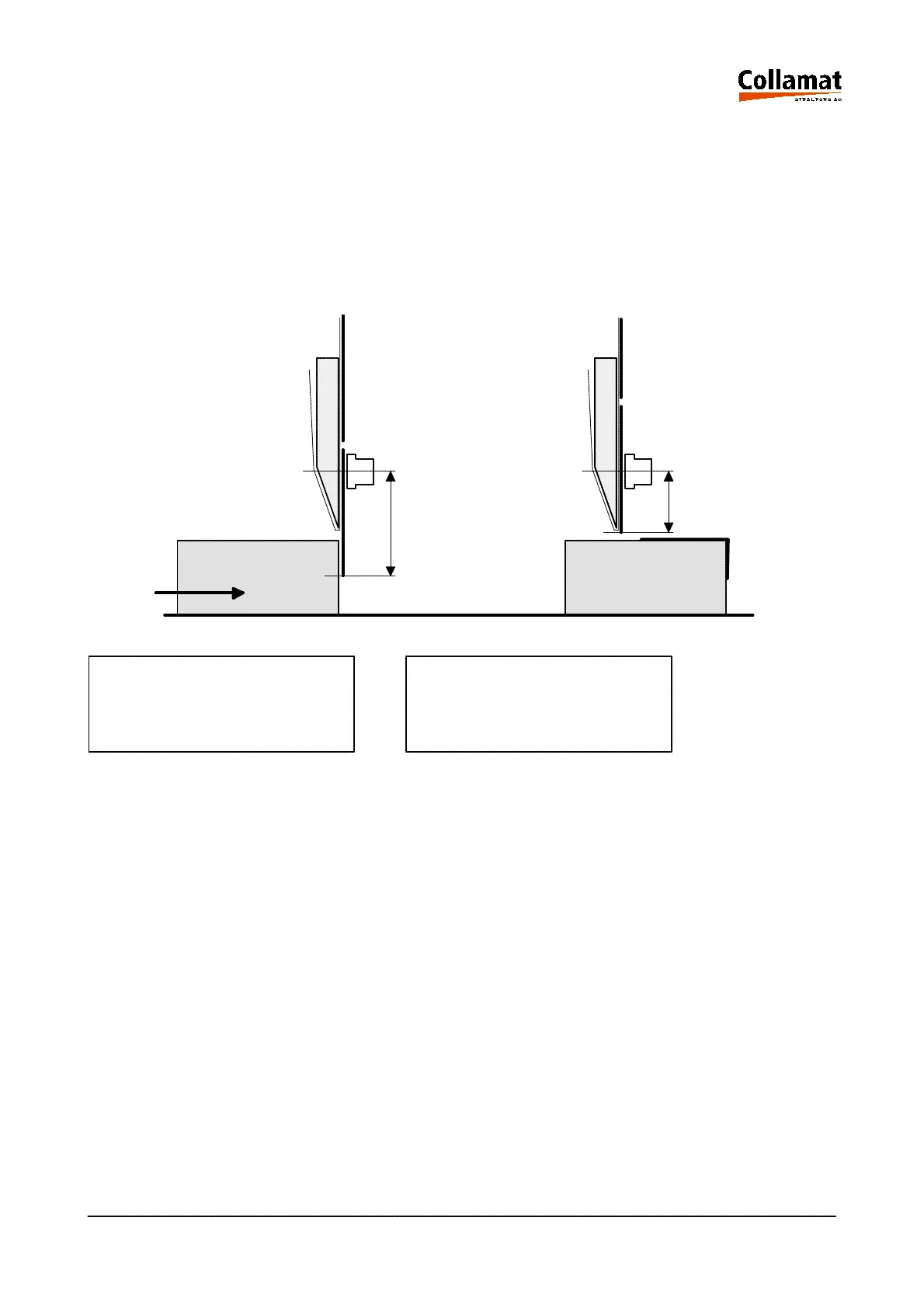
5.10.3 Delayed Predispensing
In the Delayed Predispensing mode the predispensing 1 will only be tripped after release of the la-
bel scanner. Thus the following label will not be sticked on the good being still under the adapter.
After having selected the Delayed Predispensing mode, the stop value 2 has to be entered so that
the label is perfectly dispensed and the following label does not contact. This value should not exceed
the label length. It can be smaller or greater than the predispensing. Under 'Stop at' specify after
which length labelling should be stopped and passing of the goods should be waited for.
LABELLING MODE DELAYED PREDISPENS.
Choice : Delayed Pre Stop at 25 mm
User level: programmer
Operating mode: STOP
Course:
The dispensing process is started after the positioning delay and the goods have passed the goods
scanner. In the first phase the label will be pulled forward as specified for the value 'Stop at'. When
the good leaves the goods scanner, dispensing will be continued to the next positioning delay with a
fixed speed until predispensing.
2
1
5999.530-01E 14.01.2004 CSWM 4 26



 To Next Page