33
MACHINE PREPARATION
MACHINE PREPARATIONMACHINE PREPARATION
MACHINE PREPARATION
10.
10.10.
10.
CONNECTION OF THE BATTERY CONNECTOR
CONNECTION OF THE BATTERY CONNECTOR CONNECTION OF THE BATTERY CONNECTOR
CONNECTION OF THE BATTERY CONNECTOR
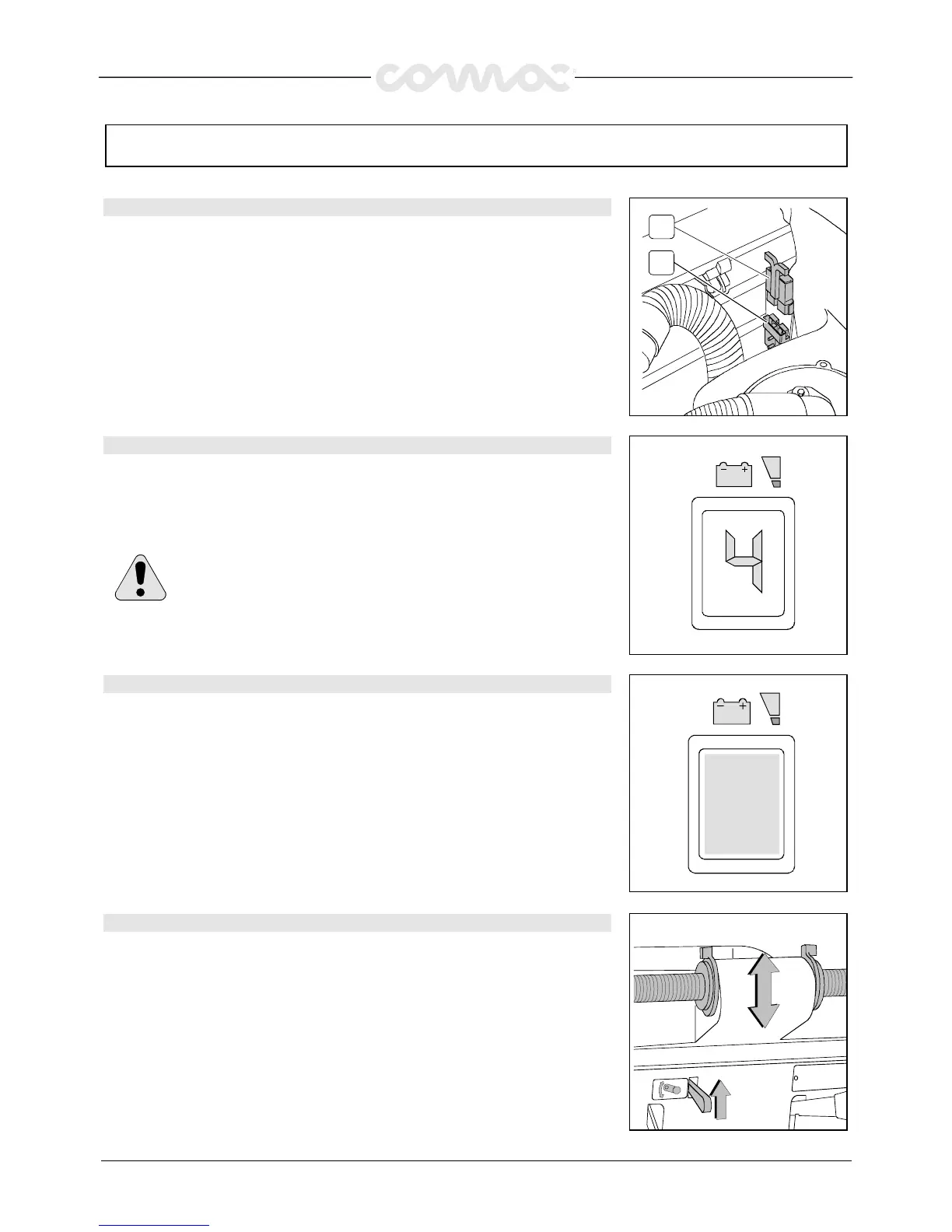
The battery connector (2) has to be connected to the connector of the machine (1)
2
1
11.
11.11.
11.
BATTERIES’ INDICATOR (machines with traction)
BATTERIES’ INDICATOR (machines with traction)BATTERIES’ INDICATOR (machines with traction)
BATTERIES’ INDICATOR (machines with traction)
The batteries’ indicator is digital with 4 fixed positions and a blinking one. The
numbers, which appear on the display, show the approximate charge level.
4
44
4 = maximum charge, 3
33
3 = charge 3/4, 2
22
2 = charge 2/4, 1
11
1 = charge 1/4,
0
00
0 = (blinking) discharged batteries)
WARNING!
WARNING! WARNING!
WARNING! Some seconds after that “0” blinks, the brush motor
automatically switches off. Anyway, the machine can finish to dry before
recharging the batteries.
12.
12.12.
12.
BATTERIES’ INDICATOR (machines without traction)
BATTERIES’ INDICATOR (machines without traction)BATTERIES’ INDICATOR (machines without traction)
BATTERIES’ INDICATOR (machines without traction)
The batteries’ indicator is a green signal lamp, which remains always on until the
batteries are charged. When the signal lamp begins to blink, it is necessary to proceed
with the recharge of the batteries.
13.
13.13.
13.
HEIGHT HANDLE BAR
HEIGHT HANDLE BAR HEIGHT HANDLE BAR
HEIGHT HANDLE BAR
The handle bar is adjustable in three different positions:
1.
Release the lever
2.
Put the handle bar at the desired height, compatibly with the clamping holes
3.
Release the lever


 To Next Page