EN
12
This function, if activated, alternately switches the name
directory standby messages from the main language (see
“Setting the language”, page 4) to the second language.
CAUTION: The initial welcome message (see “8. Entering
the welcome message” page 16) if entered, will not be
switched to the second language.
The second language must be set after the main language
has been selected (see “Setting the language” page 4).
1. access programming mode, see page 5
2. select the menu items:
Settings ⇒ Second language
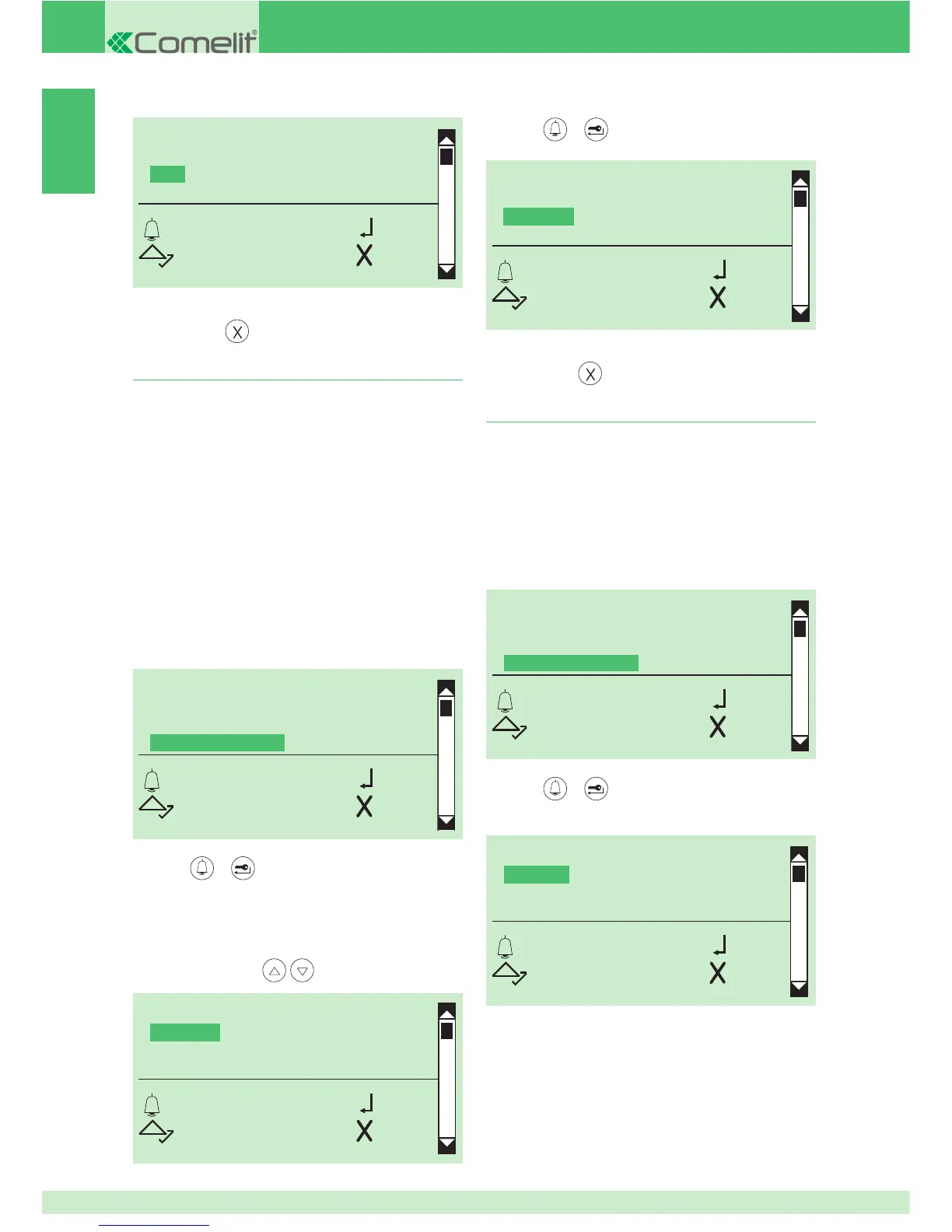
3. Setting the second language
TYPE OF DOWNLOAD
SYSTEM PARAMETERS
SELECT LANGUAGE
SECOND LANGUAGE
OK OK
SCROLL ESC
To cancel the second language function:
1A. set the main language again (see “Setting the language”
page 4); the second language will be reset automatically
1B. or access programming mode, see page 5
2B. select the menu items:
Settings ⇒ Second language
4. Disabling the second language
SELECT LANGUAGE
*DEFAULT
ITALIANO
ENGLISH
OK OK
SCROLL ESC
TYPE OF DOWNLOAD
SYSTEM PARAMETERS
SELECT LANGUAGE
SECOND LANGUAGE
OK OK
SCROLL ESC
TYPE OF DOWNLOAD
OFF
*USB
RS485
OK OK
SCROLL ESC
» * indicates the type of download selected
6. to exit, press
SELECT LANGUAGE
*ITALIANO
ENGLISH
FRANCAIS
OK OK
SCROLL ESC
3. press or to confi rm
» * indicates the current display language, DEFAULT=
deactivate
4. to display the language that you want to select, scroll
through the list using
5. press or to confi rm
SELECT LANGUAGE
ITALIANO
*ENGLISH
FRANCAIS
OK OK
SCROLL ESC
» * indicates language selected
6. to exit, press
3. press or to confi rm
4. to deactivate select DEFAULT


 To Next Page