EN
28
VOICE MESSAGES
CALL
SELF IGNITION
DEFAULT SETTINGS
OK OK
SCROLL ESC
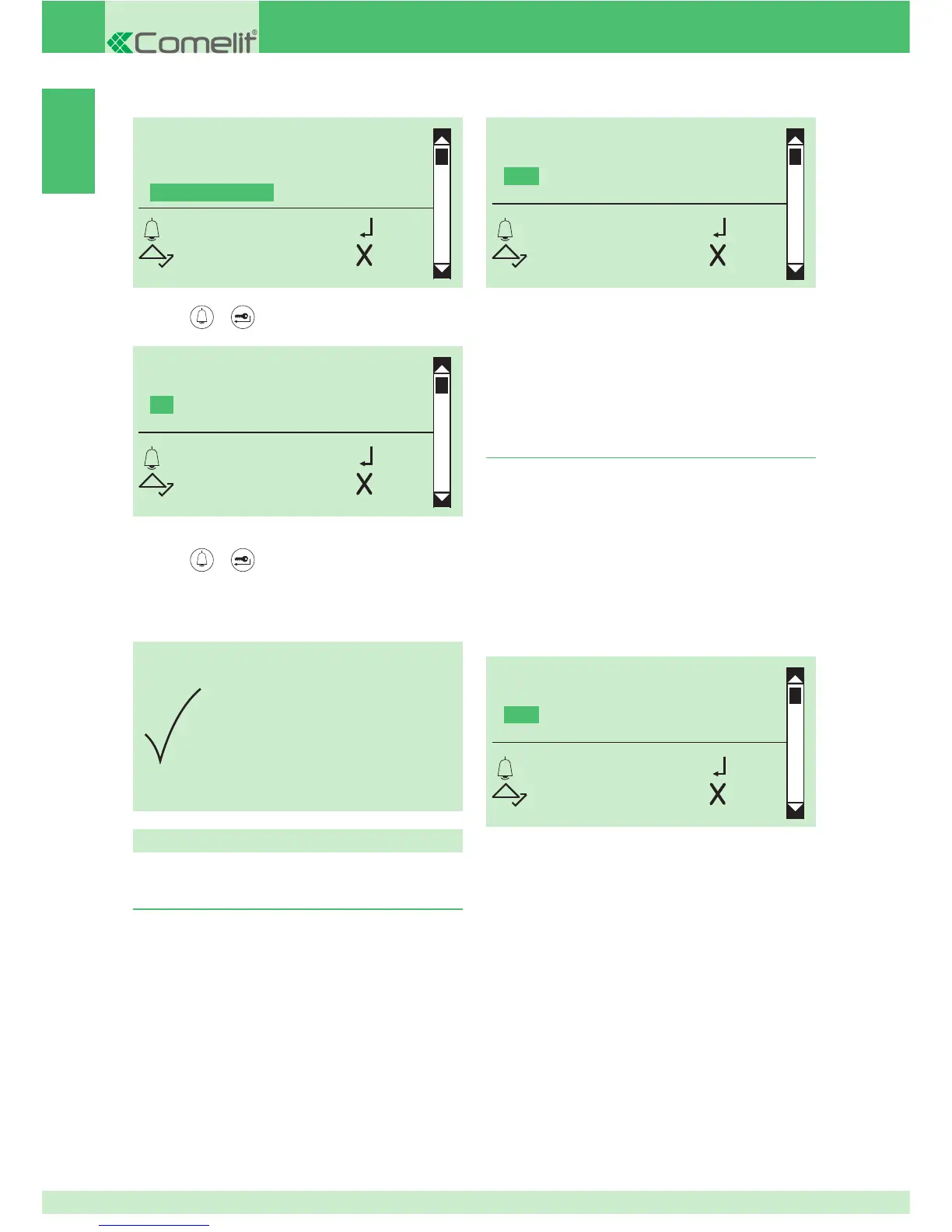
DEFAULT SETTINGS
YES
*NO
OK OK
SCROLL ESC
PARAMETER
CHANGED
2. Using the directory via software Art. 1249B
1. Installing the USB driver for connecting Art.
3360 to a PC
CAUTION: make sure that the option to install unsigned
drivers (drivers that have not passed Windows Logo
testing) is enabled.
1. connect the cable attached to Art. 1249B to the USB
connector on the rear of the directory module
2. access programming mode, see page 5
3. select the menu items:
Settings ⇒ Type of download ⇒ USB
CAUTION: connection to the PC is via USB; ensure that the
drivers have been installed, see page 28.
1. connect the cable attached to Art. 1249B to the USB
connector on the rear of the directory module
2. access programming mode, see page 5
3. select the menu items:
Settings ⇒ Type of download ⇒ USB
TYPE OF DOWNLOAD
OFF
*USB
RS485
OK OK
SCROLL ESC
4. the messages "Found new hardware Art. 3360" and
"New hardware installation wizard" appear on the PC
5. follow the instructions of the installation wizard through
to completion
CAUTION: select the Drivers folder located in the Art.
1249B installation folder.
Software Art. 1249B
4. run software Art. 1249B
5. run the download procedure and wait until it is completed
CAUTION: the selected call mode must match the one
confi gured on module Art. 3360, see page 47.
CAUTION: make sure in "Parameters confi guration" on
Art. 1249B that the correct communication port is selected.
TYPE OF DOWNLOAD
OFF
*USB
RS485
OK OK
SCROLL ESC
3. press or to confi rm
4. select YES to enable the function, NO to disable it
5. press or to confi rm
» * indicates active selection
» confi rmation tone


 To Next Page