EN
16
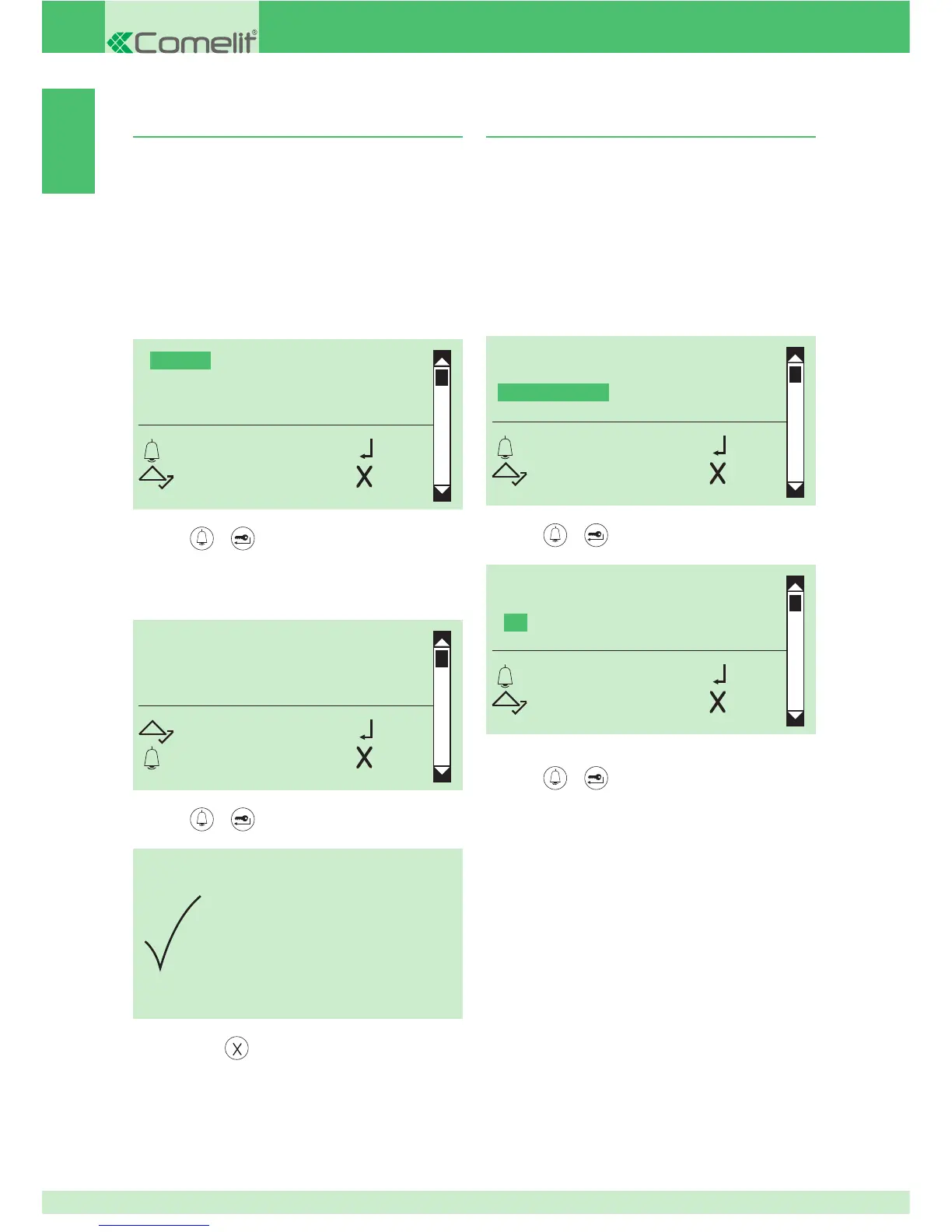
9. Enabling/disabling the static message
This function is disabled by default.
If activated, the welcome message will appear and remain
on the display after a 30-second period of inactivity.
1. access programming mode, see page 5
2. select the menu items:
Settings ⇒ Welcome message ⇒ Static message
CHANGE
ENABLE
STATIC MESSAGE
OK OK
SCROLL ESC
STATIC MESSAGE
YES
*NO
OK OK
SCROLL ESC
3. press or to confi rm
This function is disabled by default.
It is possible to enter the welcome message using software
Art. 1249B.
1. access programming mode, see page 5
2. select the menu items:
} Settings ⇒ Welcome message ⇒ Change
8. Entering the welcome message
CHANGE
ENABLE
STATIC MESSAGE
OK OK
SCROLL ESC
WELCOME
SCROLL OK
ESC CANC
PARAMETER
CHANGED
3. press
or to confi rm
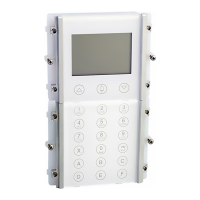
4. enter the welcome message using the alphanumeric
keypad, for the use of special characters see table on page
3
5. press
or to confi rm
6. to exit, press
4. select YES to enable the function, NO to disable it
5. press
or to confi rm
» * indicates active selection


 To Next Page