EN
18
1. access programming mode, see page 5
2. select the menu items:
Settings ⇒ Default settings
This function is used to restore the default settings:
Language = Italiano
Second language = disabled
Type of system = Simplebus
Call mode = standard
Welcome message = disabled
Screen saver = disabled
Type of download = disabled
System parameters = RS485 address
Keypad sensitivity = medium
Keypad tone = disabled
13. Restoring the default values of the directory
module
SCREEN SAVER
KEYPAD SENS.
KEYPAD TONE
DEFAULT SETTINGS
OK OK
SCROLL ESC
DEFAULT SETTINGS
YES
*NO
OK OK
SCROLL ESC
PARAMETER
CHANGED
14. Changing the RS485 address of the porter
module
1. access programming mode, see page 5
2. select the menu items:
Settings ⇒ System parameters ⇒ RS485 address
RS485 ADDRESS
002
SCROLL OK
ESC ESC
PARAMETER
CHANGED
SPEAKER PARAMETERS
RS485 ADDRESS
OK OK
SCROLL ESC
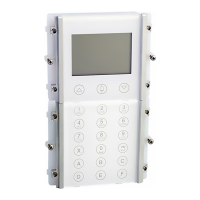
3. enter the RS485 address (max. 3 digits) using the
alphanumeric keypad
4. press or to confi rm
3. press
or to confi rm
4. select YES to enable the function, NO to disable it
5. press or to confi rm
» * indicates active selection


 To Next Page