CAUTION: to program this function correctly, the maximum number of Zone Groups that can be linked to
Fire Zones is 1. Enabling of EVAC zones refers only to Zone Group A.
Example: Oce Smoke Detector PT (Zone 1), Oce Button PT (Zone 2), Oce Cavity Ceiling PT (Zone 3)
In the example, fire Zone 1, 2, 3 will be part of Zone Group 1, which will have a specific Evac profile intended to alert occupants
with an Alert or Evacuate message, depending on its programming.
After linking the individual system fire zones with the relevant zone groups, you need to pair the Alert and Evacuate messages
with the Fire Zone Groups; proceed as follows from the 41CPE118 panel display:
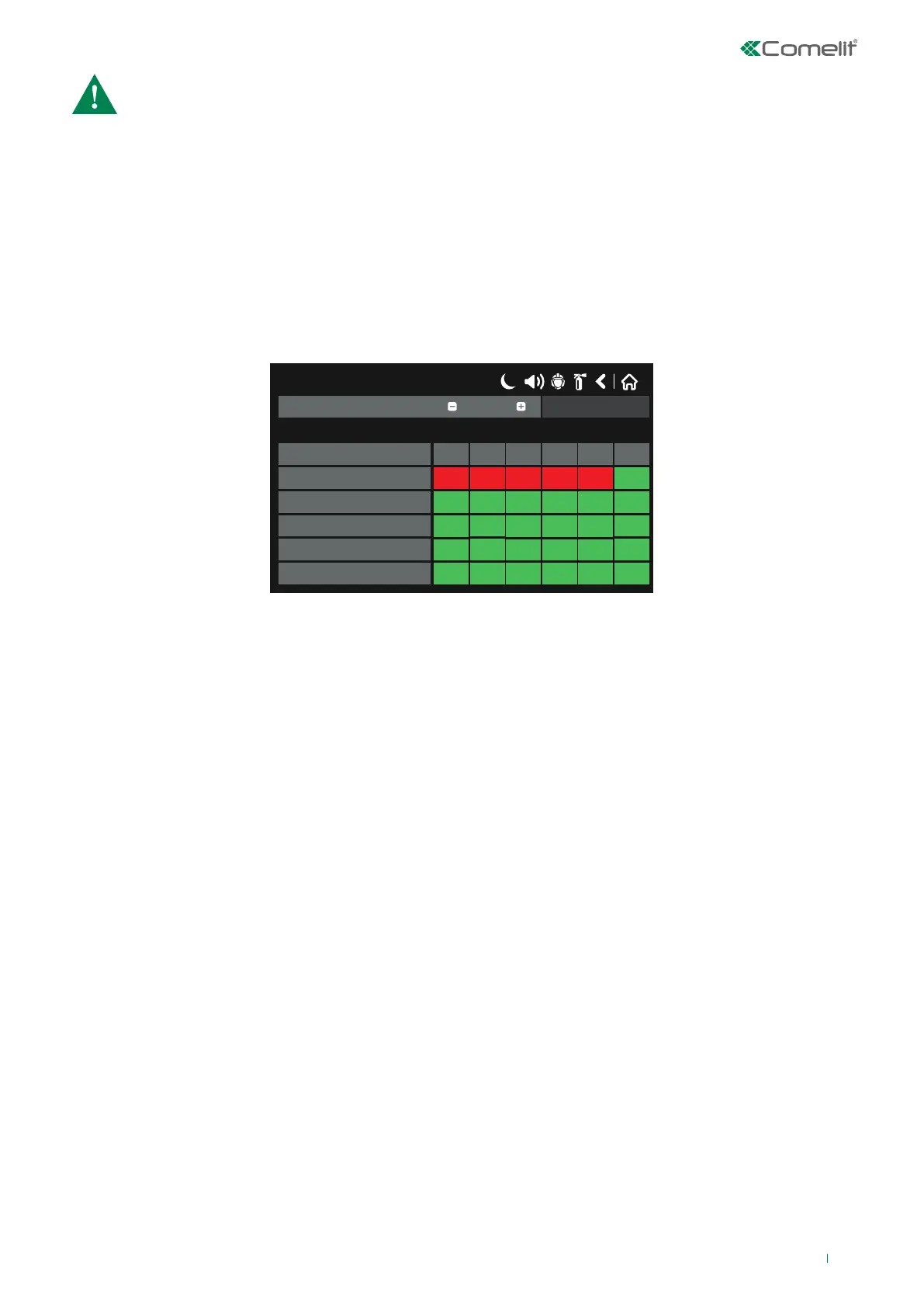
SYSTEM – PROGRAMMING – PANEL – SOUNDERS MODE – MORE – EVAC ZONES
For each Zone Group (max. 48), set the type of message to play in the managed EVAC zones.
• Zone group: indicate the zone group on which you are working, then use the + & - buttons to change Group.
• EVAC Zones: there are six speaker output lines on the 49CCO00X Evac panel.
• EVAC Panel X: indicates the Evac panel connected to the system.
• 4 – Matrix: enter the type of message to enable in that EVAC zone (speaker line); message types may be:
◊ A: alert message
◊ E: evacuate message
◊ OFF: no message.
Save the changes.
Example: Enabling of Evac zones (speaker lines) for Evac panel 0 has been programmed, upon a fire alarm originating from
Zone Group 1 on the 41CPE118 fire panel.
In this example, when an alarm is triggered by Zone Group 1, the EVAC panel plays the EVACUATE message in audio zone 1,
and the ALERT message in zones 2, 3, 4 and 5. Audio zone 6 is on OFF and no message will be played on that line.
Note: When panel 41CPE118 enters Evacuate mode (by means of manual or automatic enabling), all audio zones programmed
for Evac panels will automatically switch to the Evacuate message.
17/06/2020 14:06
EVAC Panel 3
EVAC Panel 2
EVAC Panel 1
EVAC Panel 0
3
EVAC Zones
4
6
5
Zone group
1
SAVE
EVAC Panel 4
2
1
A A
o
A
AE
o o
o
o
o
o
o o
o
o
oo
o o
o
o
o
o
o o
o
o
o
o
• Programming the 49CCO00X EVAC panel side:
To configure the parameters for the Evac panel(s) connected to the 41CPE118 fire panel, proceed as follows on the display:
MAIN MENU – CONFIGURATION - SET RACK CONFIG - SYSTEM
71



 To Next Page