For example, if we enter Group 1 in the first “Sounder Group” field for Zone 1, and the “Zone Sounders” option is enabled, this
means that, if a Fire Alarm event occurs in that Zone, the sounders for Zone 1 and the sounders belonging to Sounder Group 1
will be activated. To link a sounder to its sounder group, please refer to the devices (sounders) chapter.
To save any new parameters, press “Save” on the main zones menu screen.
4.5 Logic inputs
To access the Inputs menu, select the sequence below:
SYSTEM – PROGRAMMING - INPUTS
The menu includes two submenus: “Inputs” and “Groups”. Select the “Inputs” submenu to begin configuring the settings for
the logic inputs.
17/06/2020 14:06
Input Number
NoneType
1
More
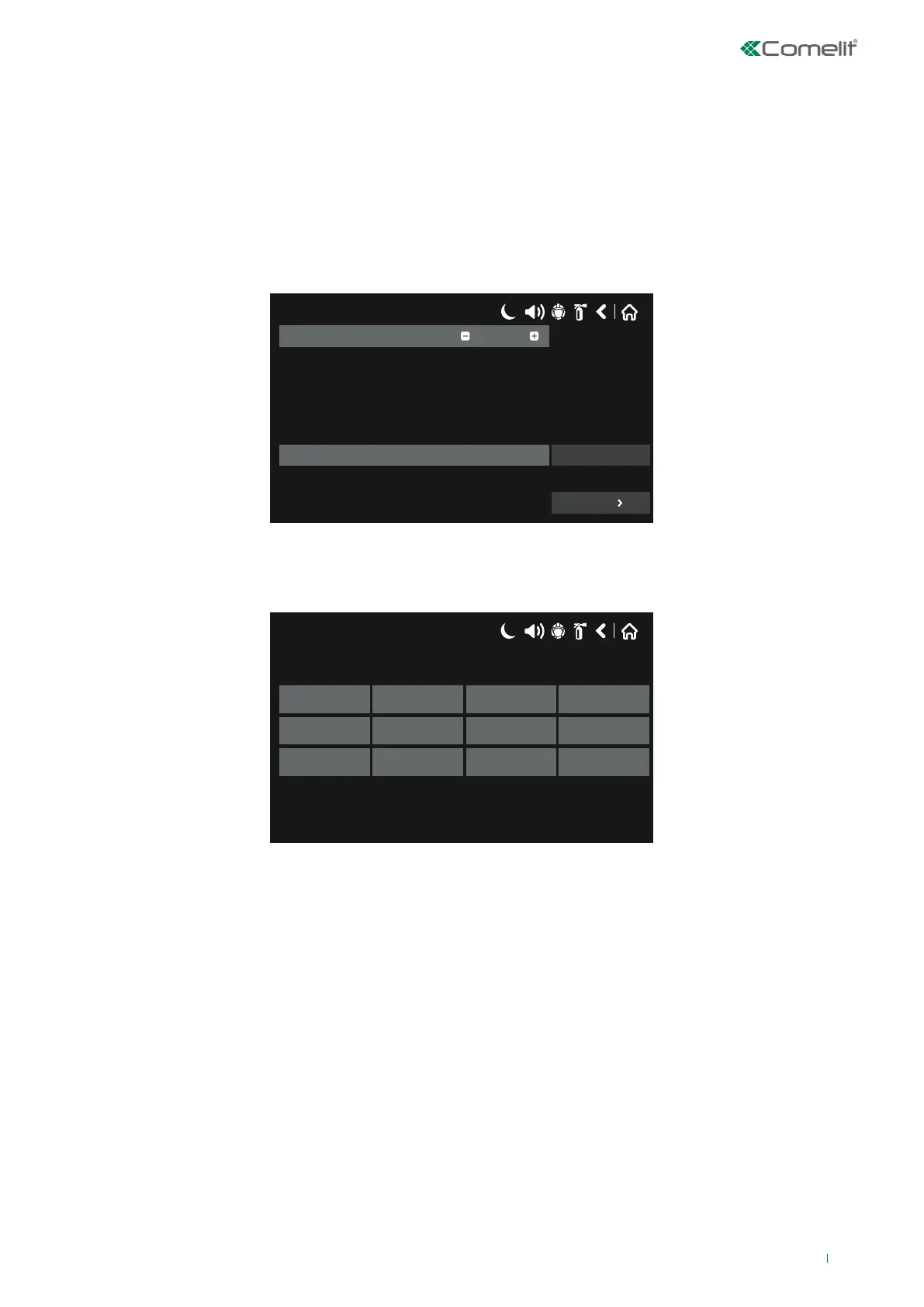
Initial screen for an unprogrammed logic input. The button shows NONE.
Press “NONE” to access the submenu used to select the input type, as shown in the figure below.
17/06/2020 14:06
NONE
Periphery Loop Zone
Alarm Time Date Action
General Network Zone Group Dev. Group
Description of the available input types:
• NONE: the input is not used.
• PERIPHERY: not applicable.
• LOOP: select this option when the logic input is an input for a loop device (modules 41IOM010, 41IOM040, 41IOM022,
41IOM122).
• ZONE: select this option when the input is generated by a zonal event.
• ALARM: select this option when the input is generated by one or more alarms detected.
• TIME: select this option when the input is generated based on a time schedule.
• DATE: select this option when the input is generated based on a day schedule.
• ACTION: select this option when the input is generated by an “action” that has taken place.
• GENERAL: select this option when the input is generated by a “general event”.
• NETWORK - select this option when the input is generated by an event / device belonging to another panel connected to
its network (RS485 / LAN).
• ZONE GROUP: select this option when the input is generated by a zone in fire alarm or fault status, including those in a
zone group.
• DEV. GROUP: select this option when the input is generated by a sensor in alarm status, belonging to a specific group of
sensors.
51



 To Next Page