5.7 Tests
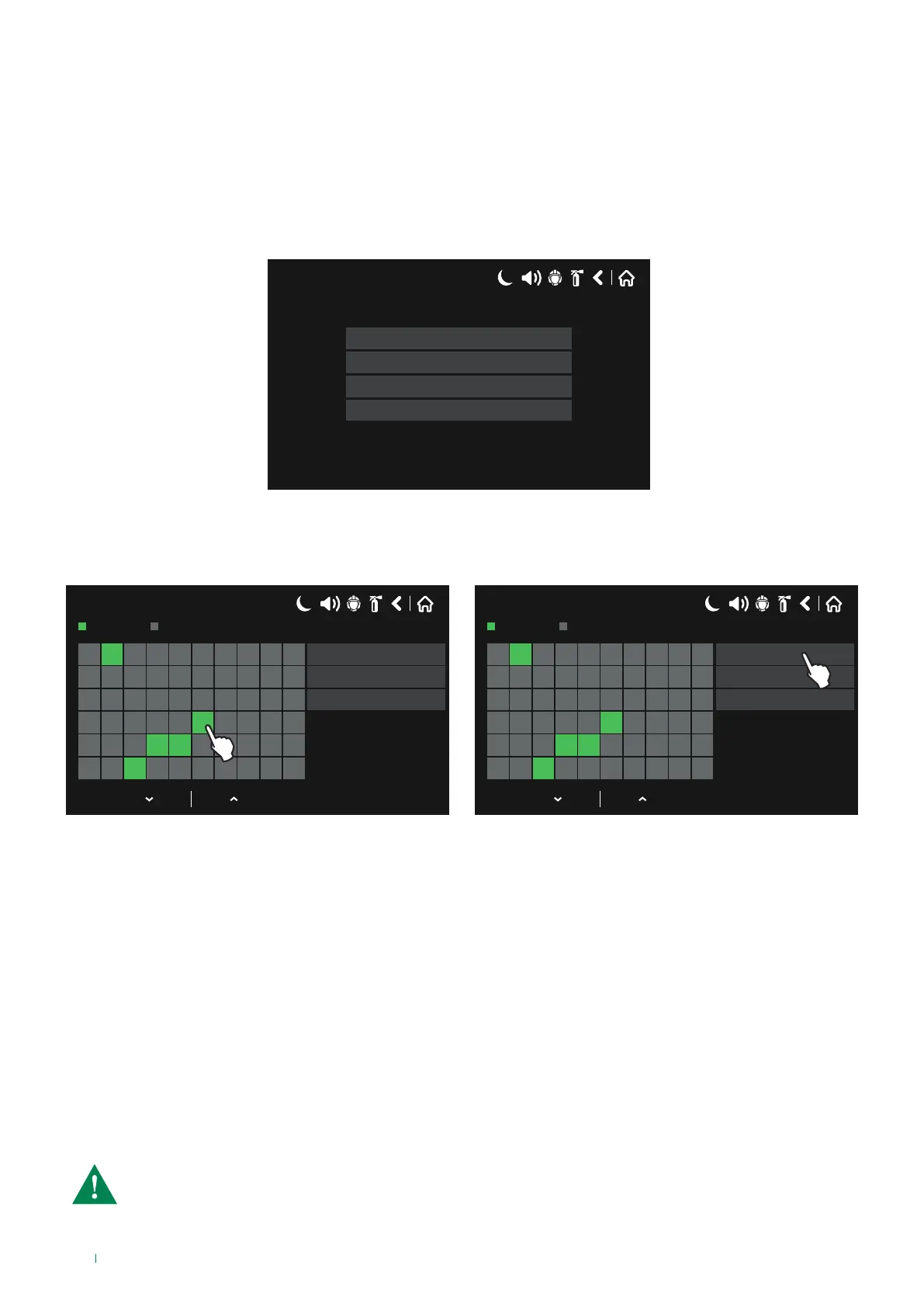
This menu oers the option of testing system operation and panel indications.
After entering the TEST menu, the installer can carry out the following:
• Zone Test;
• Indication Test (testing the internal buzzer and front LEDs);
• Device Test;
• Sounder Output Test (SND) for the panel.
17/06/2020 14:06
Device Test
Indication Test
Zone Test
Sounder Output Test
5.7.1 Zone Test
On accessing the Zone Test menu, a screen appears showing the map of the first 60 zones.
Use the up & down arrows to scroll through the remaining zones, up to number 200.
17/06/2020 14:06
1 2 3 4 5 6 7 8 9 10
11 12 13 14 15 16 17 18 19 20
21 22 23 24 25 26 27 28 29 30
31 32 33 34 35 36 37 38 39 40
41 42 43 44 45 46 47 48 49 50
51 52 53 54 55 56 57 58 59 60
Test
Select all
Stop
Zone In Test
Normal
17/06/2020 14:06
1 2 3 4 5 6 7 8 9 10
11 12 13 14 15 16 17 18 19 20
21 22 23 24 25 26 27 28 29 30
31 32 33 34 35 36 37 38 39 40
41 42 43 44 45 46 47 48 49 50
51 52 53 54 55 56 57 58 59 60
Test
Select all
Stop
Zone In Test
Normal
Green: zone in test
Grey: zone not in test
To start the test, select the number of the zone or zones (the zone turns green) and press “Test”.
The TEST LED on the front of the panel comes on and remains lit steadily.
During Zone Test mode, the installer can activate the detectors / buttons in the relevant zone (applying the fog / heat
generator), so as to make sure operation is taking place correctly.
If the test is passed successfully, the panel display shows the message “Alarm Test”, followed by the information relating to the
device in alarm (Zone Number, Loop and Device).
The LED for the alarmed zone comes on during the test.
To stop the zone test, press “Stop” - the TEST LED on the door switches o and the colour of the zone on the zone test screen
returns to its default setting (grey).
All zones can be selected at once by pressing “Select all”.
CAUTION: During a zone fire test, the programmed logic inputs will not be enabled.
If input modules are connected in the zone in test condition, in the event of their activation the logic signals
will not be transmitted.
78



 To Next Page