3. Assembly of components GE 300
12 3.3/0518
Connection of interface housing GEI 300
For plug-in cards in Euro format an interface housing GEI 300 is required (one GEI 300 per GE 300 In-
tercom Server, the GEI 300 offers place for two interface cards). The interface housing GEI 300 is con-
nected to the expansion plug of the GE 300, or, if an expansion housing GEZ 300 is connected there, to
the expansion plug of the GEZ 300 (see page 15
).
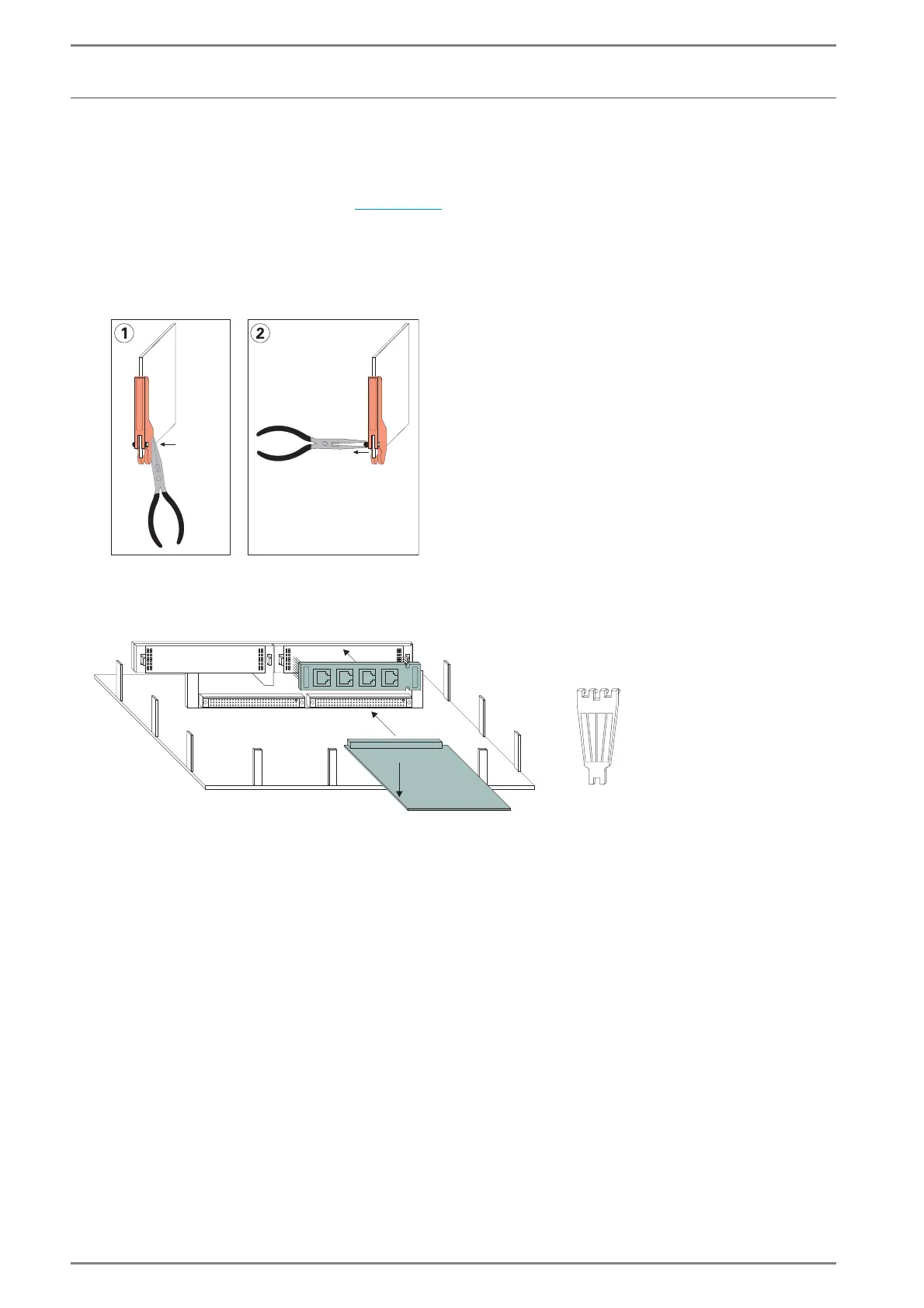
Remove the plugin/unhinge lever of the plug-in cards
1. Press in the pin at one side with a flat tool (e.g. with pliers).
2. Pull out the pin with the pliers from the other side.
3. Remove the lever
Remove lever with pliers
Mount the plug-in cards and installation boards
Installation of plug-in cards and installation boards
Installation boards
Plug-in cards
Tool for removing
of installation
boards
1st: plug in
2nd: lock













 To Next Page