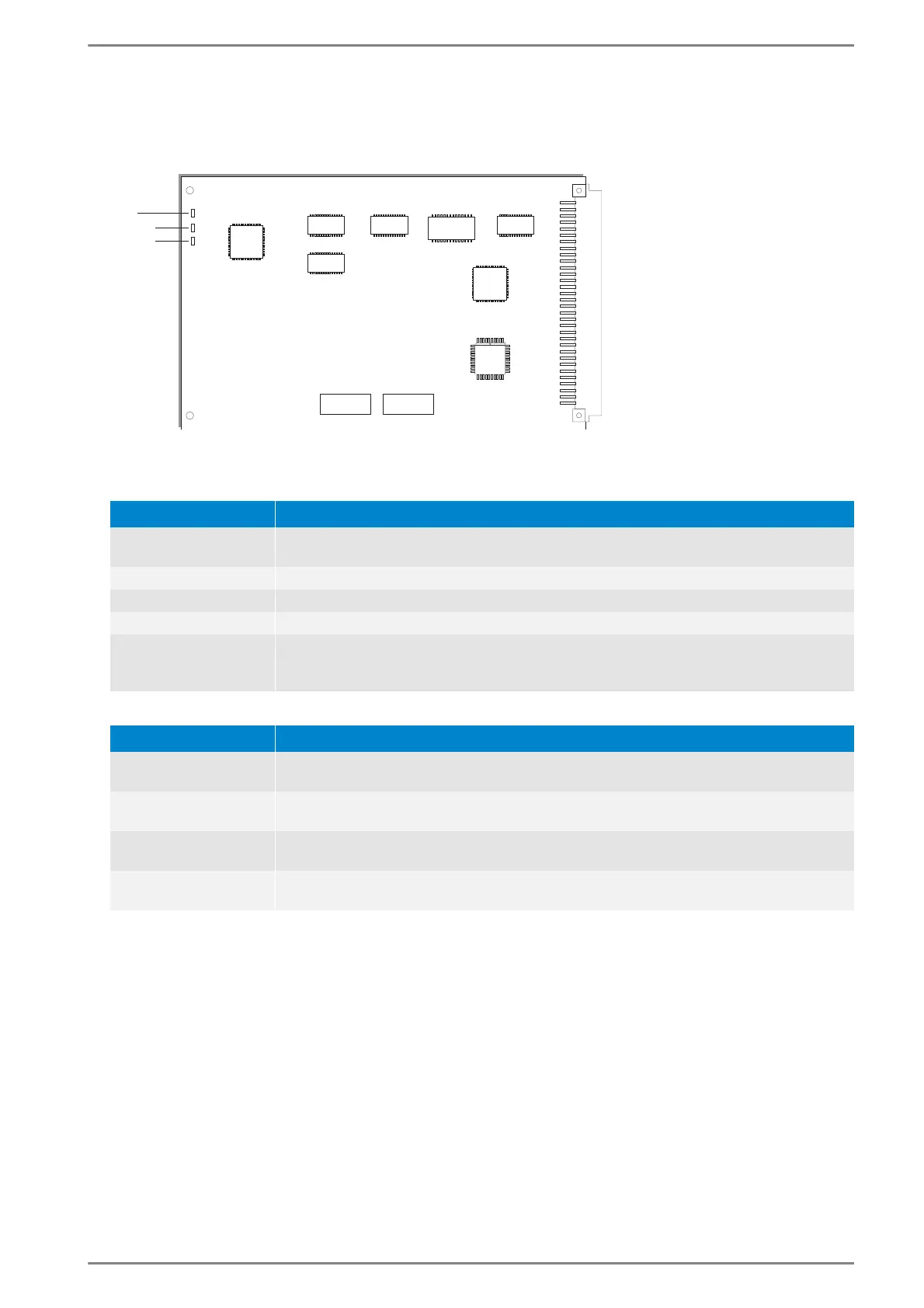
GE 300 LED-status indication
3.3/0518 37
G3-S0-I
Network cards to link the Intercom Server to ISDN (Integrated Services Digital Network). This card en-
ables a connection to up to 100 Intercom Servers.
Interface card G3-S0-I
LED status indication “RUN”
LED status indication “S0”
LED-status Description
LED is blinking in a one
second rhythm
The card is working correctly
LED is permanently off No power, warm start or hardware fault
LED is permanently on Waiting for connection to the main processor (during initialisation)
LED is blinking fast Card in the wrong slot or during firmware download
LED is blinking in
rhythm definition error
“short - short - long“
Card with wrong hardware feature level inserted (e.g. card “G3-IP-4B” inserted in slot
which is configured for “G3-IP4C”)
LED-status Description
B1 and B2 are perma-
nently on
Layer 1 Monitoring ok
1)
B1 and B2 are perma-
nently off
Layer 1 Monitoring not active or incorrect
1)
B1 is blinking in a one
second rhythm
The second B-channel is connected (speech transfer), chargeable time is running for a
second ISDN connection
B2 is blinking in a one
second rhythm
The first B-channel is connected (data transfer), chargeable time is running for one
ISDN connection
1)
Layer 1 (“Physical layer”): Telekom offers the feature “continuous monitoring of functionality”. Thus, the con-
nection cable is monitored constantly for functionality and correct synchronisation.













 To Next Page