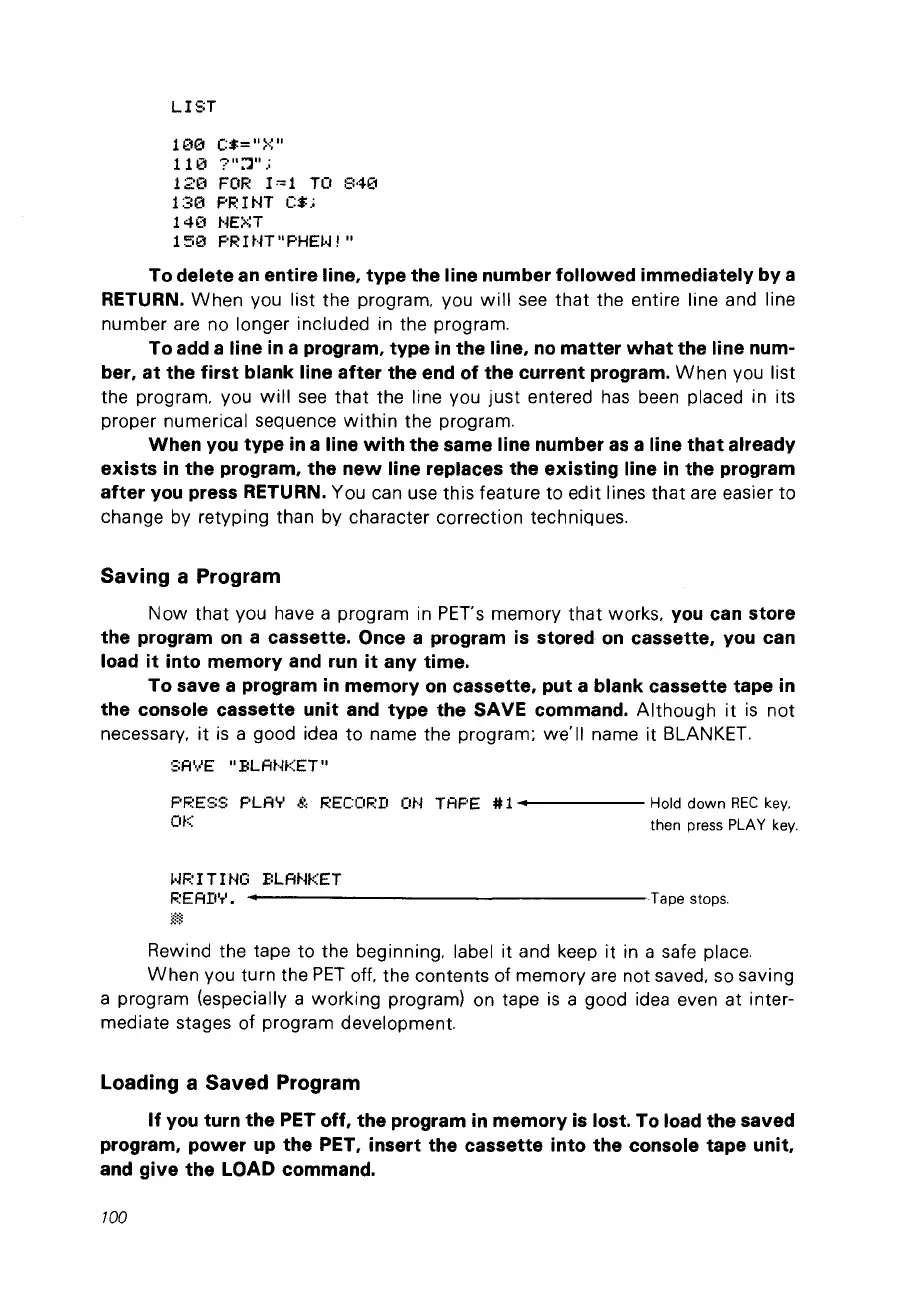
LIST
100
(:$="~'::"
110
7":1".;
120
FOR
1=1
TO
840
1:30
F'RINT
(:$;
14(1 NEXT
15(1
F'R
1
~-H
Il
F'HE~~
,
Il
To delete
an
entire line, type the line number followed immediately by a
RETURN.
When
VOU
Iist the program.
VOU
will
see
that
the entire line and line
number are no longer included in the program.
To
add
a line
in
a program, type
in
the line,
no
matter
what
the line num-
ber,
at
the first blank line after the
end
of the current program.
When
vou list
the program. vou
will
see
that
the line vou
just
entered has been placed in its
proper numerical sequence
within
the program.
When
you
type
in
a line
with
the same line number
as
a line that already
exists
in
the program, the
new
line replaces the existing line
in
the program
after
you
press RETURN. Vou can use this feature
to
edit lines
that
are easier
to
change
bV
retvping than
bV
character correction techniques.
Saving a Program
Now
that
vou have a program in PETs memorv
that
works.
you
can store
the program
on
a cassette. Once a program
is
stored
on
cassette,
you
can
load
it
into memory
and
run
it
any time.
To save a program
in
memory
on
cassette, put a blank cassette tape
in
the console cassette unit
and
type the SAVE
commando
Although
it
is
not
necessarv.
it
is
a good idea
to
na
me the program;
weïl
na
me
it
BLANKET.
SAVE
Il
BLA~'~KET
Il
F'F:ESS
F'LA.,.'
S,
RECOF:D
OH
TAF'E # 1
••
-----
Hold
down
REC
key.
Of:::
then press PLAY
key.
~~p
1T1
HG
BLAHKET
F.:EAD'T'
....
------------------
Tape stops.
Rewind the tape
to
the beginning. label it and keep it in a safe place.
When
vou turn the
PET
off, the contents of memorv are not saved. so saving
a program (especiallv a working program) on tape
is
a good idea even at inter-
mediate stages of program development.
Loading a Saved Program
If
you
turn the PET off, the program
in
memory
is
lost. To load the saved
program, power
up
the PET, insert the cassette into the console tape unit,
and
give the LOAD
commando
100



 To Next Page