READING A DATA
FILE
After vou have
written
information to a data file.
in
order to use
it
in
another program
vou
must be able to read the information off the tape and
put
it
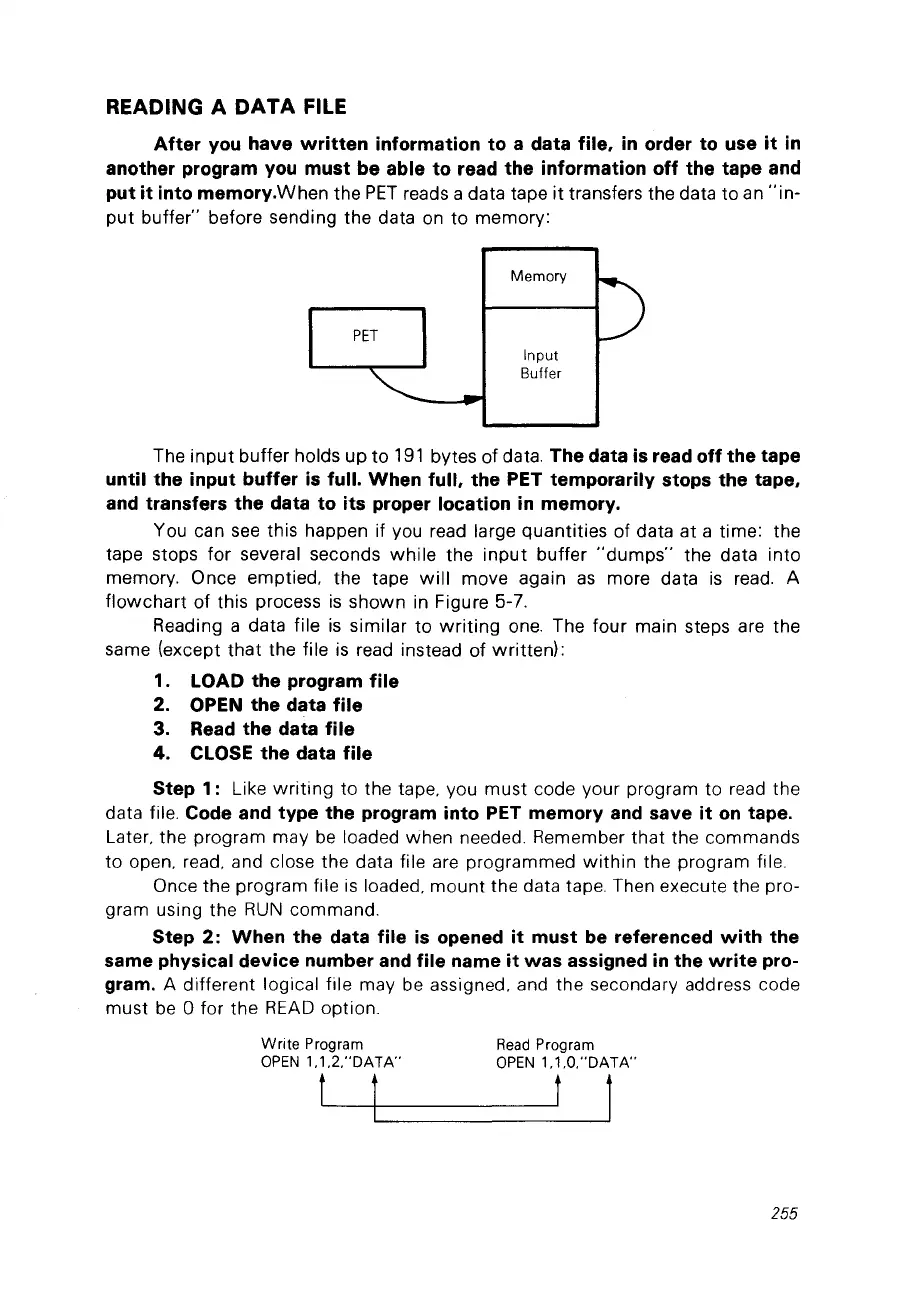
into memory.When the
PET
reads a data tape
it
transfers the data
to
an
"in-
put
buffer" before sending the data
on
to
memory:
Memory
PET
Input
Buffer
The
input
buffer hoIds up
to
191
bytes
of
data. The data is read off the tape
until the input buffer
is
full. When full. the PET temporarily stops the tape.
and transfers the data to its proper location
in
memory.
You can
see
this happen if you read large quantities of data at a time: the
tape stops
for
several seconds
while
the
input
buffer
"dumps"
the data
into
memory. Once emptied, the tape
will
move again
as
more data
is
read.
A
flowchart
of this process
is
shown in Figure 5-7.
Reading a data file
is
similar
to
writing
one.
The four main steps are the
same (except
that
the file
is
read instead of written):
1. LOAD the program file
2. OPEN the data file
3. Read the data file
4. CLOSE the data file
Step 1:
Like
writing
to
the tape, you must code your program to read the
data file.
Code and type the program into PET memory
and
save
it
on
tape.
Later, the program may
be
loaded when needed. Remember
that
the commands
to
open, read, and close the data file are programmed
within
the program file.
Once the program file
is
loaded,
mount
the data tape. Then execute the pro-
gram using the
RUN
commando
Step 2:
When
the data file
is
opened
it
must be referenced
with
the
same physical device number and file name
it
was
assigned
in
the
write
pro-
gram.
A different logical file may be assigned, and the secondary address code
must
be
0 for the
READ
option.
Write
Program
Read
Program
OPEN
1.1.2."DATA"
OPEN
1.1.0,"DATA"
Ll--
t
l
255



 To Next Page