46
Back Row
[Il
[Il
lI]
ŒJ
[Il
III
[Il
ŒJ
Front Row
[Il
[Il
[Il
ŒllIllIl
lI)
ŒJ
Front of Pet
Figure
2-15.
RAM
Numbering
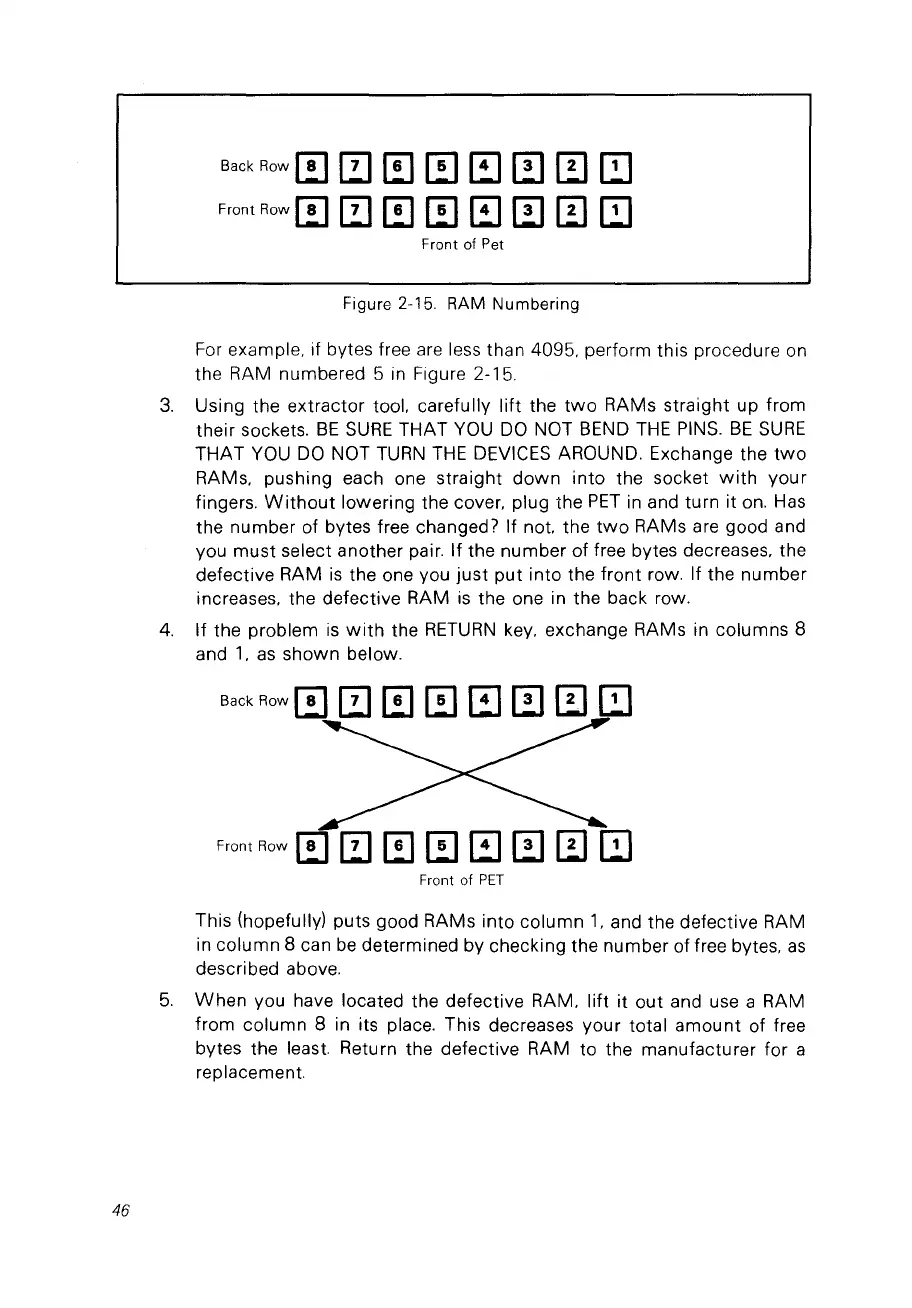
For
example. if bytes free are less than 4095, perform this procedure on
the RAM numbered 5
in
Figure 2-15.
3.
Using the extractor tool. carefully
lift
the
two
RAMs straight up from
their sockets.
BE
SURE
THAT
VOU
DO
NOT BEND
THE
PINS.
BE
SURE
THAT
VOU
DO
NOT
TURN
THE
DEVieES AROUND. Exchange the
two
RAMs. pushing each one straight
down
into
the socket
with
your
fingers.
Without
lowering the coyer. plug the
PET
in
and turn it
on.
Has
the number of bytes free changed? If not. the
two
RAMs are good and
vou
must
select another pair. If the number of free bytes decreases. the
defective RAM
is
the one vou
just
put
into the
front
row. If the number
increases. the defective RAM
is
the one in the back row.
4.
If the problem
is
with
the
RETURN
key. exchange RAMs in columns 8
and
1.
as
shown below.
Front Row m
ŒJ
[Il
ŒJ
1Il
Œl
0
ŒJ
Front
of
PET
This (hopefully) puts good RAMs into
column
1.
and the defective RAM
in column 8 can
be
determined by checking the number of free bytes.
as
described above.
5.
When
vou have located the defective RAM.
lift
it
out and use a RAM
from column 8 in its place. This decreases your total
amount
of free
bytes the least. Return the defective RAM to the manufacturer for a
replacement.



 To Next Page