SUMMARY
Here are some
important
points
to
remember
when
animating:
1.
Map the picture on graph paper first.
2.
Use time delay loops to control
print
speed.
3.
Do not forget semicolons or cursor controls.
4.
Before the end of the program, move the cursor out of the picture before
the program
END
or
STOP
writes the READY message.
FILES
Before
attempting
to
use files, vou
must
have a good understanding of
what
a file
is.
A
"file"
is a collection of information. Files appear
in
many forms. but
the ones
we
are interested
in
are the groups of information
on
a cassette
tape. Each group of information found
on
a PET cassette
is
either a "pro-
gram"
or
"data"
file. A file
is
divided
up
into smaller segments called
"records" and "fields." A
"field"
is
a unit of data. A
unit
of data may
be
of any
type and any length.
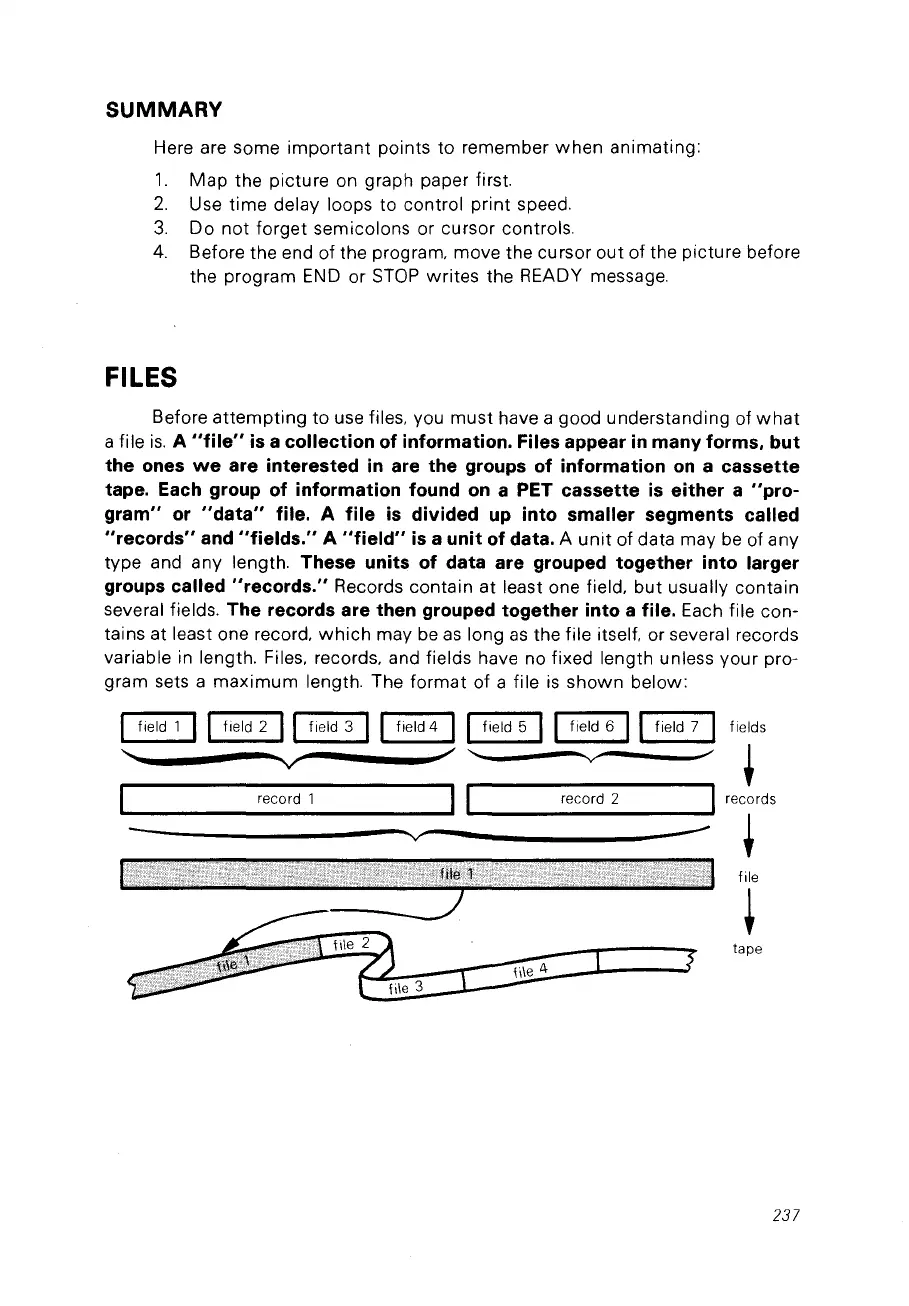
These units of data are grouped together into larger
groups called "records."
Records contain at least one field,
but
usually contain
several fields.
The records are then grouped together into a file. Each file con-
tains at least one record,
which
may
be
as
long
as
the file itself. or several records
variable
in
length. Files, records, and fields have no fixed length unless your pro-
gram sets a
maximum
length. The format of a file
is
shawn below:
1 field 1
Il
field 2
Il
field 3
Il
field 4
Il
field 5
II
field 6
Il
field 7 1
........
",
.........
'V
/
V'
record 1
II
record 2
"V
---
fields
+
records
+
file
+
tape
237



 To Next Page