For our animation program, then,
we
must include this time delay loop after
printing the next element. Since the programmed time delay loop remains the
same for each
element
we
cali
it
as
a subroutine. Therefore, after printing the up-
per left corner of the square, cali the time delay loop, subroutine 100.
PROGRAMMING
CHARACTER
PLACEMENT
The third phase
is
to
print
the top line of the square. Instead of programming
PRINT
"-,,
we
will
use a
FOR.
..
NEXT
loop:
15
FOR
1=1
TO
5;
F'R
l
tH
U
-";
;
GOSLIB
1
';:10
:NEXT l
Statement 15 uses a
FOR.
..
NEXT loop
so
that the subroutine time delay can
be
called between each printing of
"-".
To program the
PET
to sketch the square
slowly, the time delay must
be
called after each character
is
printed. It would
be
useless to program:
15
F'F:ItHu---u;
:
GOSLIB
1';:1';:1
- incorrect
because the whole line would
be
printed instantaneously
without
any time delay.
To complete the top line, type the upper right corner. Again, include the
time delay subroutine calI.
;~0
F'R
l
tH
U ï
U
.;
:
GOSLIB
100
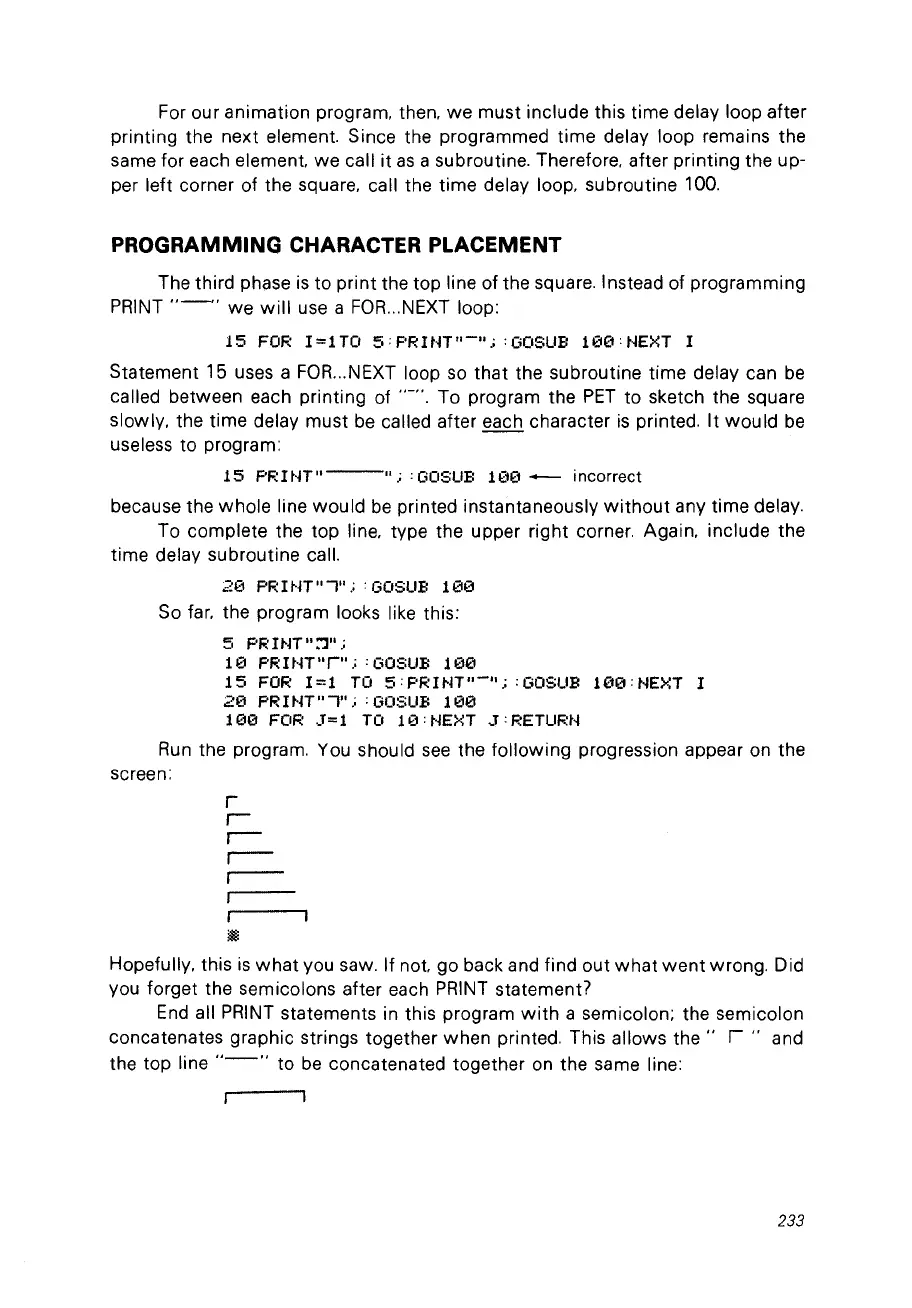
So
far, the program looks like this:
5
F'R1NT":']".;
10
F'R!tH
Il
ru.;
:
GOSLIB
100
15
FOR
1=1
TO
5:F'R1NT"-";
: GOSUB
100:NEXT
l
20
F'R1NTuï";
:
GOSLIB
100
100
FOR
3=1
TO
10:NEXT
3:RETURN
Run
the program.
You
should
see
the following progression appear on the
screen:
1
~
Hopefully, this
is
what
vou saw. If
not
go back and find out
what went
wrong. Did
vou forget the semicolons after each
PRINT
statement?
End
ail
PRINT
statements in this program
with
a semicolon; the semicolon
concatenates graphic strings together when printed. This allows
the"
r"
and
the top line
"-"
to
be
concatenated together
on
the same line:
233



 To Next Page