Emptying the Buffer Before a GET
This illustration of stuffing the keyboard buffer in advance
is
mostly a mild
surprise, and a rather pleasant one, for program BLANKET. You can save up the
characters vou
want
displayed rather than keying them
in
one at a time
in
response to the HIT A
KEY
message. For other programs, however,
it
could come
as
a rude shock
that
idle toying
with
the keyboard during,
say,
agame
cou
Id
cause the game program to fetch
an
unwanted string of characters from the
keyboard buffer. To avoid this,
Vou
can program a loop to empty the keyboard
buffer. discarding the fetched characters, before fetching an intended response
character. Implement a
GET
fetch by the code example below:
95
FOR
I~1T010GET
C$:NEXTI:
REM
EMPTY
KYBD
BFR
100
GET
C$:
IF
C$=""
GOTO
1(10
Line 95
is
the added line to
empty
the keyboard buffer by getting ail ten possible
characters
that
might
have inadvertently been
"stuffed"
there. Line 100
is
the
standard BLANKET
GET
line.
Edit program BLANKET by adding line 95
as
shown above.
Now
press any
combination of keys
while
a character
is
being displayed.
Any
stored characters
are fetched and discarded by the
GET
loop, so vou
will
not have any automatic
display continuations
with
this loop added.
TWO-KEY REPETITION
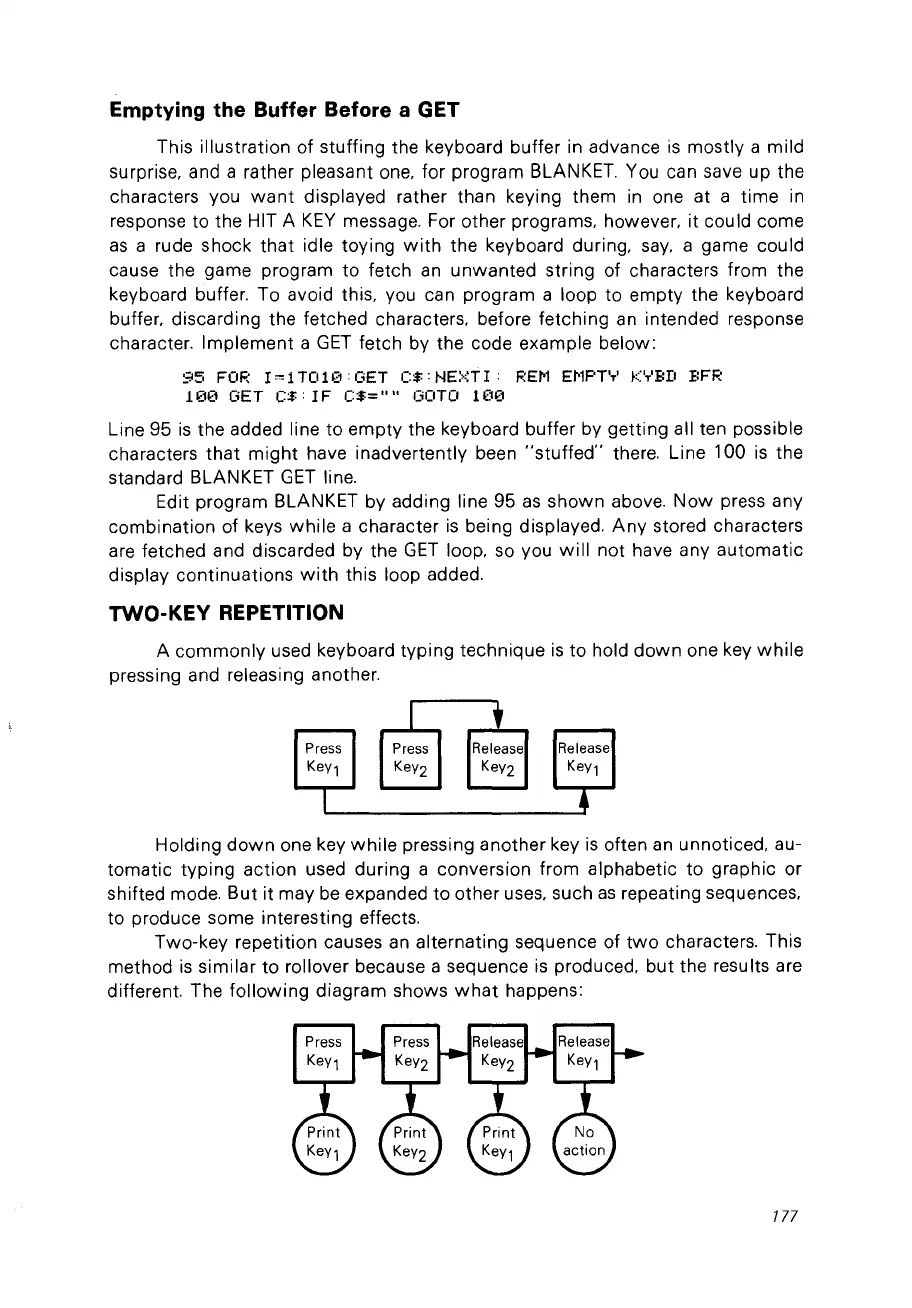
A commonly used keyboard typing technique
is
to hold
down
one key
while
pressing and releasing another.
Press
KeY1
1 t
Press Release
KeY2
KeY2
Release
KeY1
Holding
down
one key
while
pressing another key
is
often
an
unnoticed, au-
tomatic typing action used during a conversion from alphabetic to graphic or
shifted mode.
But
it may
be
expanded to other uses,
su
ch
as
repeating sequences,
to produce some interesting effects.
Two-key repetition causes
an
alternating sequence of
two
characters. This
method
is
similar to rollover because a sequence
is
produced, but the results are
different. The
following
diagram shows
what
happens:
177



 To Next Page