If
so,
this happened because the cursor
is
automatically moved one space to the
right after any character
is
printed. To enter characters vertically, the cursor must
be
repositioned both vertically and horizontally to compensate for the automatic
cu
rsor movement to the rig ht.
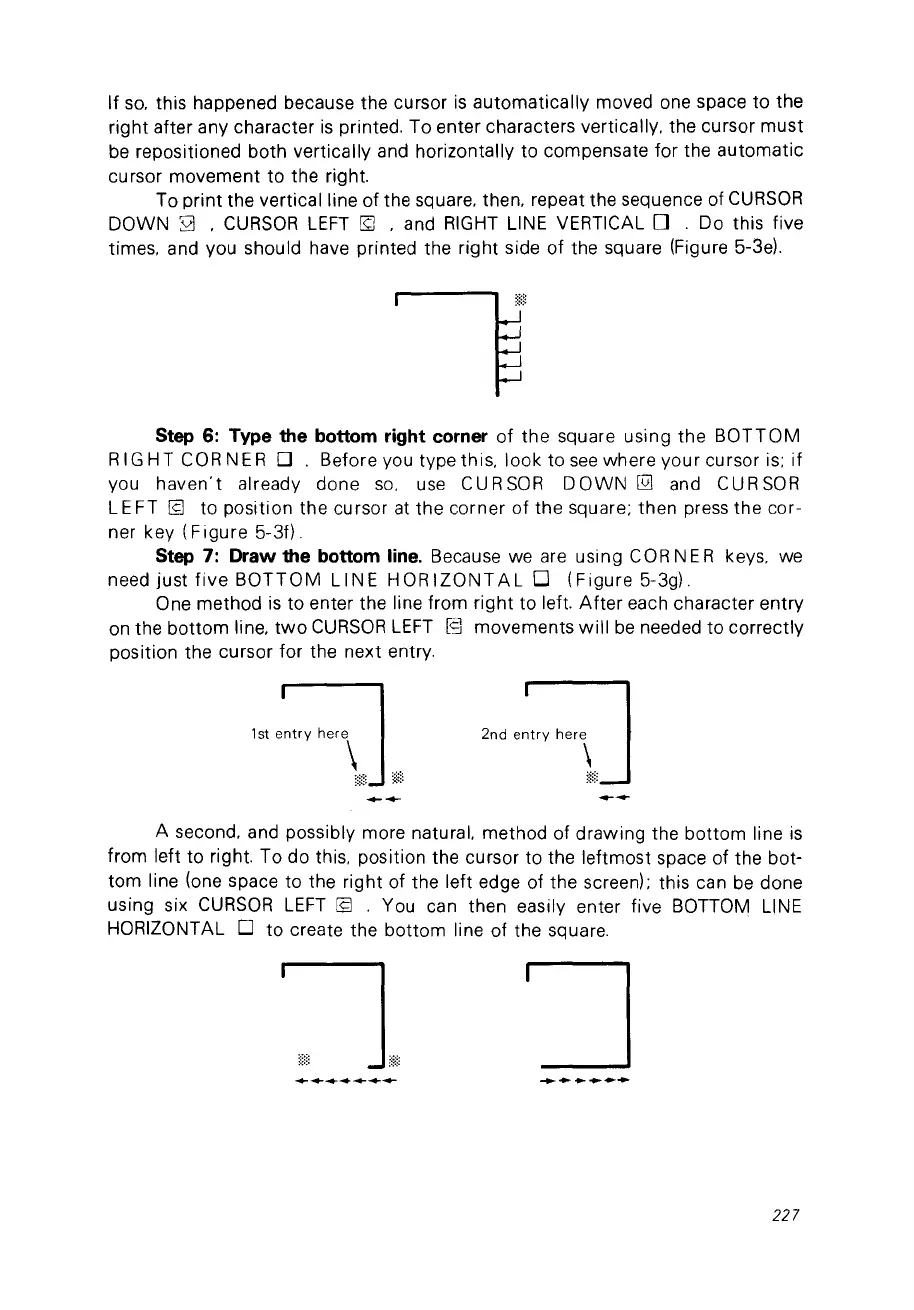
To print the
verticalline
of
the square, then, repeat the sequence of
CURSOR
DOWN
sa
,
CURSOR
LEFT
[g
, and
RIGHT
L1NE
VERTICAL 0 . Do this five
times, and vou should have printed the right side
of
the square (Figure 5-3el.
Step 6: Type the bottom right corner
of
the square using the
BOTTOM
RI
GHT
COR
NE
RD.
Before vou type this, look to
see
where your cursor is;
if
vou
haven't
already done
so,
use CURSOR
DOWN
@]
and CURSOR
LE FT
[9
to position the cursor
at
the corner
of
the square; th
en
press the cor-
ner key
(Figure
5-30.
Step 7: Draw the bottom line. Because
we
are using
COR
NE R keys,
we
need just
five
BOTTOM
L1NE
HORIZONTAL
0
(Figure
5-3g).
One method
is
to enter the line from right to left.
After
each character entry
on
the bottom line,
two
CURSOR
LEFT
[9 movements
will
be
needed to correctly
position the cursor for the next entry.
1st
entry
here
\
--
'od
,:,"
h",\]
--
A second, and possibly more naturaL method of drawing the bottom line
is
from left to right. To do this, position the cursor to the leftmost space of the bot-
tom line (one space to the right of the left edge of the screen); this can
be
done
using six
CURSOR
LEFT
19
. You can then easily enter five
BOnOM
L1NE
HORIZONTAL 0 to create the bottom line of the square.
227



 To Next Page