14
K-series OEM Board User Guide
Tip: After you click on Tracking, terminal interface will output binary data that used for request sky view,
PTV view. To stop output, please enter command “Unlogall” in command interface, then enter ASCII
commands you need.
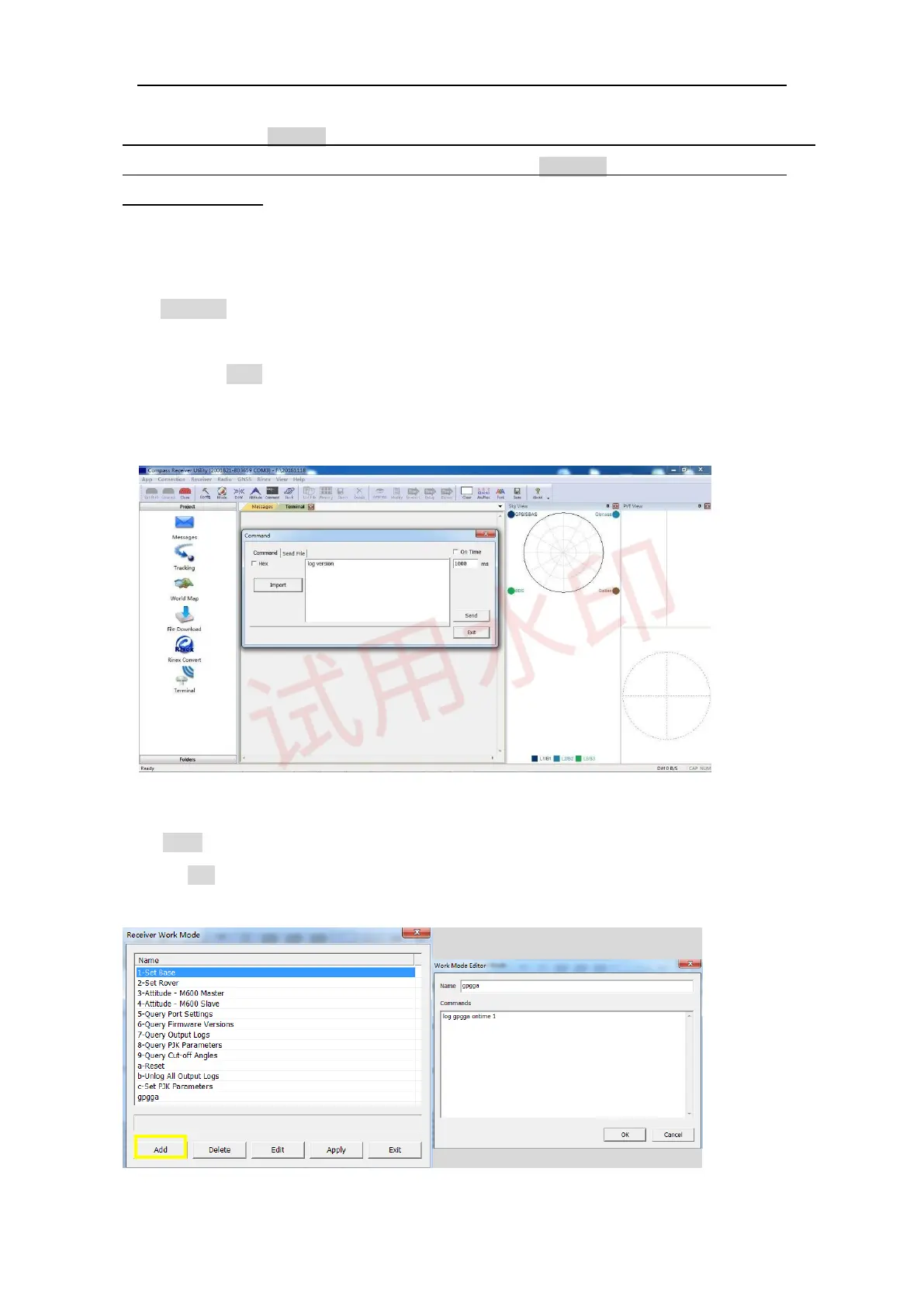
3.3 Command Interface
Go to
Command
to send ASCII commands to receiver. When inputting commands:
⚫
Select and send proper commands, all commands are case insensitive: Log
version=LOG VERSION
⚫ Press Enter button at the end of every command to check receivers’ feedback information or input
another command
⚫ For all programmatic commands, please refer to ComNav OEM Board Reference Manual_V1.8
Go to Mode to check frequently used commands package, and it also supports click
⚫ Add to add commands you need.



 To Next Page