33
K-series OEM Board User Guide
6. Firmware update
6.1 Auto update
To update firmware of GNSS OEM board, you should follow:
1) Connect your OEM board with your PC.
2) Change the baud rate to 115200 in CRU software, enter commands:
com com1 115200
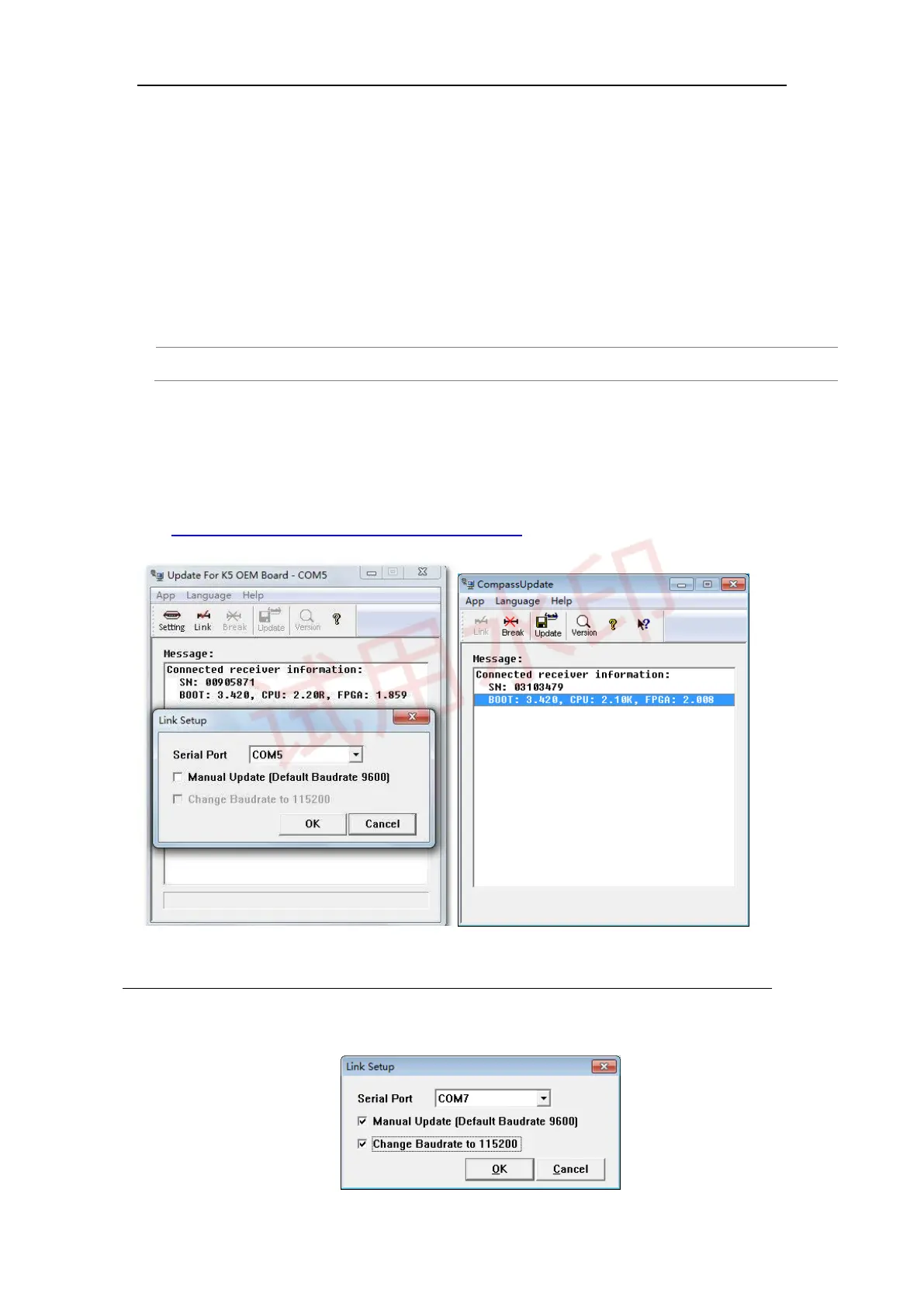
3) Open firmware upgrade software, click Break -> Setting -> select serial port and click OK. If Boot message
output as below, it means the OEM board is successfully connected; otherwise try FORCE UPDATE.
4) If parameters are incompatible after upgrading, please send command Freset to clean all previous
settings. You can find the latest firmware at
http://www.comnavtech.com/companyfile/5/.
5) Click Link and Update to upgrade OEM board
Note: please don’t move your mouse or run other software when updating firmware (5-6 minutes).
6.2 Force update



 To Next Page