25
K-series OEM Board User Guide
The configuration is shown below:
For Moving Base Station
For Moving Base --Base
Fix none
Log comX rtcmcompassb ontime 1
Saveconfig
// Undo fix position mode
// Differential GPS/GLONASS/Beidou corrections
// Save configuration
For the Rover:
For Moving Base --Rover
Interfacemode comX auto auto on
Set diffmatchmode synch
Rtkrefmode 1
Log comX headinga ontime 1
Saveconfig
// Set comX in differential mode
// Set RTK in synchronous mode
// Set moving base RTK mode
// Output heading message
// Save configuration
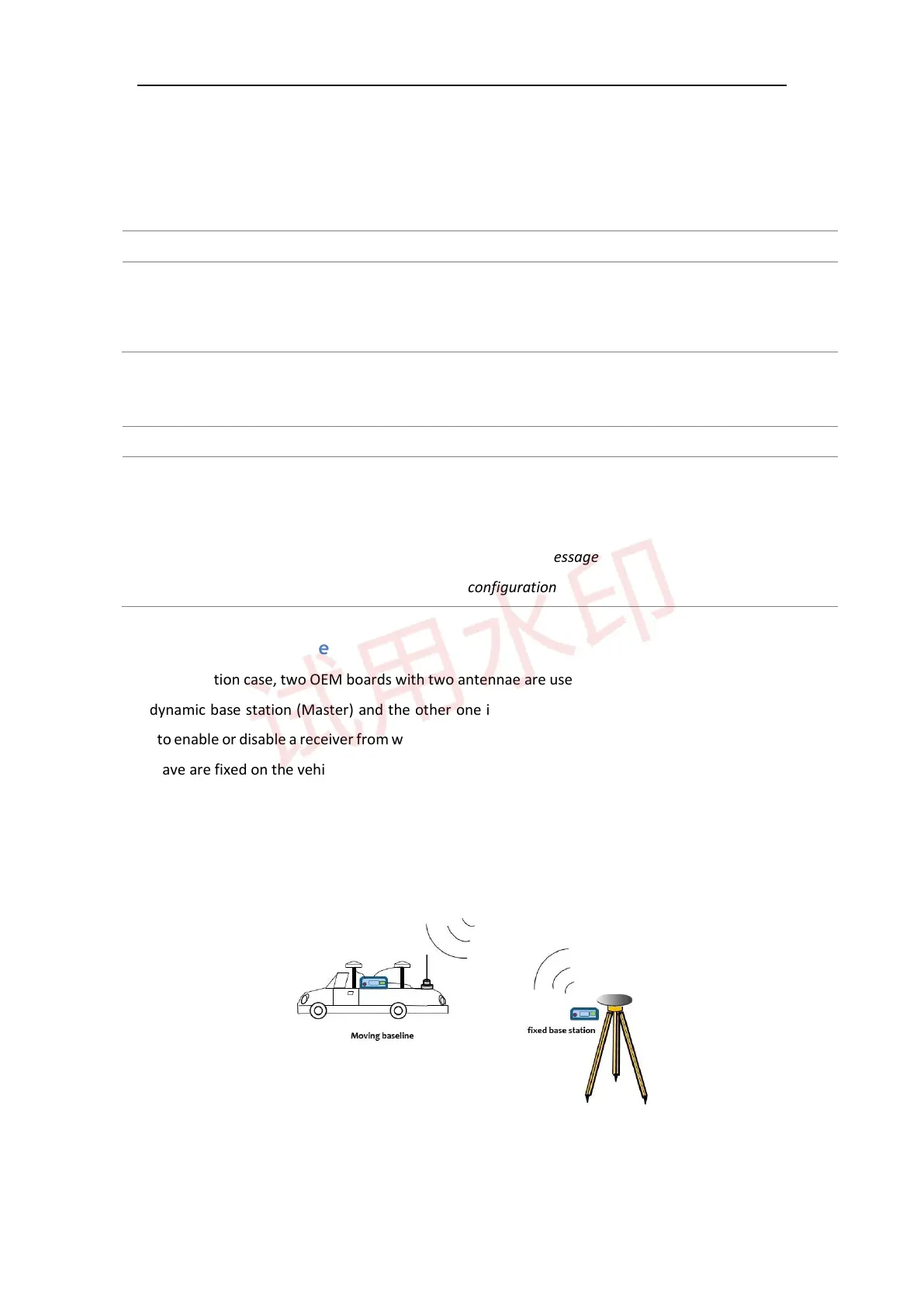
4.5.2 Moving baseline
In this application case, two OEM boards with two antennae are used and one of the OEM boards is used for
the dynamic base station (Master) and the other one is applied as a rover station (Slave). The settings are
used to enable or disable a receiver from working with a dynamic base station. In this case, both of the Master
and Slave are fixed on the vehicle where the Slave station is static with respect to the Master station.
Moving baseline mode allows the base to do the RTK positioning with the fixed station and also display the
attitude information to the user. The rover station is used for attitude determination computation and send
the results back to the dynamic base station.
The configuration is shown below:
For dynamic base



 To Next Page