10
K-series OEM Board User Guide
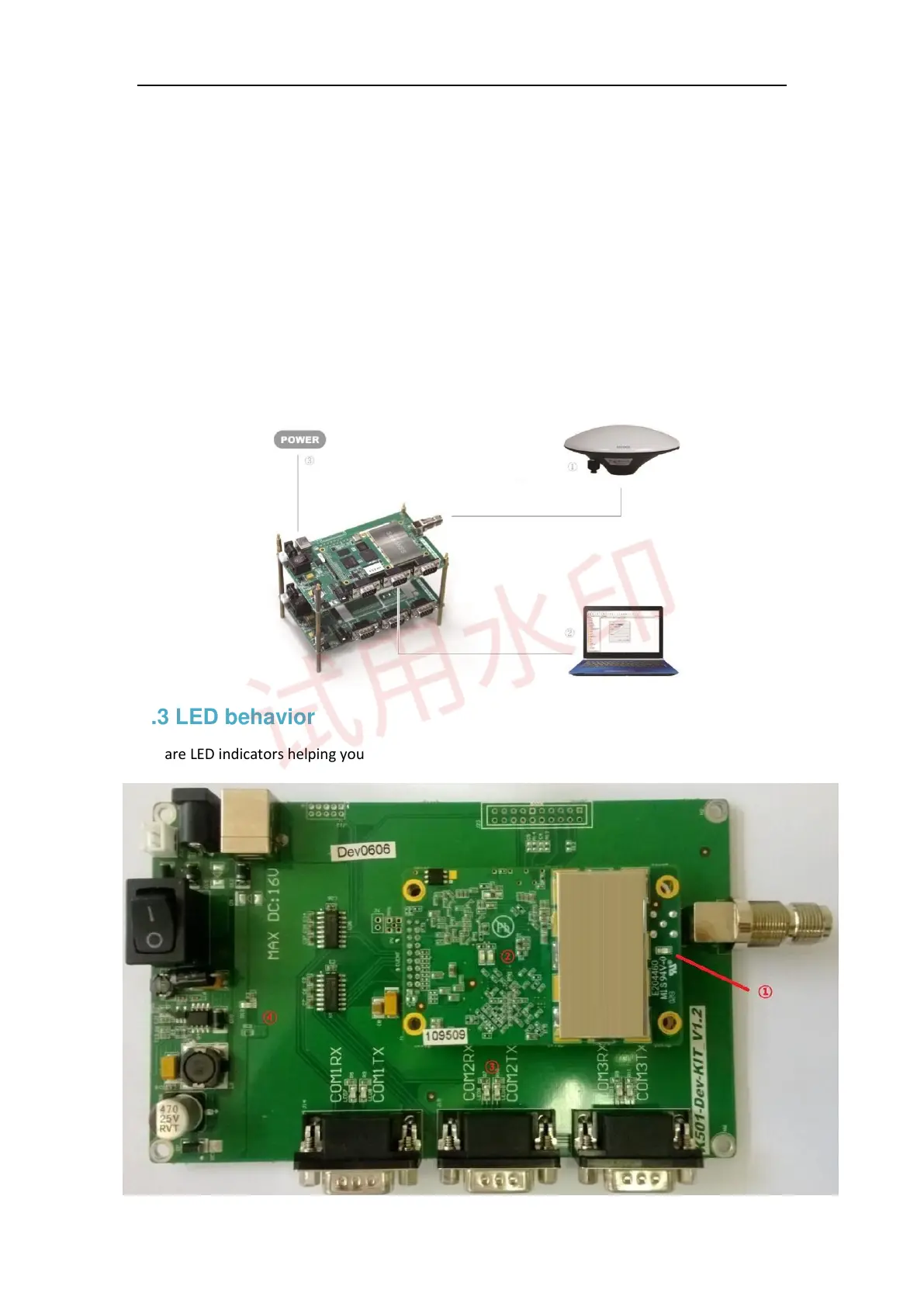
2. Connect the GNSS antenna through a coaxial cable. When mounting the antenna:
⚫ In the area with a clear view of the sky
⚫ Far from big power electromagnetic radiation devices
⚫ On a secure and stable environment
3. Power supply
⚫ Power on your OEM board through ComNav standard 12 voltage adapter or USB
⚫ After all components connected, press the power button on the interface board
4. Connect to your PC or data communications equipment as the picture below:
2.3 LED behavior
There are LED indicators helping you to check status of K-series OEM board.



 To Next Page