31
K-series OEM Board User Guide
Set pvtfreq 10
Set rtkfreq 10
Log gpgga ontime 0.1
saveconfig
//set PVT frequency; take 10Hz as an example
//set RTK frequency; take 10Hz as an example
//output GPGGA; take 10Hz as an example
//Save configuration
Tip: the default setting supports up to 5Hz, you need to send the above commands if requiring more
than 5Hz.
5.12 Activate register code
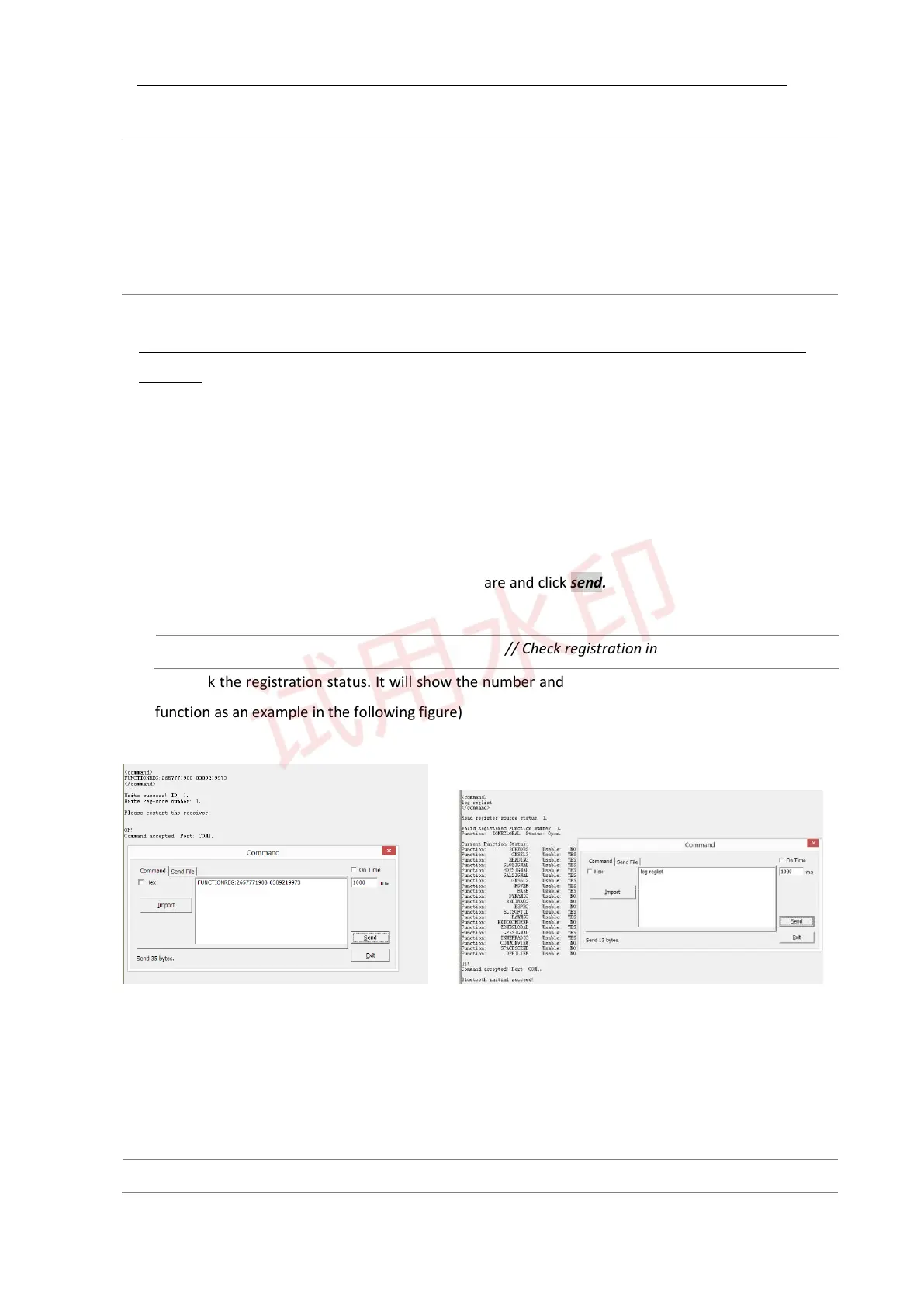
The format of register code: FUNCTIONREG: xxxxxxxx
1) Copy this code to any serial communication software and click send.
2) Send command
Log reglista // Check registration information
to check the registration status. It will show the number and list of activated functions (ZONEGLOBAL
function as an example in the following figure)
5.13 Event marker
Format: MARKCONTROL <signal> <switch> [polarity] [timebias [timeguard]]
markcontrol mark1 enable negative 0 0 //Open Event1 marker



 To Next Page