18
K-series OEM Board User Guide
3.6.1 Raw Data Download
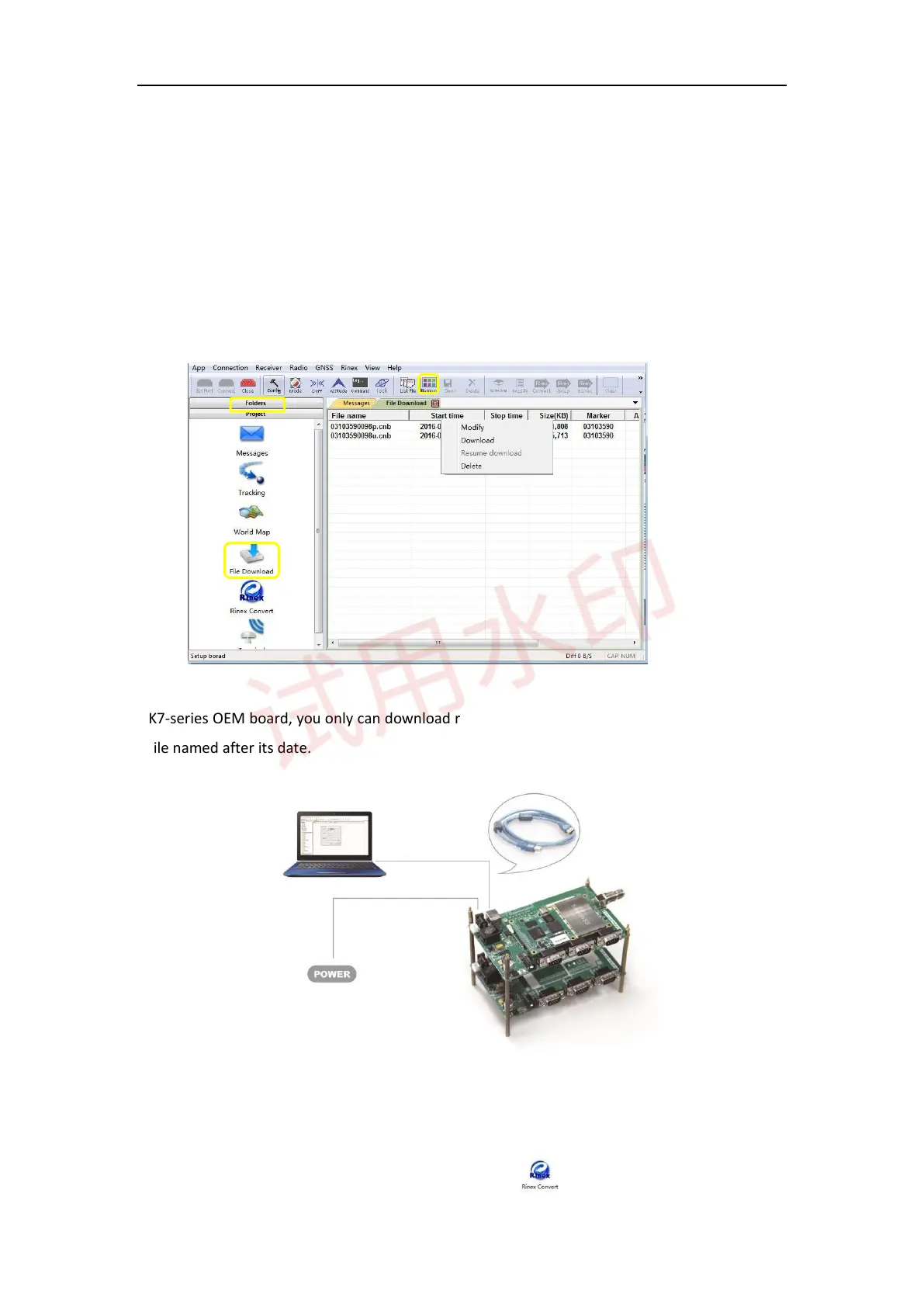
For K5-series OEM board, download data only from receiver to your PC through serial port in CRU software.
1) Connect the OEM board to your PC as described before (see Chapter 3.1).
2) Click Folders to select download path
3) Click File Download in project menu to check all raw data on main window, or click List File to refresh
raw data list.
4) Right-click on the file name to modify, download or delete the raw observation data.
For K7-series OEM board, you only can download raw data through USB cable and raw data will be saved in
the file named after its date.
3.6.2 Convert to RINEX
After downloading raw observation data to your PC, go to to convert from ComNav binary format



 To Next Page