17
K-series OEM Board User Guide
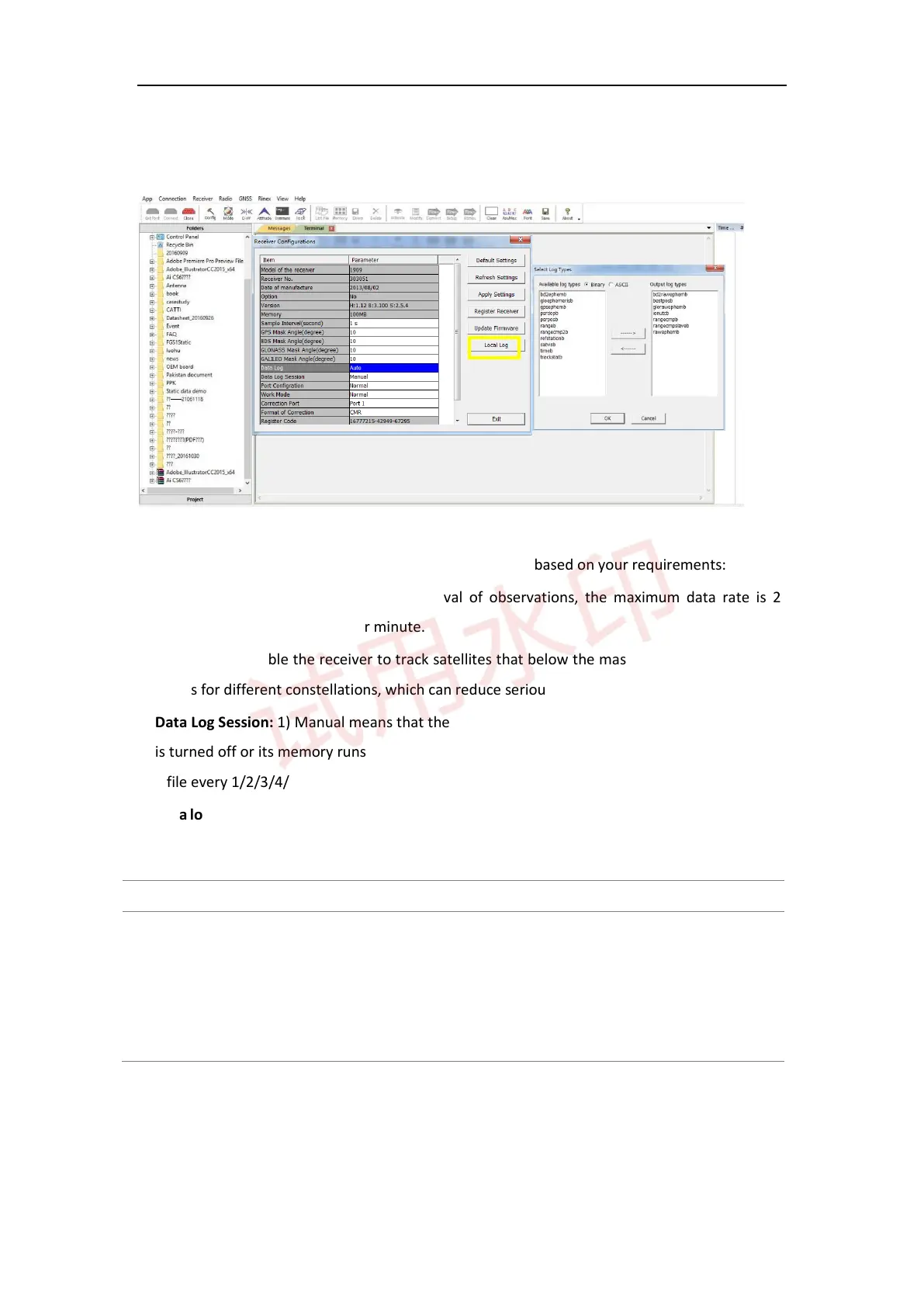
2) To save the raw data in your PC, select the folder path -> go to Config -> click Local Log -> select log types
-> OK, the raw data file will be saved in the folder you select.
There are other settings for onboard memory you can change based on your requirements:
⚫ Sample Interval: change the sample interval of observations, the maximum data rate is 20Hz, the
minimum is one observation per minute.
⚫ Mask angle: disable the receiver to track satellites that below the mask angle. You can set mask angle
values for different constellations, which can reduce serious multipath influence or low SNR.
⚫ Data Log Session: 1) Manual means that the receiver keeps recording data in one file until the receiver
is turned off or its memory runs out; 2) if set to 1/2/3/4/12 hours, the data recorded will be saved in to
a file every 1/2/3/4/12 hours.
⚫ Data log: the default setting is manual mode. To log data in manual mode, send the following commands.
For K5-series: For K7-series:
Set static on
Saveconfig
Set emmc on
Saveconfig
// Restart your OEM board
Set static on
// Send set static off, if you finish recording
3.6 Data management



 To Next Page