15
K-series OEM Board User Guide
3.4 NTRIP configuration
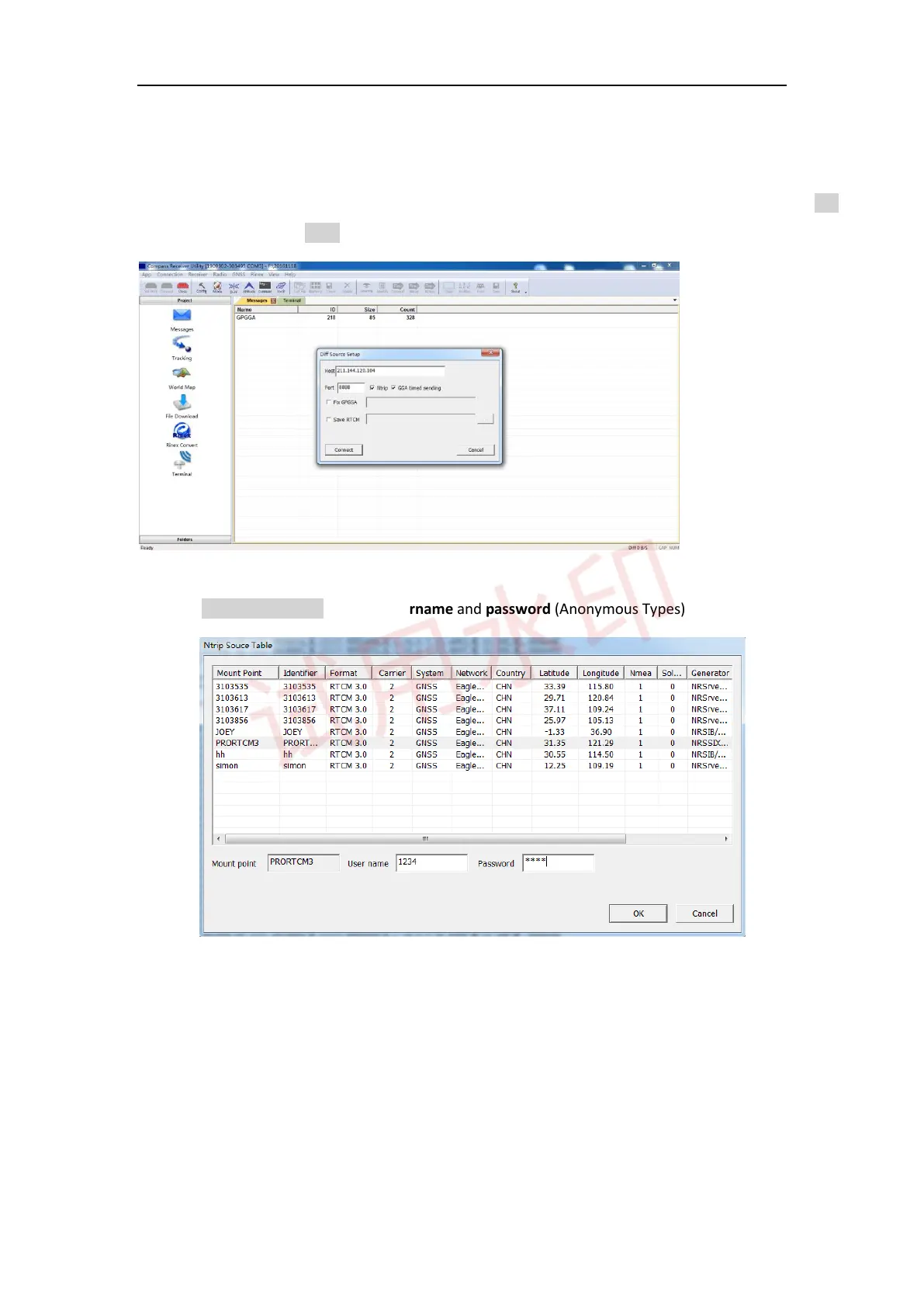
To easily test RTK function through NTRIP protocol, firstly ensure your PC internet connected, then go to Diff
-> enter IP and port -> click Ntrip -> OK to go to NTRIP source table.
Then select Ntrip mount point -> enter Username and password (Anonymous Types)
-> OK.
After receiver received correction data, the receiver will calculate the ambiguity and turn to differential mode.
Go to View -> PVT View to check RTK status: 1) Position mode; 2) Differential age: from 1(correction data
received) to 99(No correction data received); 3) Diff: Correction data flow.



 To Next Page