9
K-series OEM Board User Guide
The pin definition of the 16-PIN connector is shown in the table below:
GPIO2 EVENT2 PPS TX_COM3 TX_COM2 TX_COM1 GND VIN
9 10 11 12 13 14 15 16
8 7 6 5 4 3 2 1
GPIO1 EVENT1 GND RX_COM3 RX_COM2 RX_COM1 GND VIN
a. TX/RX_COM1/2/3 supports LVCMOS 3.3V level and is compatible with LVTTL 3.3V level;
b. VIN means power supply, supports 5 - 12 VDC;
c. DB9 serial port support RS232 level;
d. The Type-C interface has a built-in CP2102 USB to UART chip. Windows 10 can automatically identify and
install the driver when connected to the Internet. For other OS drivers, please log in to the website to
download the corresponding driver;
e. The DIP switch defines the connection status of the external interfaces and internal serial ports of OEM
module, shown in the following table.
A
Bluetooth COM3
USB COM2
COM COM1
The following sector describes installation guidelines with ComNav Technology interface board. Making self-
developing integrated system, please refer to OEM board specifications at
http://www.comnavtech.com/companyfile/7/#c_companyFile_list-15221516507291902-2
2.2 Guidelines for installation
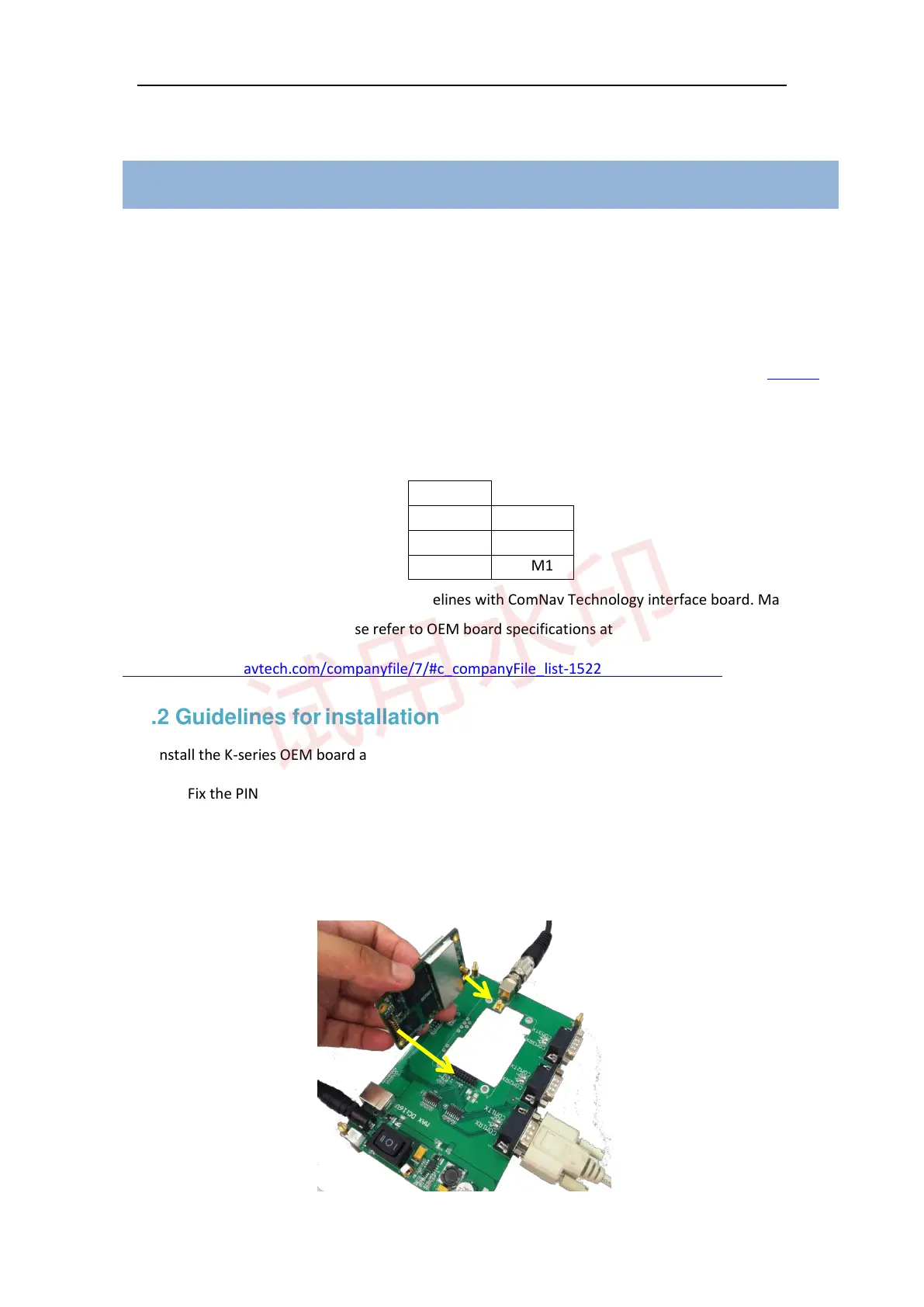
1. Install the K-series OEM board and K8 series card version module with ComNav interface board.
⚫ Fix the PIN and RF connection to the interface board properly
⚫ Ensure 100% fitting for all connections
⚫ Firstly, unplug the PIN out when uninstalling the OEM cards (the K501 installation shown in the
following figure).



 To Next Page