. . . . . . . . . . . . . . . . . . . . . . . . . . . . . . . . . . . . .
5-56
ArmadaStation Removal and Replacement Procedures
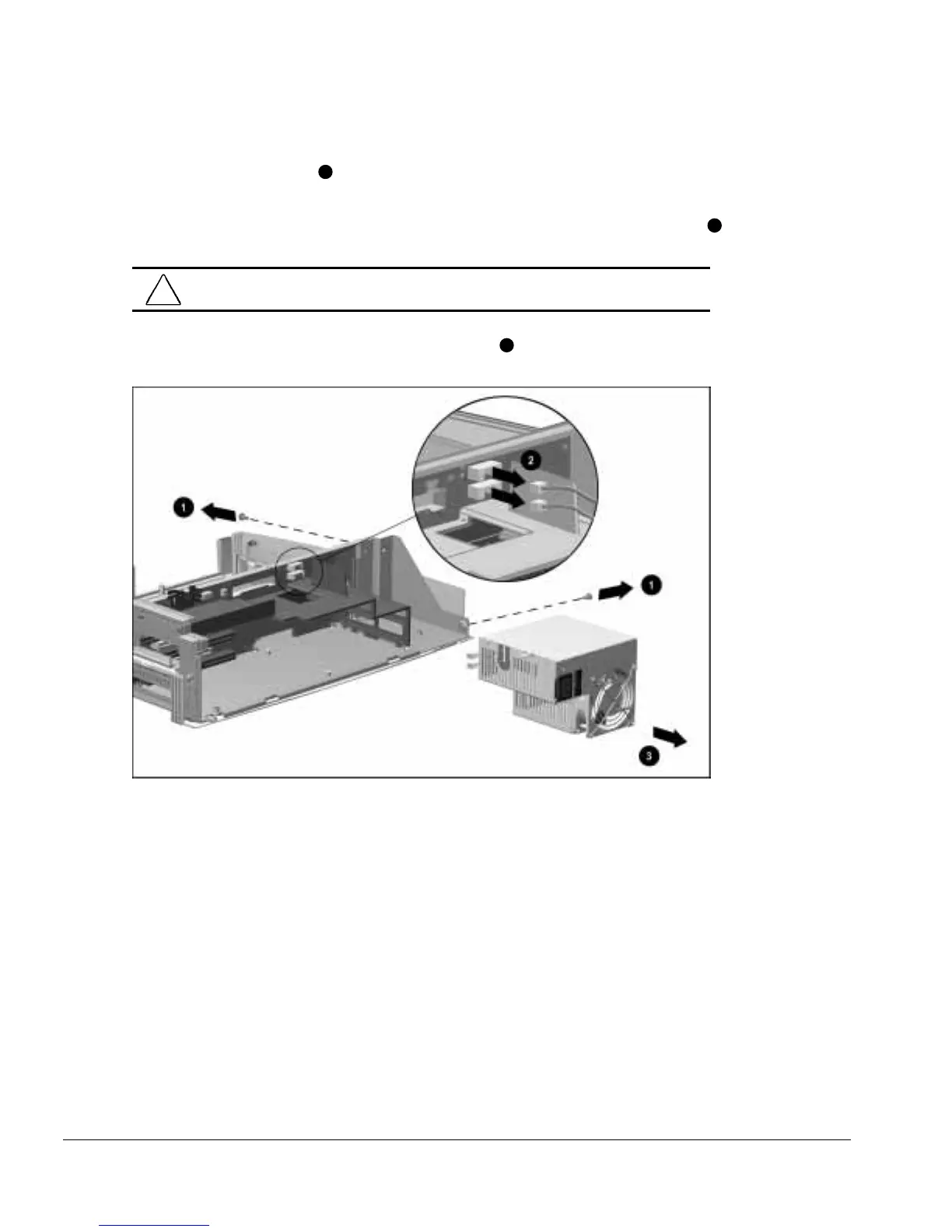
7. Remove the two screws
1
securing the power supply to the backplane assembly and
base assembly (Figure 5-53).
8. Disconnect the two cables attaching the power supply to the backplane assembly
2
.
CAUTION:
Make sure the power supply cables are properly unclipped from the
backplane assembly before disconnecting the power supply cables.
9. Remove the power supply from the base assembly
3
.
Figure 5-53.
Removing the Power Supply
Reverse the removal procedure described above to install the power supply assembly.



 To Next Page