. . . . . . . . . . . . . . . . . . . . . . . . . . . . . . . . . . . . .
5-22
ArmadaStation Removal and Replacement Procedures
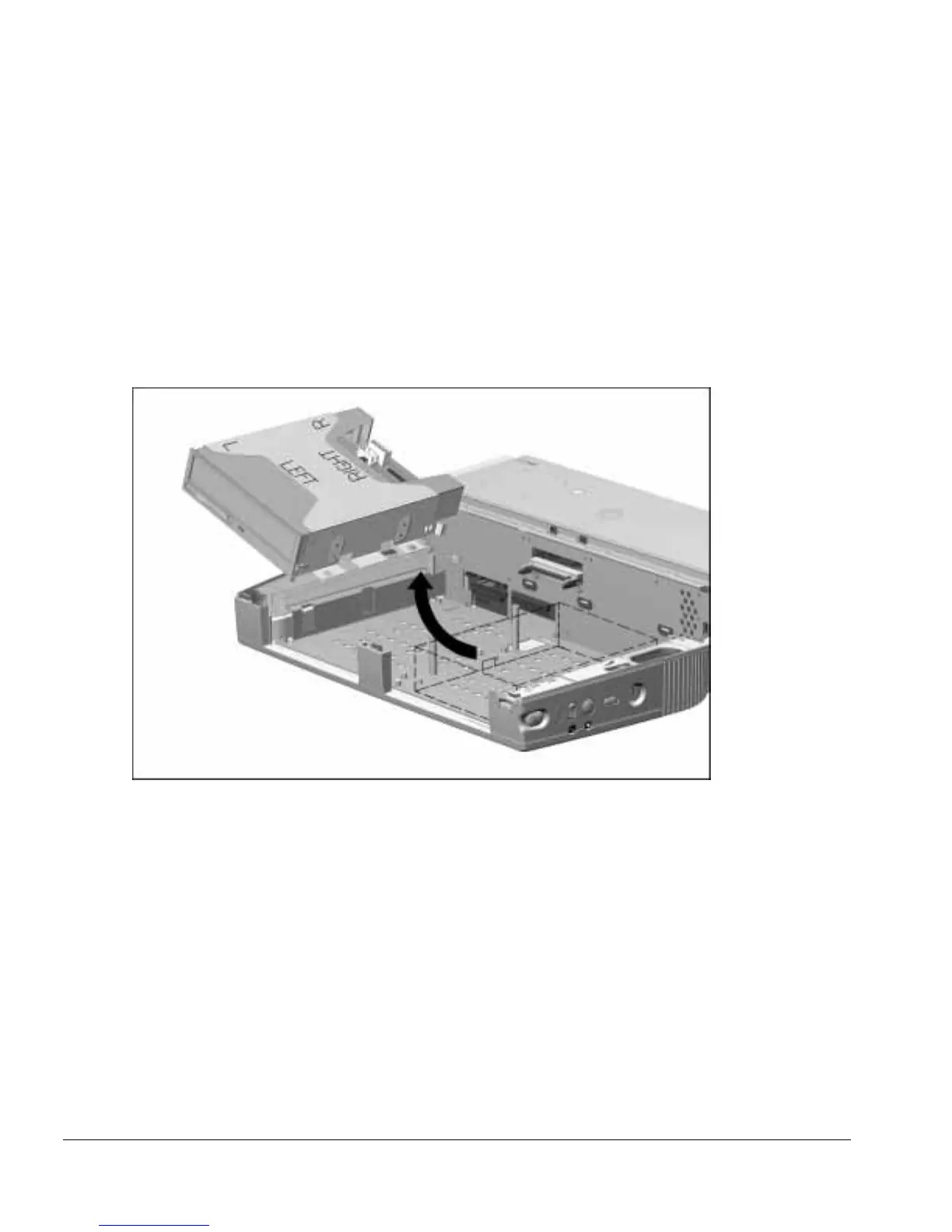
Half-Height MultiBay Adapters
To remove a half-height MultiBay adapter, complete these steps:
1. Remove the drive cage shield (Section 5.7).
2. Disconnect the hard drive, CD-ROM/audio, diskette drive, and MultiBay cables from
the half-height MultiBay adapter.
3. Lifting the left side first, lift the adapter out of the base assembly until the security
extension bar on the right side is clear (Figure 5-21).
Figure 5-21.
Removing a Half-Height MultiBay Adapter
Reverse the removal procedure described above to reinstall a half-height MultiBay
adapter.
Installing a Half-Height MultiBay Adapter
If a half-height MultiBay adapter is being installed in the ArmadaStation left half-height
bay for the first time, complete these steps:
1. Remove the drive cage shield (Section 5.7).
2. Lift the drive cage out of the base assembly.



 To Next Page