. . . . . . . . . . . . . . . . . . . . . . . . . . . . . . . . . . . . .
5-14
ArmadaStation Removal and Replacement Procedures
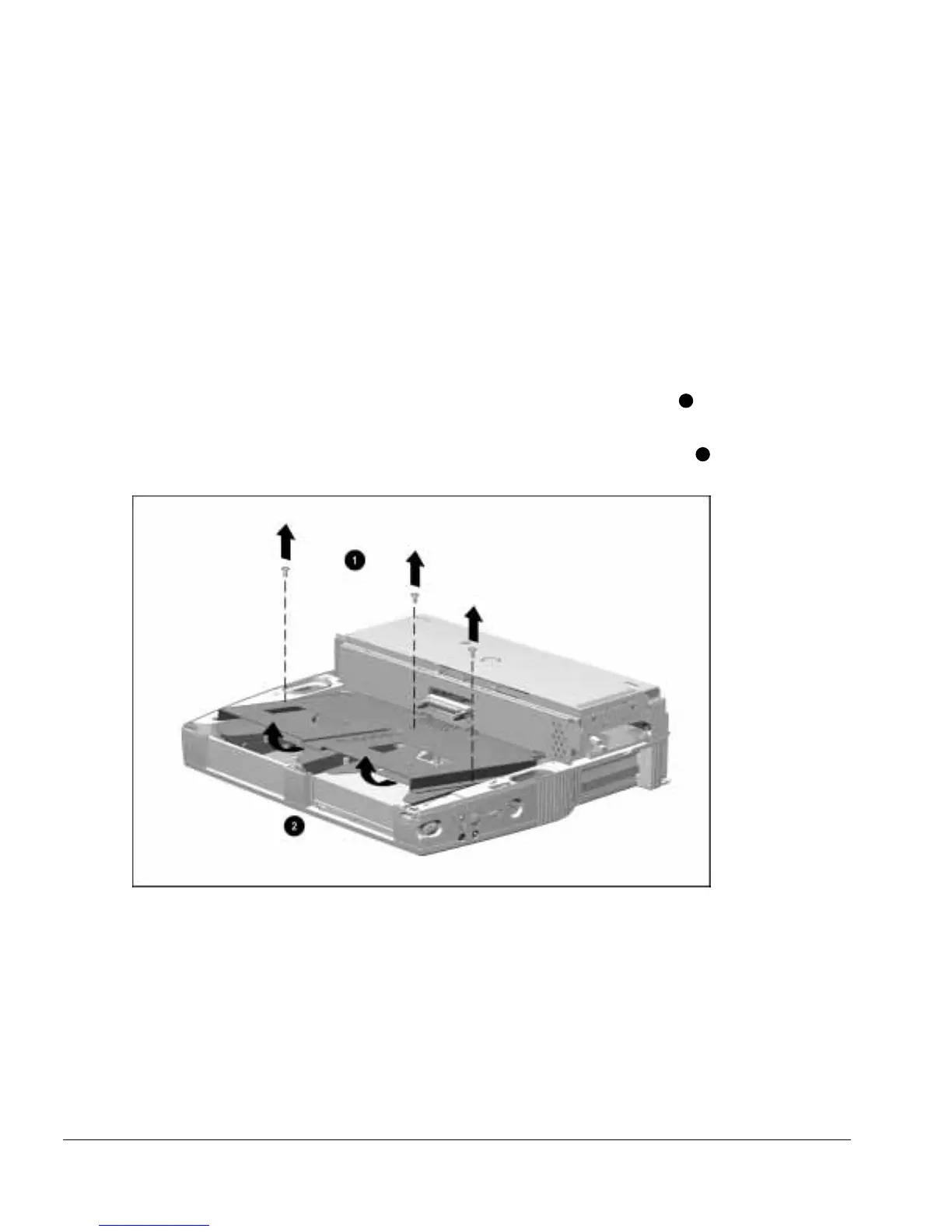
5.7 Drive Cage Shield
The drive cage shield is located in the base assembly and covers the half-height bay
assemblies. To remove the drive cage shield, follow these steps:
1. Prepare the ArmadaStation for disassembly (Section 5.3).
2. Remove the alignment tray assembly (Section 5.4).
3. Remove the rear panel assembly (Section 5.5).
4. Remove the upper case assembly (Section 5.6).
5. Remove the three screws securing the drive cage shield to the base assembly
1
(Figure 5-14).
6. Lift up on the front of the drive cage shield and pull forward to fully disengage
2
.
Figure 5-14.
Removing the Drive Cage Shield
7. Pull the drive cage shield forward until the shield clears the base assembly.



 To Next Page