. . . . . . . . . . . . . . . . . . . . . . . . . . . . . . . . . . . . .
5-8
ArmadaStation Removal and Replacement Procedures
5.5 Rear Panel Assembly
The rear panel assembly is spared as a unit and consists of the:
■ Rear panel
■ Rear panel shield
■ Rear panel release latch
To remove the rear panel assembly, follow these steps:
1. Prepare the ArmadaStation for disassembly (Section 5.3).
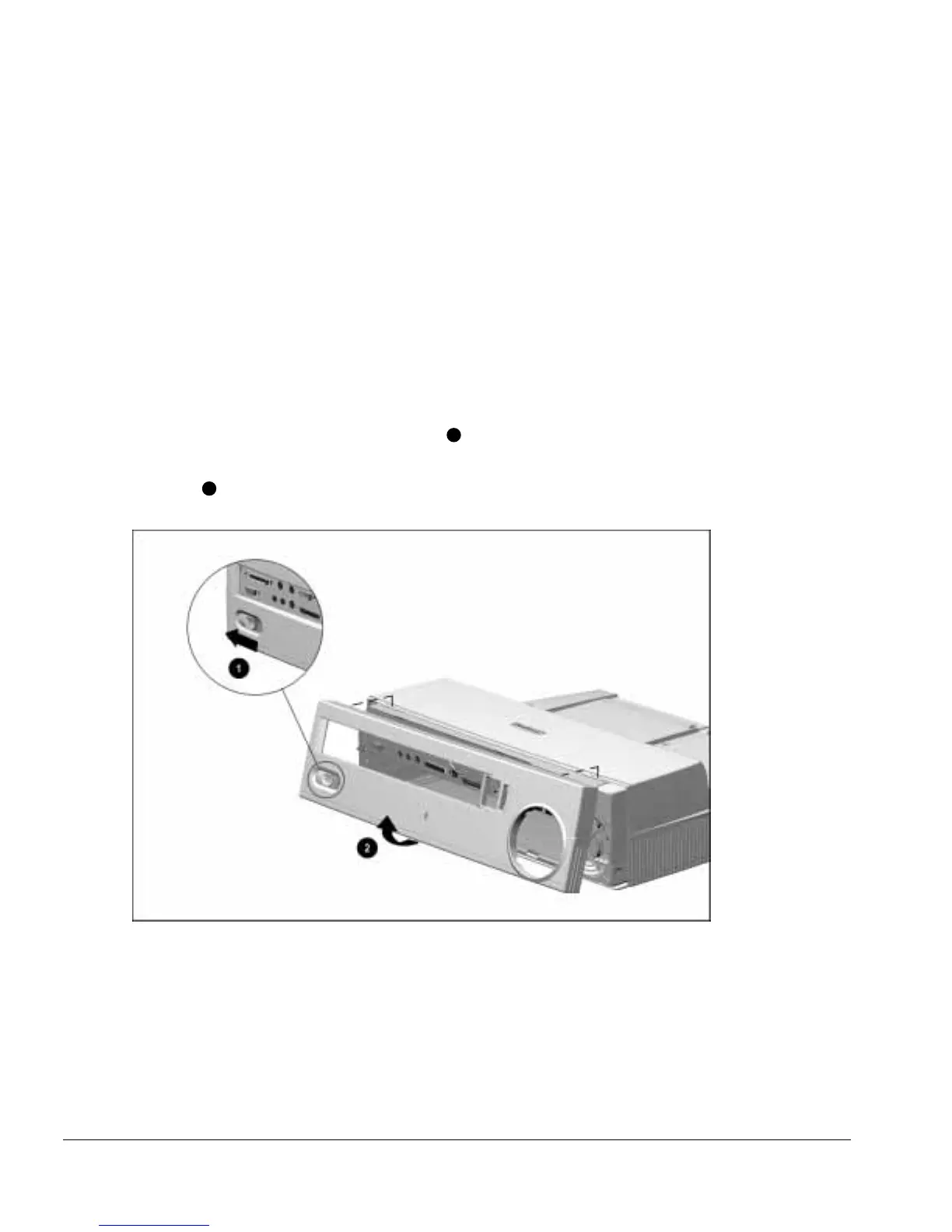
2. Position the ArmadaStation so the rear panel is facing forward.
3. Slide the rear panel release latch to the left
1
(Figure 5-8).
4. Grasp the rear panel assembly by the bottom outside edges and swing the panel out
and up
2
.
Figure 5-8.
Removing the Rear Panel Assembly



 To Next Page