. . . . . . . . . . . . . . . . . . . . . . . . . . . . . . . . . . . . .
ArmadaStation Removal and Replacement Procedures
5-31
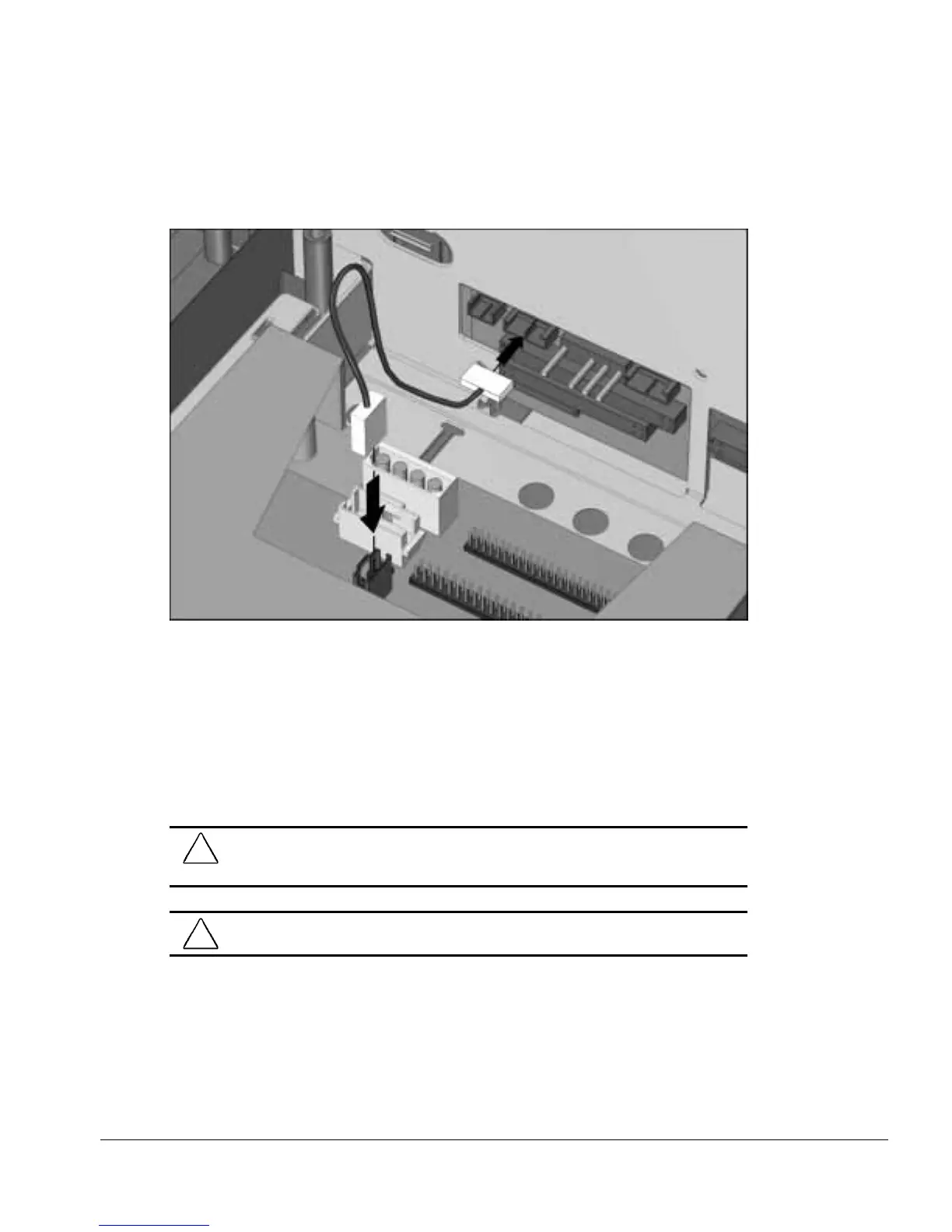
13. Connect the CD-ROM/audio cable to its respective connectors on the half-height
MultiBay adapter and backplane assembly (Figure 5-30).
Figure 5-30.
Connecting the CD-ROM/Audio Cable to the Armada 7000 Half-Height MultiBay
Adapter and Backplane Assembly
5.9 I/O Assembly
The I/O assembly consists of the I/O board, connector board, PC Card assembly, and
I/O panel. The I/O assembly must be removed to install the 100BaseTX Ethernet
module on 10BaseT Ethernet models.
CAUTION:
Make sure the PC Card eject buttons are properly seated before removing the
I/O assembly. Failure to seat the buttons can result in damage to the PC Card and I/O
board assemblies.
!
WARNING:
To reduce the risk of personal injury from hot surfaces, allow the internal
system components to cool before touching the I/O board.
To remove the I/O assembly, follow these steps:
1. Prepare the ArmadaStation for disassembly (Section 5.3).
2. Remove the rear panel assembly (Section 5.5).



 To Next Page