. . . . . . . . . . . . . . . . . . . . . . . . . . . . . . . . . . . . .
5-32
ArmadaStation Removal and Replacement Procedures
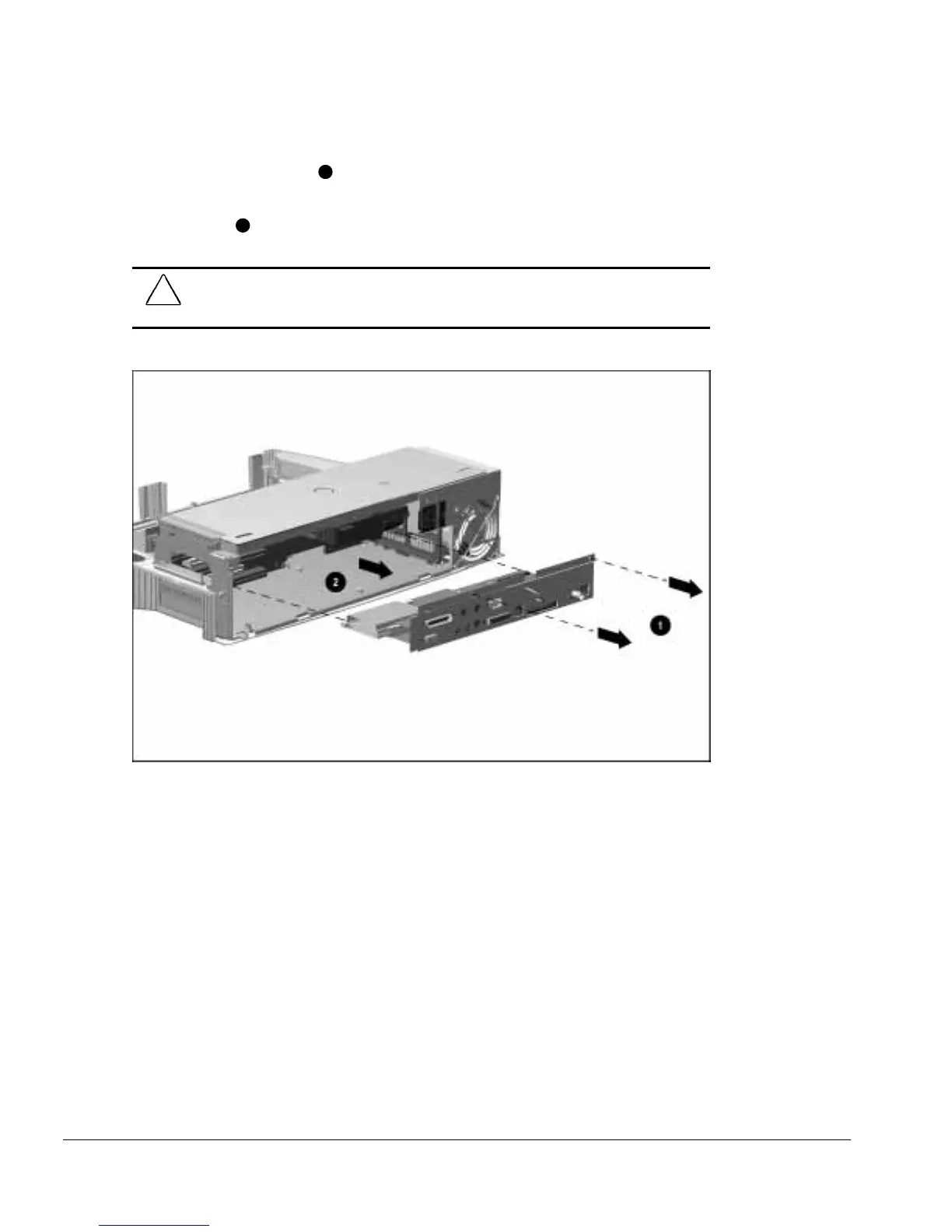
3. Remove the two screws
1
securing the I/O assembly to the top brace (Figure 5-31).
4. Grasp the outside edges of the I/O assembly and pull the assembly until it
disconnects
2
.
CAUTION:
Be careful when removing the I/O assembly. The assembly includes a
multiple-pin connector that is firmly connected to the backplane assembly. Pull firmly to
disconnect the I/O assembly from the backplane assembly.
Figure 5-31.
Removing the I/O Assembly



 To Next Page