. . . . . . . . . . . . . . . . . . . . . . . . . . . . . . . . . . . . .
ArmadaStation Removal and Replacement Procedures
5-33
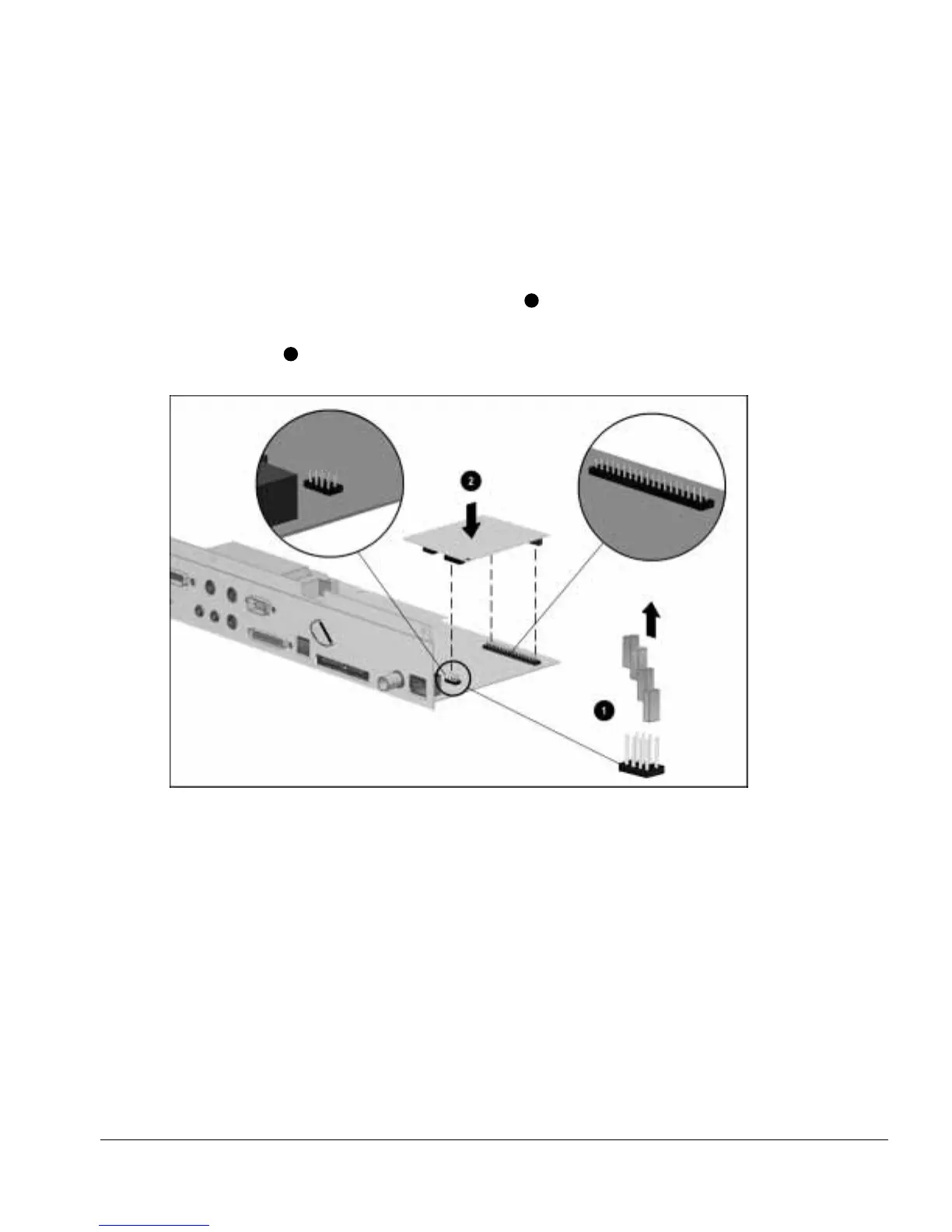
To install the 100BaseTX Ethernet module, follow these steps:
1. Prepare the ArmadaStation for disassembly (Section 5.3).
2. Remove the rear panel assembly (Section 5.5).
3. Remove the I/O assembly (Section 5.9).
4. Remove the four jumpers from the I/O assembly
1
(Figure 5-32).
5. Connect the 100BaseTX Ethernet module to the connectors on the right side of the
I/O assembly
2
.
Figure 5-32.
Installing the 100BaseTX Ethernet Module



 To Next Page