. . . . . . . . . . . . . . . . . . . . . . . . . . . . . . . . . . . . .
5-34
ArmadaStation Removal and Replacement Procedures
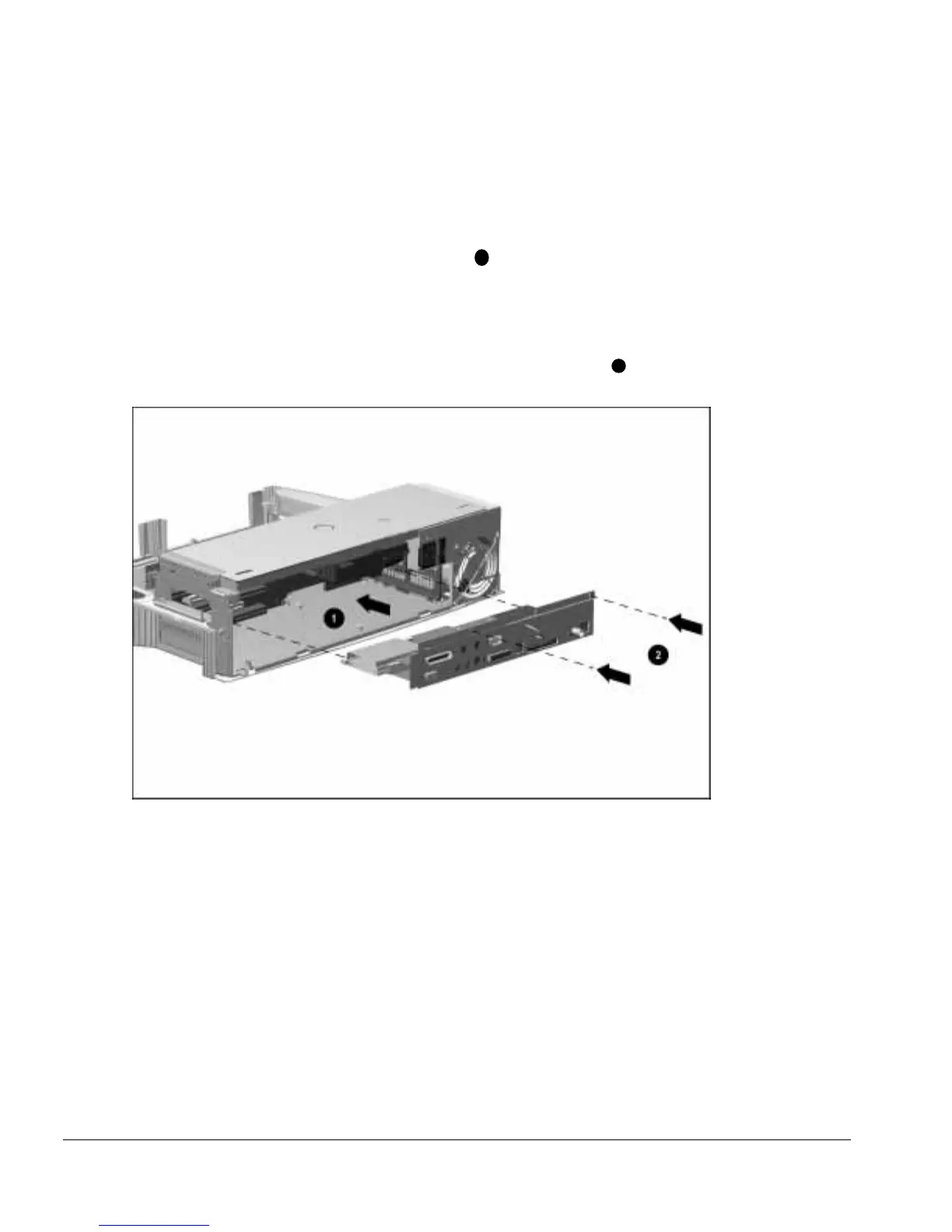
To install the I/O assembly, follow these steps:
1. Align the right side of the I/O bracket with the groove in the expansion card
cage (Figure 5-33).
2. Slide the I/O assembly into the ArmadaStation
1
until the assembly connector seats
itself on the backplane assembly.
NOTE: Make sure the manual release lever does not interfere with the installation of
the I/O bracket.
3. Install the two screws that secure the I/O assembly to the top brace
2
.
Figure 5-33.
Installing the I/O Assembly



 To Next Page