. . . . . . . . . . . . . . . . . . . . . . . . . . . . . . . . . . . . .
ArmadaStation Removal and Replacement Procedures
5-35
5.10 Top Brace
The top brace separates the power supply, I/O assembly, mechanism assembly, and
backplane assembly from the upper case assembly. The top brace must be removed to
access the power supply, mechanism assembly, and backplane assembly.
To remove the top brace, follow these steps:
1. Prepare the ArmadaStation for disassembly (Section 5.3).
2. Remove the alignment tray assembly (Section 5.4).
3. Remove the rear panel assembly (Section 5.5).
4. Remove the upper case assembly (Section 5.6).
5. Remove the two screws securing the I/O assembly to the top brace (Section 5.9).
NOTE: It is not necessary to remove the I/O assembly before removing the top brace.
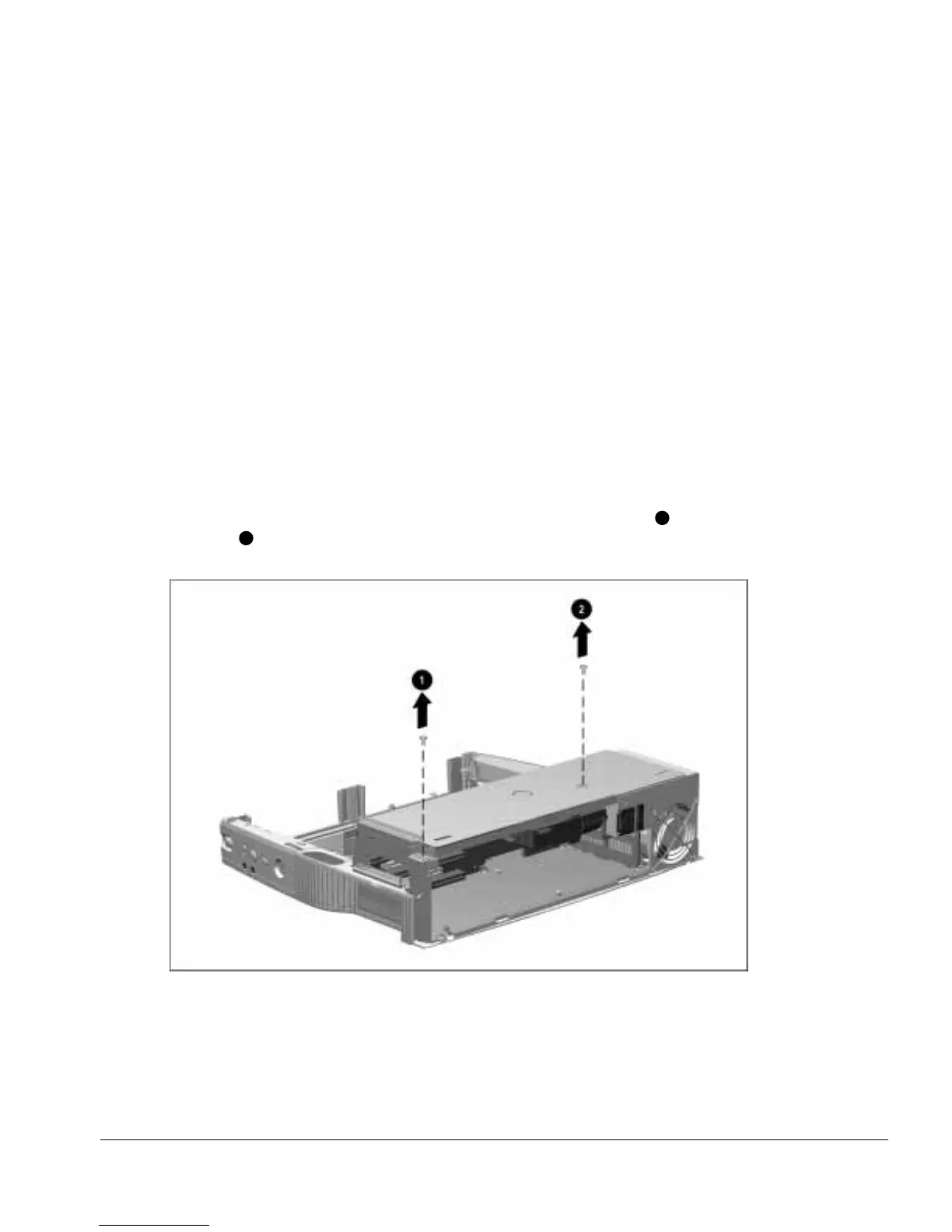
6. Remove the two screws securing the top brace to the base assembly
1
and power
supply
2
(Figure 5-34).
Figure 5-34.
Removing the Top Brace Screws



 To Next Page