. . . . . . . . . . . . . . . . . . . . . . . . . . . . . . . . . . . . .
ArmadaStation Removal and Replacement Procedures
5-21
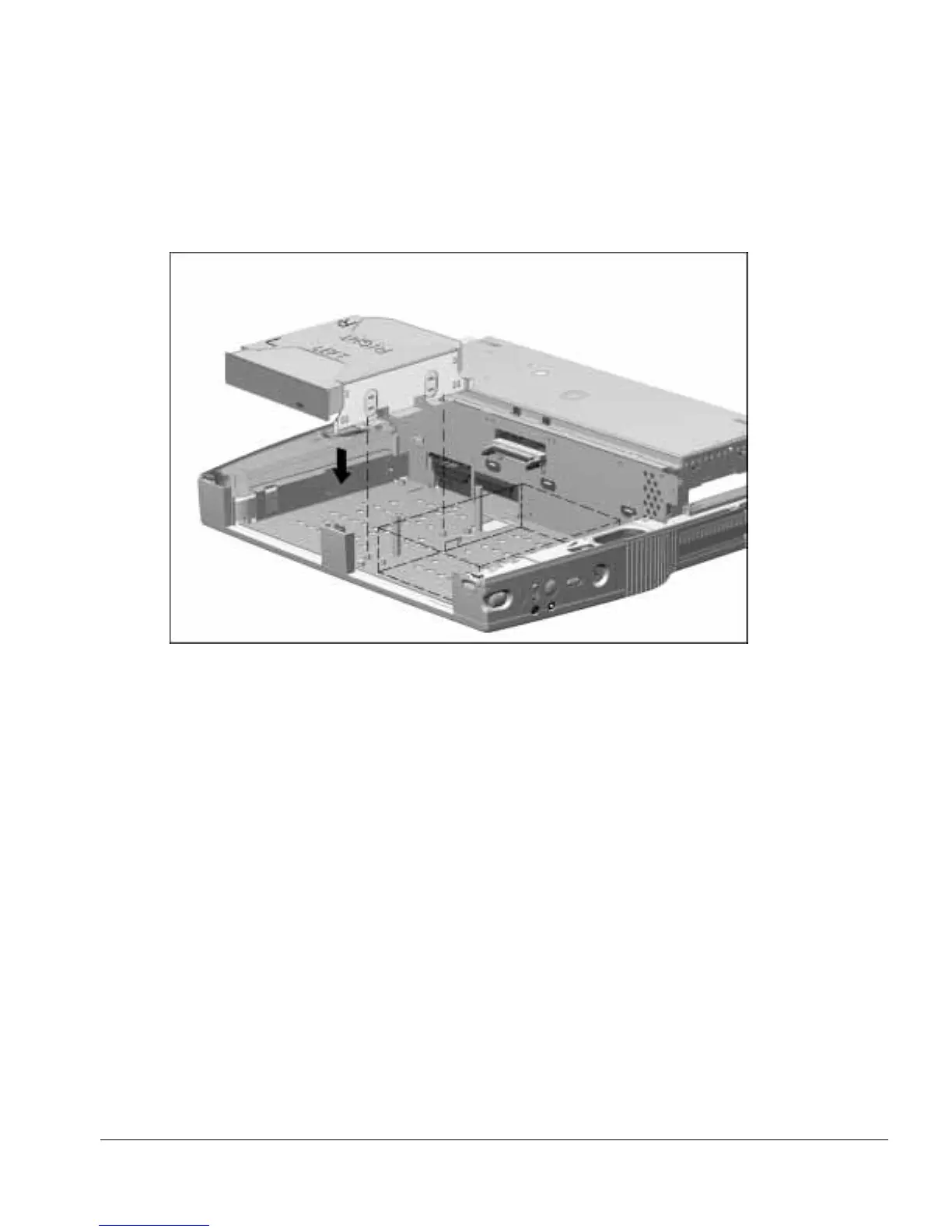
7. Insert the half-height drive assembly in the base assembly, making sure to align the
alignment holes on the drive cage with the alignment pins in the base assembly
(Figure 5-20).
Figure 5-20.
Installing a Half-Height Drive
8. Attach the appropriate cable to the connectors on the half-height drive and the
ArmadaStation. Refer to the documentation that came with the half-height drive for
information about which ArmadaStation connectors to use.
Reverse the installation procedure described above to remove a half-height drive.



 To Next Page