. . . . . . . . . . . . . . . . . . . . . . . . . . . . . . . . . . . . .
5-58
ArmadaStation Removal and Replacement Procedures
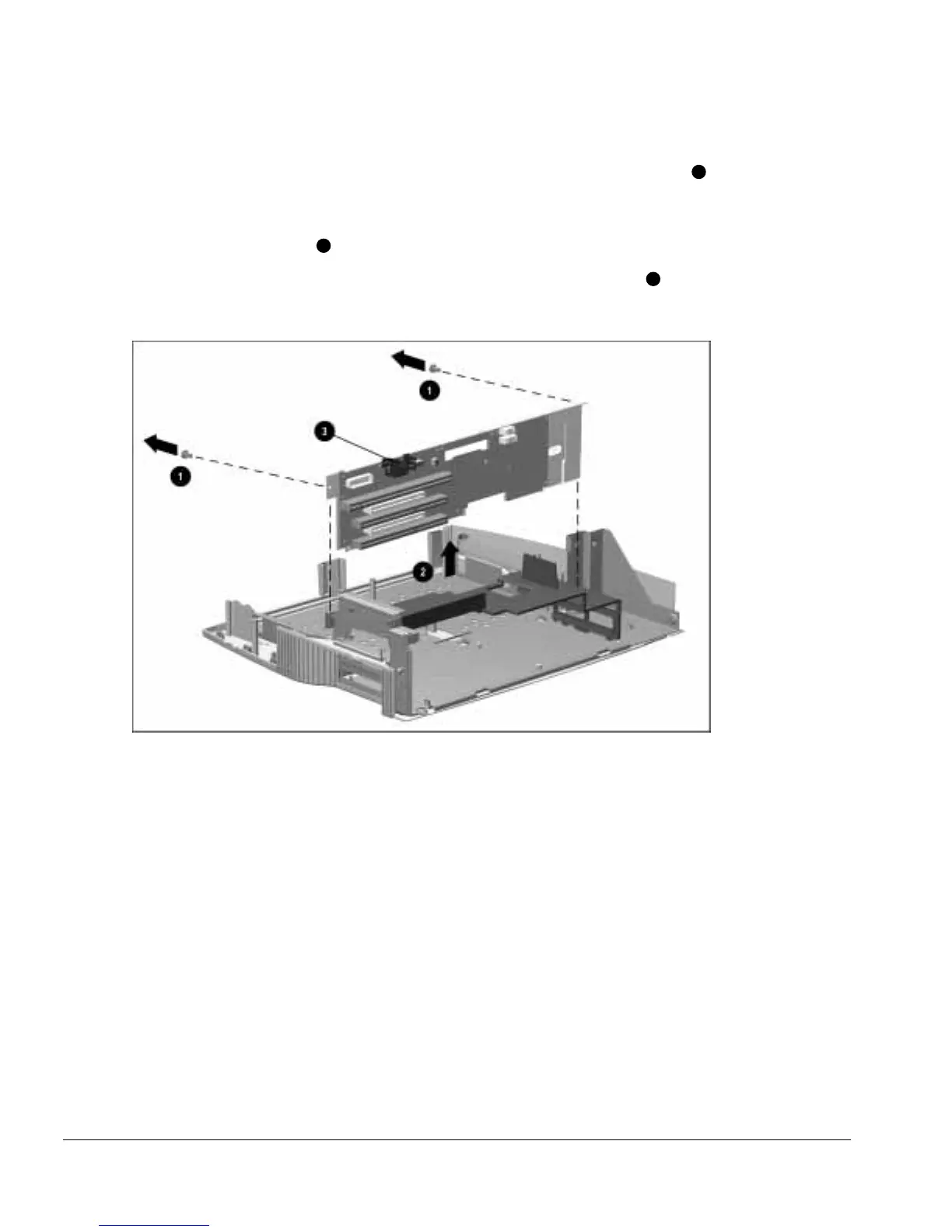
15. Remove the two screws securing the backplane assembly to the base assembly
1
(Figure 5-54).
16. Grasp the top of the backplane assembly and lift up on the assembly and remove it
from the base assembly
2
.
NOTE: When removing the backplane assembly, do not use the heatsink
3
to lift the
assembly.
Figure 5-54.
Removing the Backplane Assembly
Reverse the removal procedure described above to install the backplane assembly.



 To Next Page