. . . . . . . . . . . . . . . . . . . . . . . . . . . . . . . . . . . . .
ArmadaStation Removal and Replacement Procedures
5-61
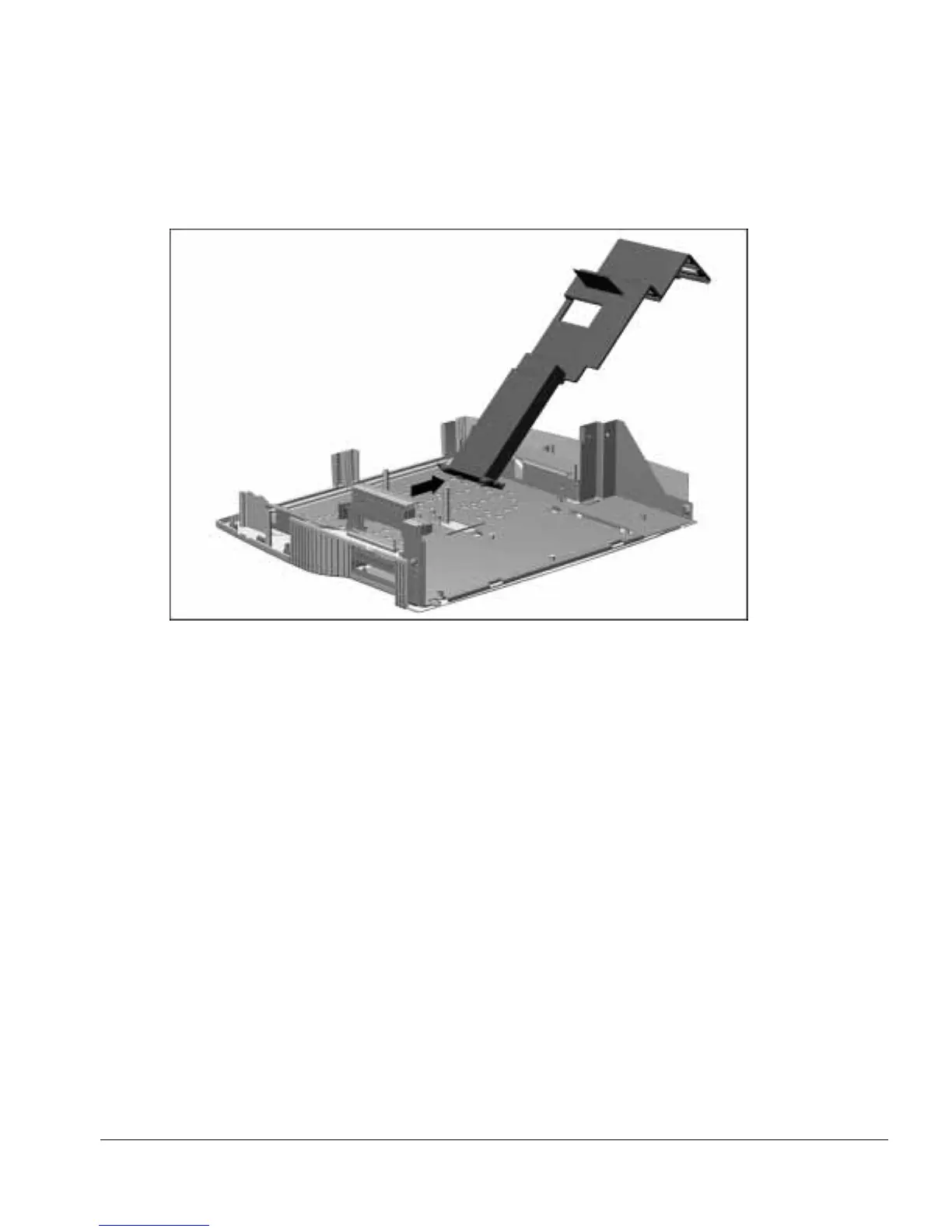
13. Swing the expansion card cage to the right until the tabs on the right side of the cage
clear the slots in the base assembly (Figure 5-56).
Figure 5-56.
Removing the Expansion Card Cage
Reverse the removal procedure described above to install the backplane assembly.



 To Next Page