. . . . . . . . . . . . . . . . . . . . . . . . . . . . . . . . . . . . .
Armada MiniStation Removal and Replacement Procedures
6-13
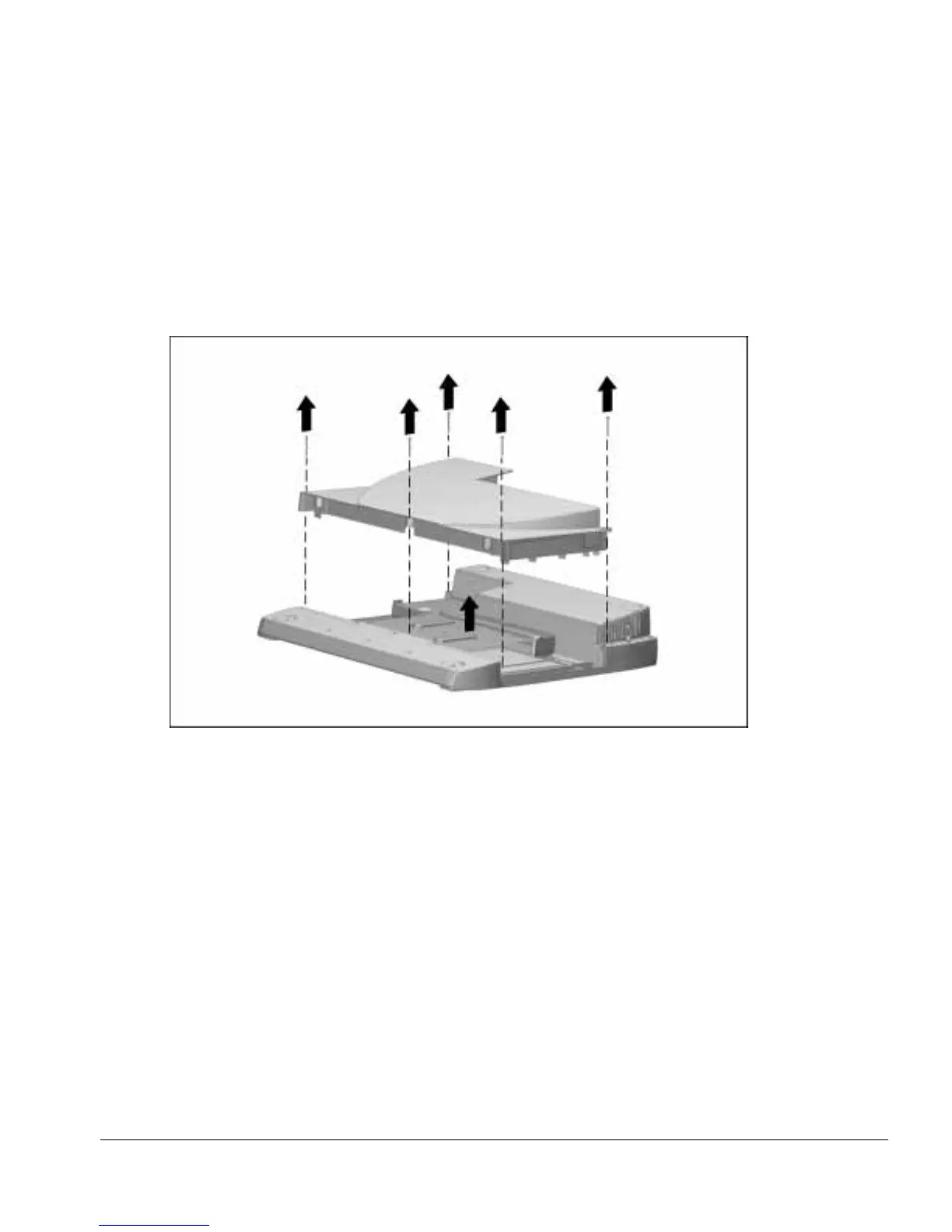
3. Remove the five screws securing the MultiBay/PC Card assembly to the base
assembly (Figure 6-12).
4. Remove the MultiBay/PC Card assembly.
NOTE: The MultiBay/PC Card assembly includes a multiple-pin connector that is
firmly connected to the module assembly. Pull firmly to disconnect the
MultiBay/PC Card assembly from the module assembly.
Figure 6-12.
Removing the MultiBay/PC Card Assembly
Reverse the removal procedure to install the MultiBay/PC Card assembly.



 To Next Page