(3) Example: Setting Type of Work is employee, pay period is Bi- Weekly,
Pay ending day is following Friday.
Today
Date May 2 May 3 ~ May 11 May 12 ~ May 14 May 15
Day of week Wed. Thu. ~ Fri. Sat. ~ Mon. Tue.
Code 00 01 ~ 09 10 ~ 12 13
After the pay ending day, your first punch will on the front side of the time card
in the 1’st row; you can punch IN/OUT as many times as required per day.
13
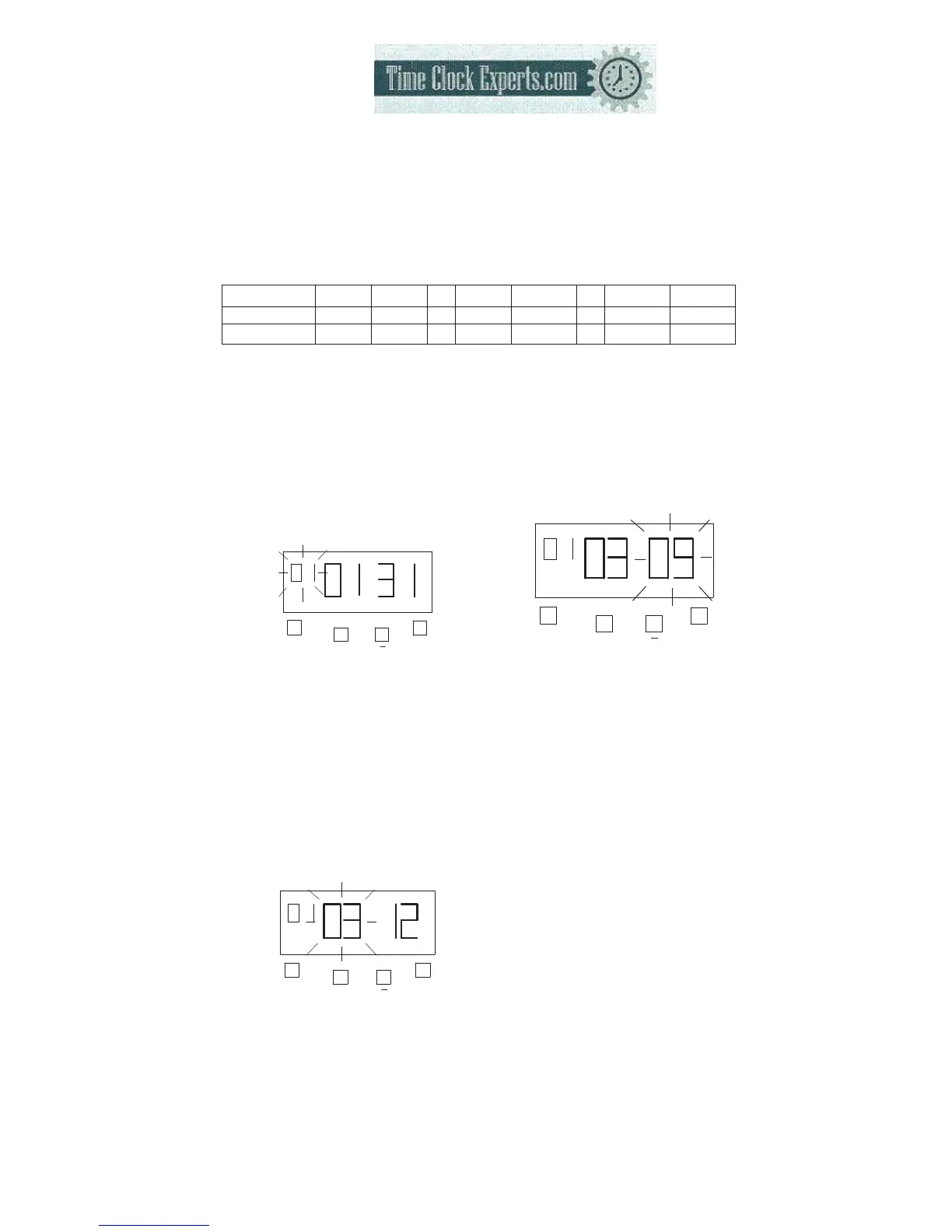
a. Setting “Type of Work”
Press the [F] button, and position
the “▲” under the “PRINT
FORMAT” mark. The “Type of
work” flashes (The flashing
means it can be changed).
F
+
E
PRINT
FORMAT
Such as example, press the [E]
button because the type of work is
not to be changed.At the same
time, the flashing changes from
“Type of Work” to “Pay Period”.
b. Setting “Pay Period”
Press the [+] or [-] button to
Set at “3” and press [E] button.
At the same time, the flashing
changes from “Pay Period” to
“Pay ending day”.
F
+
E
PRINT
FORMAT
c. Setting the “Pay ending
day”
Press the [+] or [-] button to
Set at “09” and press [E] button
F
+
E
PRINT
FORMAT
At the same time, the LCD
screen only display “▲” under
the “PRINT FORMAT” mark.
d. If you want to set another
function, press the [F] button to
continue setting.
If you finished setting the
functions, replace the cover and
lock it.
TO PLACE AN ORDER CALL: 866-487-4751
OR VISIT: WWW.TIMECLOCKEXPERTS.COM


 To Next Page