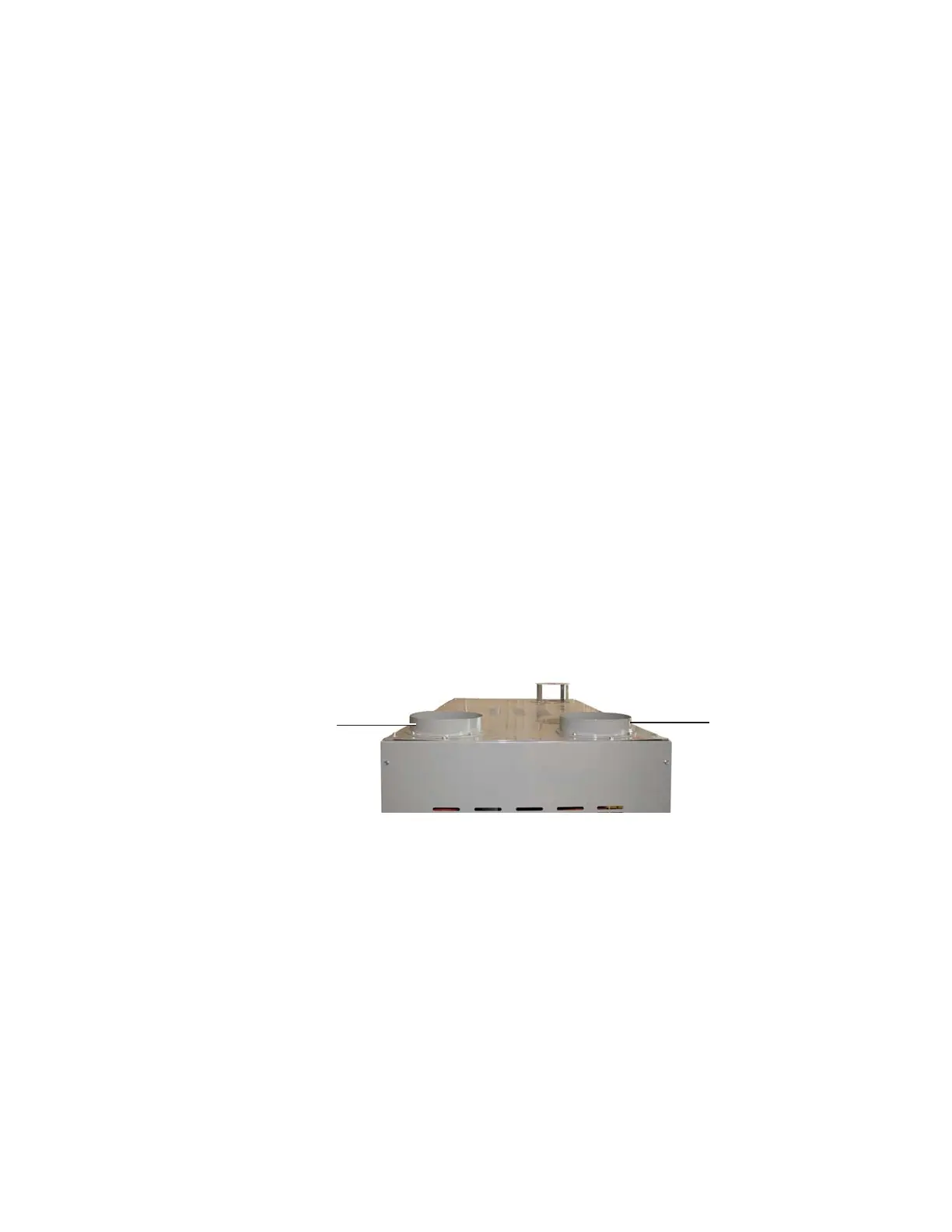
Installing the Return Air Inlet and Air
Outlet Adapters
(D1300 - 5000)
The Carousel Plus D Series Dryer’s return air inlet and air outlet adapters will be removed
when the dryer is shipped
To install the return air inlet and air outlet adapters:
1 Remove the return air inlet and air outlet adapters that are attached to the dryer’s
shipping pallet.
2 Locate the bolt patterns on the top of the dryer, on top of the return air inlet and air out
outlet.
3 Position the return air adapter on top of the return air inlet, aligning both bolt pat-
terns.
4 Secure the return air adapter with supplied hardware, using appropriately sized
wrench.
5 Position the air inlet adapter on top of the inlet air inlet, aligning both bolt patterns.
6 Secure the air inlet adapter with supplied hardware, using an appropriately sized
wrench.
Dry Air
Outlet
Adapter
Return Air
Inlet Adapter
3-6 l Installation


 To Next Page